COOPERATION MODEL
ARTIFICIAL INTELLIGENCE
PRODUCT ENGINEERING
DevOps & Cloud
LOW-CODE/NO-CODE DEVELOPMENT
INDUSTRY
FRONTEND DEVELOPMENT
CLOUD DEVELOPMENT
MOBILE APP DEVELOPMENT
LOW CODE/ NO CODE DEVELOPMENT
EMERGING TECHNOLOGIES



 9 mins read
 Last updated March 13, 2026
Moving data to the cloud sounds straightforward until you're staring at terabytes of legacy records, dozens of interconnected systems, and a deadline that suddenly feels very real. Without solid cloud data migration best practices in place, teams run into the same problems over and over: unexpected downtime, data loss, ballooning costs, and security gaps that only surface after go-live. Getting this right the first time isn't optional, it's the difference between a smooth transition and a costly recovery effort.
The good news is that most migration failures are preventable. They come down to poor planning, unclear ownership, and skipping validation steps that seem tedious but save enormous headaches later. Whether you're shifting from on-premises infrastructure to AWS, consolidating multiple data stores, or moving between cloud providers, the core principles stay the same. What matters is having a structured approach that accounts for your data's complexity, your compliance requirements, and your team's capacity.
At Brilworks, we've helped startups and enterprises migrate critical workloads to the cloud, particularly on AWS, while maintaining data integrity and minimizing disruption. That experience has given us a clear picture of what separates successful migrations from chaotic ones. This guide walks you through the entire process step by step: from initial assessment and strategy selection to execution, validation, and optimization. By the end, you'll have a practical, actionable framework you can apply directly to your own migration project.
A successful migration isn't just about moving files from one location to another. Good cloud data migration best practices treat the process as a deliberate engineering effort with clear outcomes, defined checkpoints, and verified results at every stage. When a migration goes well, your systems come back online faster than expected, your data arrives intact, and your team understands the new environment they're operating in before the cutover even begins.
The migrations that go smoothly share consistent traits regardless of scale or industry. Careful pre-migration planning typically accounts for at least 40% of the total project time, and teams that compress this phase tend to discover issues mid-transfer, which forces rollbacks or manual corrections that cost far more time than the planning would have. The three core attributes that define a well-run migration are:
A migration without a tested rollback plan is a risk you're carrying silently. Build the exit before you start the move.
Most migration failures share a common root cause: teams treat migration as a simple lift-and-shift operation rather than a structured project with defined stages. That mindset leads to skipped dependency mapping, ignored data quality issues, and access controls that were never updated for the new environment. The result is often a technically working system that creates compliance exposure or performance problems weeks after go-live.
The avoidable version of failure looks like this: a company moves three years of customer records to AWS, discovers on day two that foreign key relationships broke during the transfer, and spends the following week manually reconciling data. According to AWS migration guidance, validation is a non-negotiable phase, not an optional cleanup task. Treating it as a core project deliverable rather than a final checkbox is one of the most consistent differences between migrations that succeed and those that require extended remediation.
Many teams declare success when data finishes transferring, but a migration isn't complete at that point. "Done" means your applications are running correctly against the new data store, your monitoring tools are active, your team has confirmed that performance baselines match or exceed the source environment, and your cutover documentation is archived for future reference. This definition matters because it sets a concrete standard your team works toward rather than leaving success open to interpretation.
A useful way to frame it: your migration is complete when you can decommission the source environment without hesitation. If any application or process is still reading from the old system, the migration isn't finished. Holding that line keeps your team honest about what "complete" actually requires.
Before you move a single byte, you need to define why you're migrating and what a finished migration actually looks like for your organization. Skipping this step is one of the most consistent causes of scope creep and blown deadlines. Teams that start without clear goals end up chasing moving targets while stakeholders add requirements mid-project. Every cloud data migration best practice starts here because your goals drive every decision that follows, from which migration approach you select to how you confirm completion.
Your goals should be specific and tied to a concrete business outcome. "Move to the cloud" is not a goal. "Reduce infrastructure costs by 30% within six months of cutover" is a goal. Start by writing down two to three primary objectives, then document the constraints that apply: budget ceiling, compliance requirements, acceptable downtime windows, and any hard deadlines tied to contract renewals or product launches.
Vague goals produce vague results. The more precisely you define your target state, the easier every downstream decision becomes.
Once you have objectives written down, define your scope boundary. List every data source that is in scope and explicitly document what is out of scope. This prevents stakeholders from adding systems mid-project without understanding the full impact on timeline and team capacity.
Each goal needs a metric attached to it, or you have no reliable way to confirm the migration succeeded. Here is a simple template you can adapt directly into your project plan:
| Objective | Success Metric | Measurement Method |
|---|---|---|
| Reduce infrastructure cost | 30% lower monthly spend | Compare cloud billing vs. prior invoices |
| Maintain data integrity | Zero record loss | Row counts + checksum comparison |
| Minimize downtime | Under 2 hours total | Monitoring logs at cutover |
| Meet compliance requirements | Pass audit within 30 days | Third-party audit report |
Document your baseline metrics before the migration starts, not after. Post-migration is too late to establish a valid comparison point. With goals, scope, and metrics locked, your team has a shared reference point that guides every phase that follows.
You cannot plan what you haven't counted. Before you apply any cloud data migration best practices to your project, you need a complete, accurate picture of your current data landscape. Teams that skip this step routinely discover mid-migration that a critical application depends on a database they didn't include in scope, which forces a pause and a scramble. A thorough inventory eliminates that category of surprise entirely.
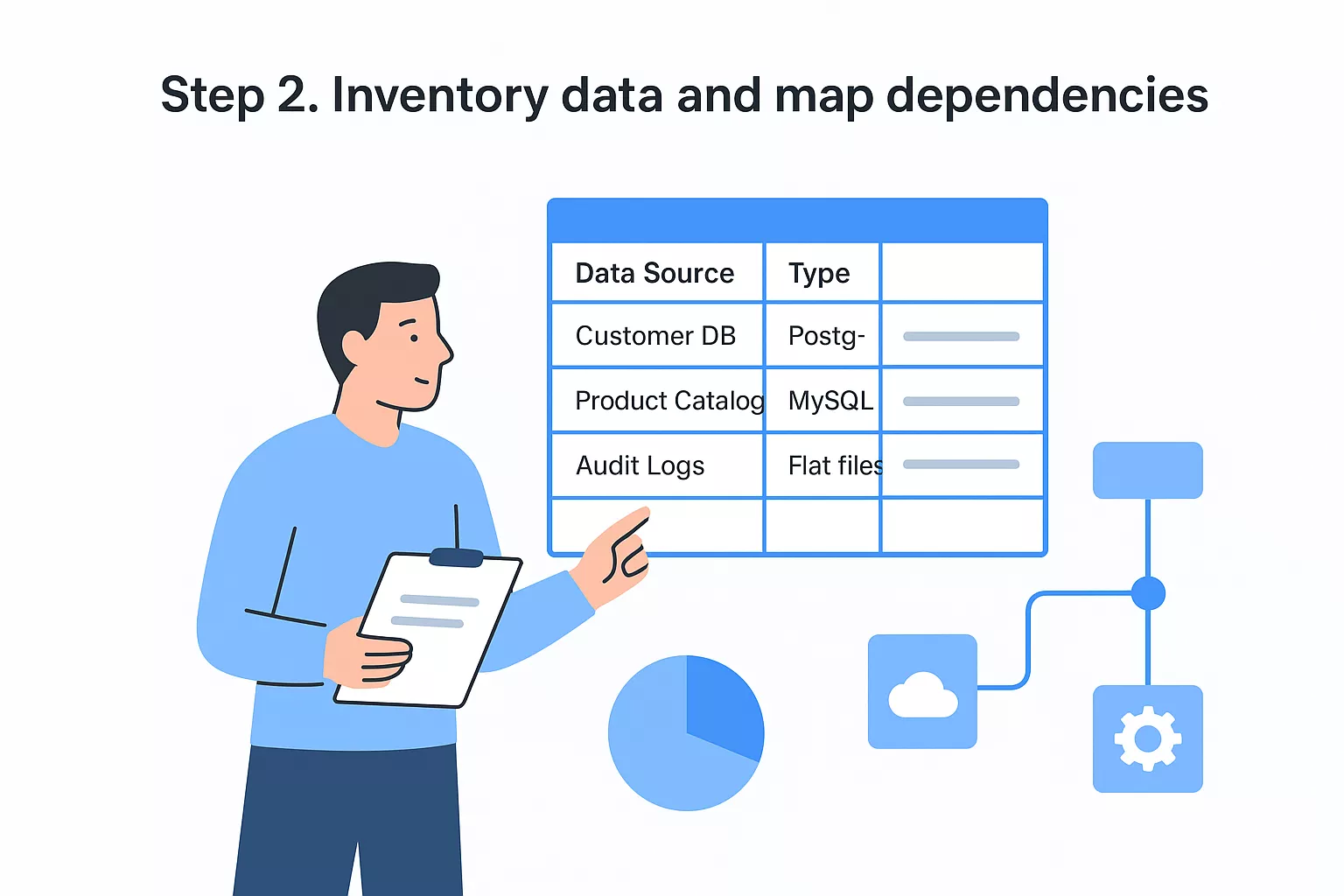
Your inventory should capture every data source in scope: databases, file systems, data warehouses, flat files, and any APIs or services that write or read data. For each source, record the key attributes that will affect your migration planning.
Use this template as a starting point:
| Data Source | Type | Size | Owner | Sensitivity | Dependencies | Migration Priority |
|---|---|---|---|---|---|---|
| Customer DB | PostgreSQL | 800 GB | Backend Team | PII | Order Service, Auth API | High |
| Product Catalog | MySQL | 120 GB | Catalog Team | Public | Frontend, Search Index | Medium |
| Audit Logs | Flat files | 2 TB | Security Team | Regulated | Compliance Dashboard | Low |
An inventory that lives in one person's head is not an inventory. Document it in a shared location your entire team can access and update.
Size and sensitivity are the two attributes that most directly shape your migration strategy and timeline, so capture both accurately. If you're unsure about data sensitivity, default to the higher classification until you confirm otherwise.
Dependency mapping is where most inventories fall short. It's not enough to know that a database exists; you need to know every application, service, or process that reads from or writes to it. A missed dependency means a broken application after cutover.
Start by pulling connection logs and query logs from your current environment. On AWS, services like AWS Database Migration Service include dependency analysis tooling that surfaces active connections you might otherwise overlook. For each dependency you find, document the data flow direction, the criticality of the connection, and the order in which each component needs to come back online after the migration completes.
Carrying unnecessary or low-quality data into your new cloud environment increases cost, extends your migration timeline, and creates compliance exposure you don't need. This step is where most teams gain real leverage: applying solid cloud data migration best practices before the transfer means your target environment starts clean rather than inheriting the accumulated problems of your current one.
Start by assigning every data set two labels: a sensitivity classification (public, internal, confidential, regulated) and a business value tier (active, archival, obsolete). These two dimensions together tell you how much protection a data set needs and whether it's worth migrating at all.
The migration is your best opportunity to stop paying for data nobody uses. Take it seriously.
Use this classification matrix as a starting template:
| Classification | Examples | Handling Requirement |
|---|---|---|
| Regulated | PHI, PII, financial records | Encrypt in transit and at rest, audit trail required |
| Confidential | Internal IP, employee data | Encrypt, restrict access to named roles |
| Internal | Product configs, internal docs | Standard access controls |
| Public | Marketing content, published docs | No special handling required |
Apply your highest available protection level to any data set you're unsure about until you complete a proper review. Downgrading classification is easy; remediating a compliance breach is not.
Running data quality checks against your source environment before migration saves you from debugging corrupted records in production. Identify duplicate records, null values in required fields, and broken relational links at this stage, not after cutover.
Three checks to run on every data set:
Once you've cleaned, archive or delete data sets that fall into the obsolete tier. Reducing your total data volume by even 15 to 20 percent cuts both transfer time and ongoing storage costs in the target environment.
Your inventory and classification work from the previous steps feeds directly into this decision. The migration approach you assign to each data set determines how much engineering effort you carry, how long the transfer takes, and what your target environment looks like on day one. Applying a single approach to every data set regardless of its complexity is one of the most common planning mistakes at this stage.
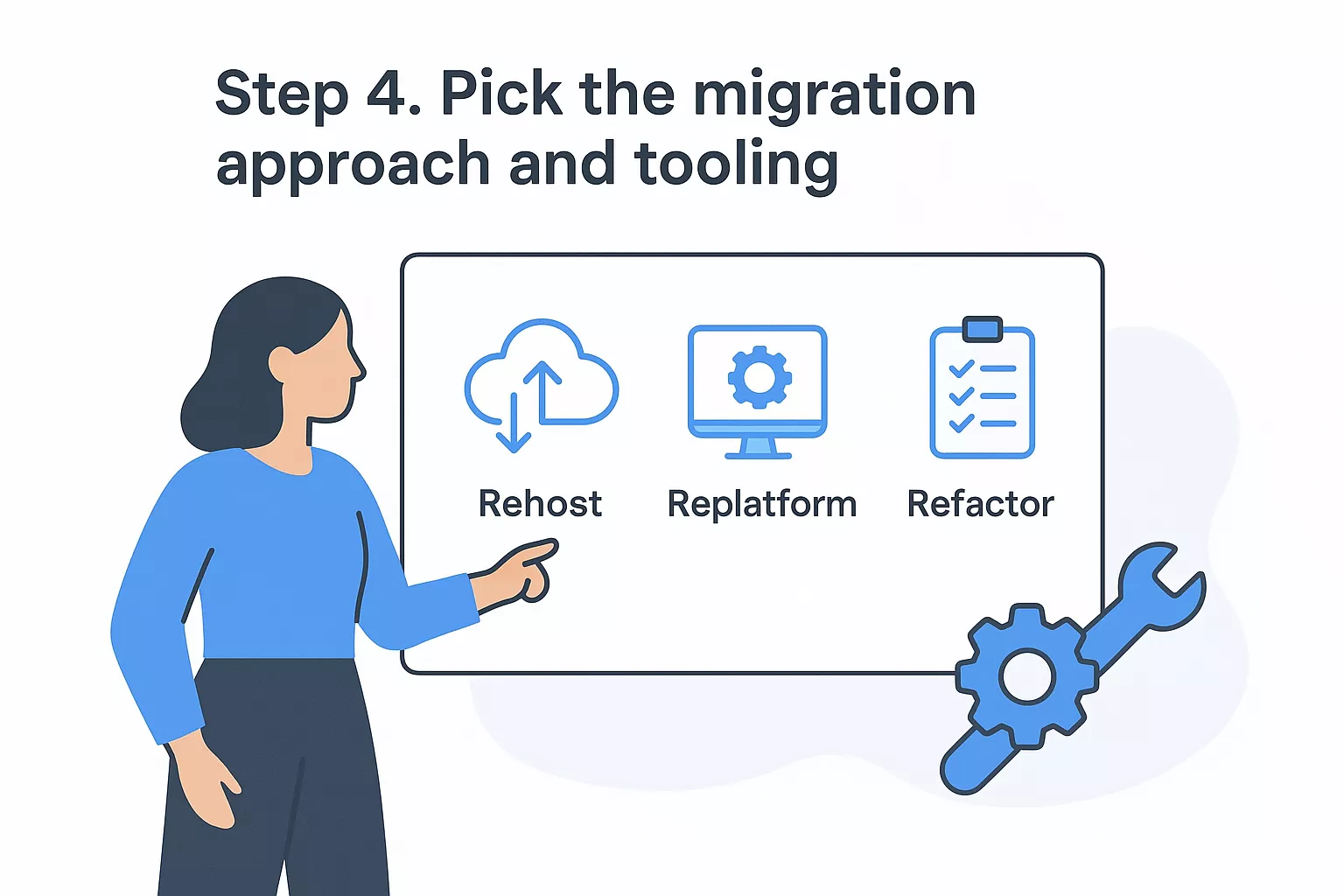
The strategy you select shapes your timeline, cost, and the technical risk your team absorbs. Applying cloud data migration best practices here means assigning a strategy to each data set individually rather than defaulting to one method for everything in scope.
The five most common strategies are:
| Strategy | What It Means | Best For |
|---|---|---|
| Rehost (lift-and-shift) | Move data as-is to cloud infrastructure | Time-sensitive cutover, minimal changes needed |
| Replatform | Move with minor optimizations (e.g., swap database engine) | Moderate modernization without full refactor |
| Refactor | Redesign data architecture for cloud-native services | Long-term performance and cost optimization |
| Retire | Decommission data sets with no active use | Cutting scope and storage costs |
| Retain | Keep specific data on-premises temporarily | Active compliance or dependency constraints |
Matching your strategy to each data set individually beats forcing a single approach across your entire migration.
Once you assign a strategy to each data set, select a tool that fits it. Using mismatched tooling for a given strategy adds friction and surfaces errors that your validation phase then has to absorb.
For AWS-based migrations, AWS Migration Hub provides a central dashboard to track progress across services. AWS Database Migration Service (DMS) handles structured data moves between relational engines with minimal downtime, while AWS DataSync automates file and object transfers with built-in integrity verification. For large offline transfers where network bandwidth is a real constraint, the AWS Snow Family handles physical data transport at scale.
Pair each data source from your Step 2 inventory with a specific tool using this template:
| Data Source | Strategy | Tool | Owner |
|---|---|---|---|
| Customer DB (PostgreSQL) | Replatform | AWS DMS | Backend Team |
| Audit logs (flat files) | Rehost | AWS DataSync | Security Team |
| Legacy reporting DB | Retire | Decommission | Data Team |
Lock your tooling selections before you build the migration runbook. Switching tools mid-execution forces you to re-run your test suite from scratch and adds delays you don't want this close to cutover.
Security and governance work happens before data moves, not after. This is the step most teams defer until they're already under deadline pressure, which is exactly when access misconfigurations and encryption gaps get introduced. Treating security as an upfront phase rather than a post-migration cleanup is one of the most important cloud data migration best practices you can adopt, and it directly protects the data integrity work you completed in earlier steps.
Every data set you classified as regulated or confidential must be encrypted both while it's transferring and once it lands in the target environment. On AWS, you enforce this through AWS Key Management Service (KMS), which lets you create and control the encryption keys attached to your data stores, S3 buckets, and database instances.
Encryption applied only at rest leaves your data exposed during the transfer window. Cover both layers before cutover begins.
Use this checklist to confirm encryption coverage for each data source before you start the transfer:
Role-based access control (RBAC) defines who can read, write, or administer each data set in the target environment. You should configure these permissions in your target environment and test them against real user roles before any production data arrives. Waiting until after cutover means your data is live and potentially exposed to broader permissions than you intended.
Start by mapping each data source to the minimum set of roles that need access, then deny everything else by default. Use AWS Identity and Access Management (IAM) to enforce least-privilege access at the resource level. Document every access decision in a governance log your compliance team can review, so you have a clear audit trail from the moment data enters the cloud environment.
With your strategy, tooling, and security controls confirmed, you're ready to move data. The most important cloud data migration best practices at this stage center on running in a controlled sequence rather than pushing everything at once. Start with low-risk, non-production data sets to surface any tool configuration issues before your most sensitive or business-critical records are in flight.
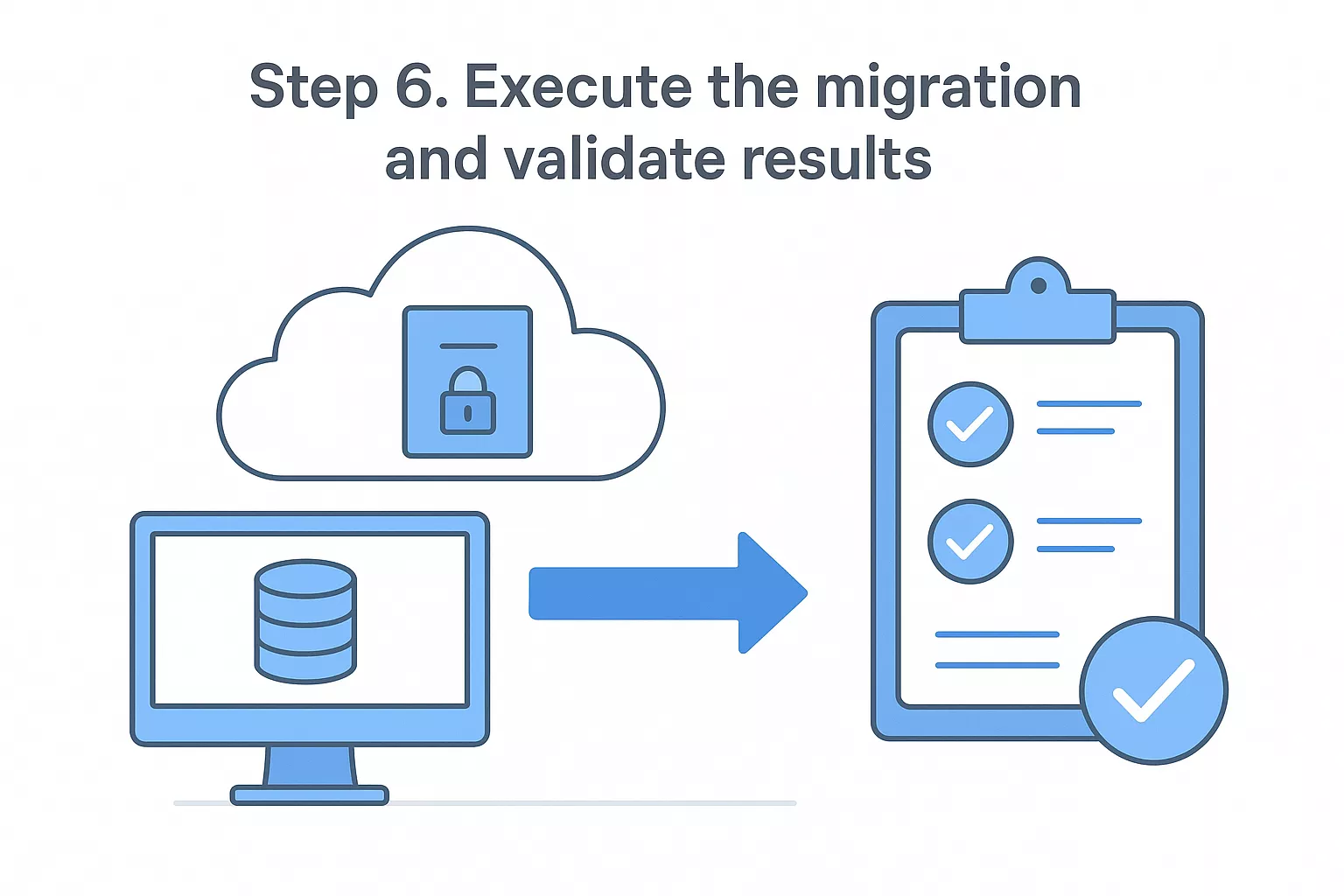
A pilot migration gives you a real-world rehearsal on a subset of your data, typically 5 to 10 percent of your total volume. Use it to confirm that your tooling performs as configured, that your monitoring alerts fire correctly, and that your rollback procedure actually works end-to-end before you run it under pressure.
A pilot that reveals a flaw is a success. A full cutover that reveals the same flaw is a crisis.
Document the results of your pilot in a short summary that captures transfer speed, error count, and any manual interventions your team had to make. Use that data to adjust your timeline and runbook before you scale to the full migration.
Validation is not optional cleanup; it is a core phase of execution. After each batch transfers, run three checks before moving to the next one:
| Check | What to Verify | Tool or Method |
|---|---|---|
| Row count match | Source count equals target count | SQL COUNT query on both ends |
| Checksum comparison | Hash of source data matches hash of target | MD5 or SHA-256 checksum scripts |
| Referential integrity | Foreign keys resolve correctly in target | Constraint validation queries |
Catching a discrepancy after a single batch is a contained problem. Catching the same discrepancy after all batches complete means tracing the issue through your entire transfer history, which multiplies your remediation time significantly.
Before you shut down the source environment, run your applications against the target data in a staging configuration and confirm that all reads, writes, and critical workflows behave identically to their behavior on the source. Only after that confirmation should you schedule the final cutover and archive your source data.
Every step in this guide generates its own set of tasks, and keeping those tasks organized in one place prevents items from falling through the gaps. The checklists below consolidate the critical actions from each phase into a format you can paste directly into your project management tool, spreadsheet, or runbook. Treat each item as a hard gate, not a suggestion: if an item isn't checked, the phase isn't done.
Checklists only work when your team actually uses them. Assign an owner to each phase and require sign-off before moving forward.
Run through this list before you start any transfers. Every item here corresponds to work your team should have completed across Steps 1 through 5 of this guide.
Run this list after each batch transfers and again after your final cutover. Signing off before all items are confirmed is the single fastest way to inherit a data problem you'll spend weeks debugging.
Paste these into your plan now and assign an owner to each phase. Consistent use of these cloud data migration best practices checklists is what keeps your migration on track when execution pressure builds.
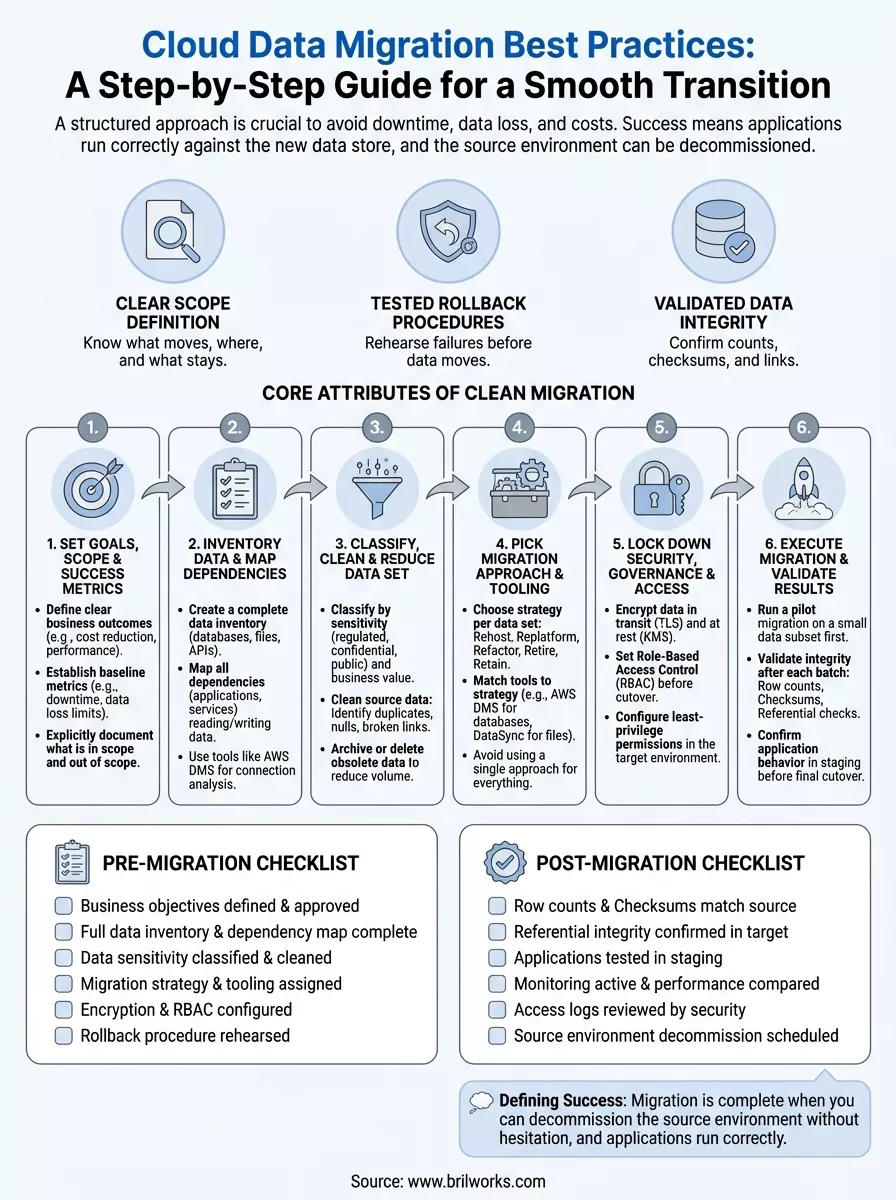
You now have a complete set of cloud data migration best practices covering every phase from goal-setting through post-migration validation. The framework in this guide works whether you're migrating a single database or a complex multi-system environment. Your immediate next step is to open your inventory template, start documenting your data sources, and assign an owner to each checklist before your project kickoff meeting.
Don't wait until you're under deadline pressure to figure out your tooling or security controls. Teams that start the pre-migration checklist early consistently finish with fewer surprises at cutover. If you want experienced engineers to help you plan and execute a cloud migration on AWS, our team at Brilworks has done this work across industries including healthcare, fintech, and logistics. Reach out and talk to our cloud migration team to walk through your specific environment and build a plan that fits your timeline.
Cloud Data Migration Best Practices are proven strategies and methodologies for successfully moving data from on-premises systems or other clouds to cloud platforms while ensuring data integrity, security, minimal downtime, and compliance. These Cloud Data Migration Best Practices include comprehensive planning, data assessment, validation processes, security protocols, and risk mitigation strategies that prevent data loss and business disruption.
Following Cloud Data Migration Best Practices is critical because poor data migration can result in data loss, security breaches, extended downtime, compliance violations, cost overruns, and failed migrations. Organizations implementing Cloud Data Migration Best Practices experience 60-80% fewer migration issues, reduced downtime, better data quality, and faster time-to-value compared to ad-hoc approaches.
Essential steps in Cloud Data Migration Best Practices include data discovery and assessment, defining migration strategy and scope, selecting appropriate tools and methods, data cleansing and preparation, establishing security and compliance protocols, executing pilot migrations, performing full-scale migration, validating data integrity, optimizing performance, and implementing ongoing monitoring and governance.
Data assessment in Cloud Data Migration Best Practices involves inventorying all data sources, analyzing data volume and growth rates, identifying data dependencies and relationships, evaluating data quality and accuracy, determining compliance requirements, calculating storage and transfer costs, and identifying sensitive data requiring special handling. Thorough assessment is foundational to Cloud Data Migration Best Practices.
Security in Cloud Data Migration Best Practices requires encryption for data in transit and at rest, secure transfer protocols (TLS/SSL), access controls and authentication, data masking for sensitive information, compliance with regulations (GDPR, HIPAA), network security configurations, audit logging, and backup procedures. Cloud Data Migration Best Practices treat security as non-negotiable throughout the process.
Get In Touch
Contact us for your software development requirements
Get In Touch
Contact us for your software development requirements

Hello, we are BRILLIAN’S. Trying to make an effort to put the right people for you to get the best results. Just insight !

 503, Fortune Business Hub, Science City Road, Sola, Ahmedabad, Gujarat, India Pincode- 380060
 + 91 9313644148
 sales@brilworks.com


