COOPERATION MODEL
ARTIFICIAL INTELLIGENCE
PRODUCT ENGINEERING
DevOps & Cloud
LOW-CODE/NO-CODE DEVELOPMENT
INDUSTRY
FRONTEND DEVELOPMENT
CLOUD DEVELOPMENT
MOBILE APP DEVELOPMENT
LOW CODE/ NO CODE DEVELOPMENT
EMERGING TECHNOLOGIES



 8 mins read
 Last updated February 27, 2026
Moving your infrastructure, applications, and data to the cloud isn't just a technical project, it's a business transformation. A well-defined cloud migration strategy determines whether you'll cut costs and gain agility or end up with bloated bills and frustrated teams. The difference often comes down to planning before executing.
At Brilworks, we've guided startups and enterprises through AWS migrations, and we've seen firsthand what separates successful transitions from expensive lessons. The organizations that thrive are those that understand their options, assess their applications honestly, and follow a structured approach rather than rushing into lift-and-shift mode.
This guide breaks down the essential framework for cloud migration, including the 7 Rs model that helps you decide what to move and how. You'll find practical checklists, risk mitigation strategies, and the step-by-step process to plan your migration from assessment to execution. Whether you're moving a handful of workloads or orchestrating a full-scale enterprise transition, this resource gives you the foundation to make informed decisions and avoid common pitfalls.
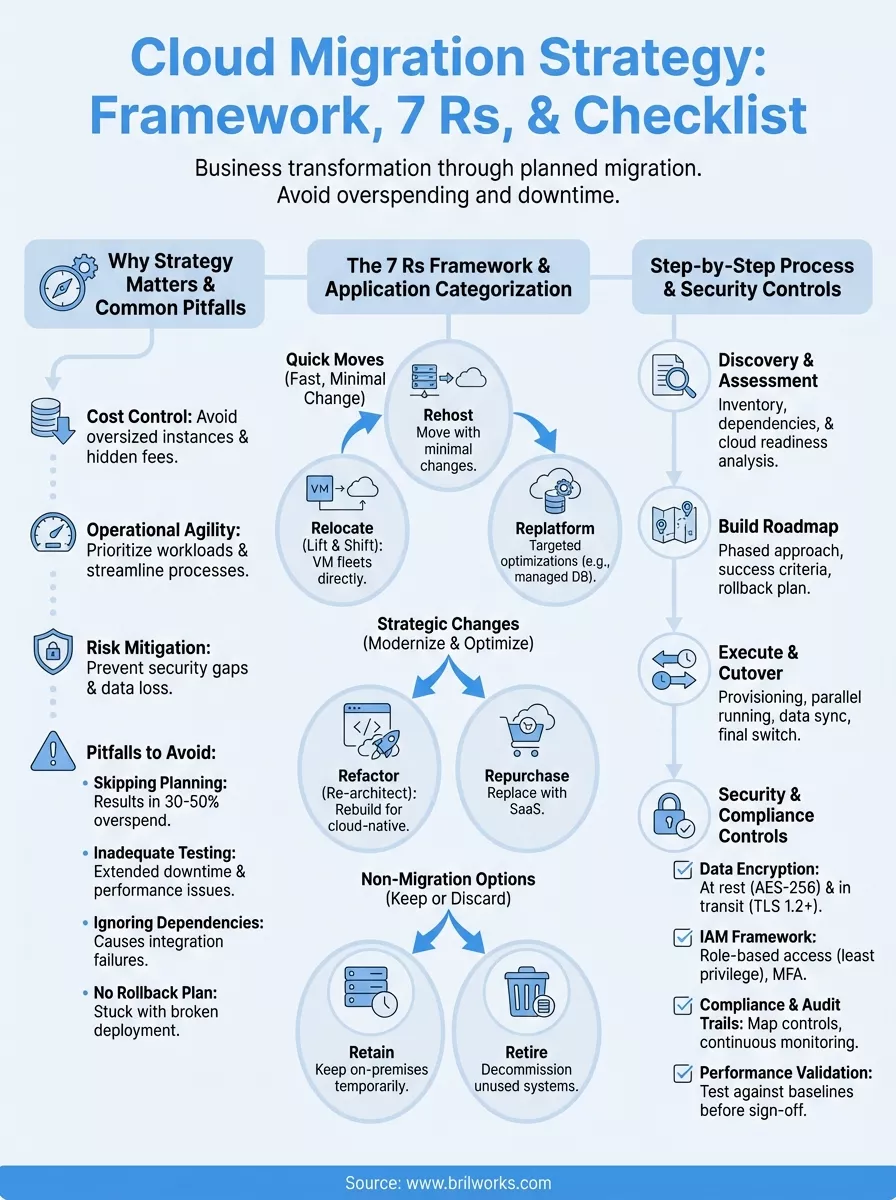
You can't wing a cloud migration. Organizations that treat it as a simple technical lift-and-shift project routinely overspend by 30-50% and face extended downtime they didn't plan for. The difference between success and failure comes down to whether you've mapped out your approach before making changes. A documented cloud migration strategy protects you from unexpected costs, security gaps, and operational disruption that derail projects after they've already consumed significant resources.
Your cloud bill will spiral if you replicate your on-premises architecture without rethinking it. Teams that migrate without analyzing their workloads often end up provisioning oversized instances and paying for resources that sit idle most of the time. You'll discover too late that certain applications don't belong in the cloud at all, or that a different migration approach would have saved you thousands per month in operational costs.
Security becomes an afterthought when you rush the process. Without a clear strategy, you'll move sensitive data before establishing proper access controls and encryption protocols. Compliance teams find out about migrations after the fact, creating emergency remediation work that could have been avoided with upfront planning. The technical debt you accumulate from quick fixes compounds over time, making it harder to optimize your environment later.
Strategy isn't overhead, it's the difference between controlled transformation and expensive chaos.
A structured approach lets you prioritize workloads based on business impact and technical complexity. You'll identify quick wins that demonstrate value early, building momentum and stakeholder confidence before tackling more complex migrations. This phased approach reduces risk while letting you learn from each wave of migrations and refine your process before moving critical systems.
Your strategy document becomes the single source of truth that aligns development teams, infrastructure engineers, and business stakeholders. Everyone understands which applications are moving when, what dependencies exist, and who owns each piece of the migration. This coordination prevents duplicate work and ensures that testing and validation happen at appropriate checkpoints rather than as last-minute scrambles.
Cost optimization starts during planning, not after migration. When you analyze your applications upfront, you can right-size resources, identify candidates for serverless architectures, and plan for reserved instances that cut ongoing costs. You'll also spot opportunities to modernize applications during migration rather than just rehosting them, extracting more value from the investment you're already making.
Application dependencies surface at the worst possible time when you haven't mapped them beforehand. You'll migrate a service only to discover it relies on three other systems that are still on-premises, forcing you to either roll back or build temporary workarounds. These discovery moments during execution create delays that blow past your deadlines and frustrate stakeholders who expected smoother progress.
Performance problems emerge in production because you didn't baseline workloads or test them under realistic cloud conditions. Your team scrambles to troubleshoot issues while users complain about slow response times and application errors. Rolling back becomes difficult because you've already decommissioned on-premises resources, leaving you stuck between a broken cloud deployment and no viable fallback option.
Knowledge gaps become operational risks when migrations happen without proper documentation and training. Your operations team inherits cloud infrastructure they don't fully understand, leading to configuration mistakes and longer incident response times. The expertise remains siloed with whoever did the actual migration work, creating a single point of failure when that person leaves or moves to another project.
Your cloud migration strategy document serves as the blueprint that guides every decision from initial planning through final cutover. This living document needs to capture current infrastructure details, define your target state, outline the execution approach, and establish clear metrics for measuring success. Without these elements documented upfront, you'll face repeated debates about fundamental decisions that should have been settled during planning.
Start by cataloging every application, database, and service that might move to the cloud. You need to document technical specifications like compute requirements, storage capacity, network dependencies, and integration points. This inventory also captures licensing details, support contracts, and compliance requirements that will shape your migration approach.
Mapping dependencies between systems prevents the nightmare scenario where you move an application but leave its critical dependencies behind. Document which services talk to each other, what data flows exist between systems, and which external APIs or third-party services your applications rely on. This dependency mapping reveals the order in which you must migrate workloads and helps you identify systems that need to move together as a group.
Your inventory determines whether you control the migration or the migration controls you.
Define your cloud provider selection and justify why you chose it based on your specific workload requirements. Specify which regions and availability zones you'll deploy to, how you'll structure accounts or subscriptions, and what networking architecture you'll implement. These architectural decisions need to account for performance requirements, data residency rules, and disaster recovery objectives.
Document your approach to each application by categorizing them using the migration patterns you'll employ. Some applications will rehost directly, others will require refactoring, and some might get rebuilt as cloud-native services. Your strategy document should explain the reasoning behind each decision and identify applications that might not belong in the cloud at all.
Break your migration into distinct phases with specific objectives and completion criteria. Your phased approach might group applications by business unit, technical complexity, or strategic priority. Each phase should have a start date, end date, and clear deliverables that stakeholders can track.
Establish metrics that measure both migration progress and business outcomes. Track technical indicators like application uptime, migration velocity, and cost variance against projections. Also measure business metrics such as time to market for new features, operational efficiency gains, and user satisfaction scores to demonstrate the value your cloud migration strategy delivers beyond just moving infrastructure.
The 7 Rs framework gives you a structured way to categorize every application in your portfolio and choose the right migration approach. Developed by Gartner and later adopted by AWS, this model helps you match your technical capabilities and business objectives to specific migration patterns. Your cloud migration strategy becomes more precise when you stop treating every workload the same and instead apply the appropriate R to each application based on its characteristics and strategic value.
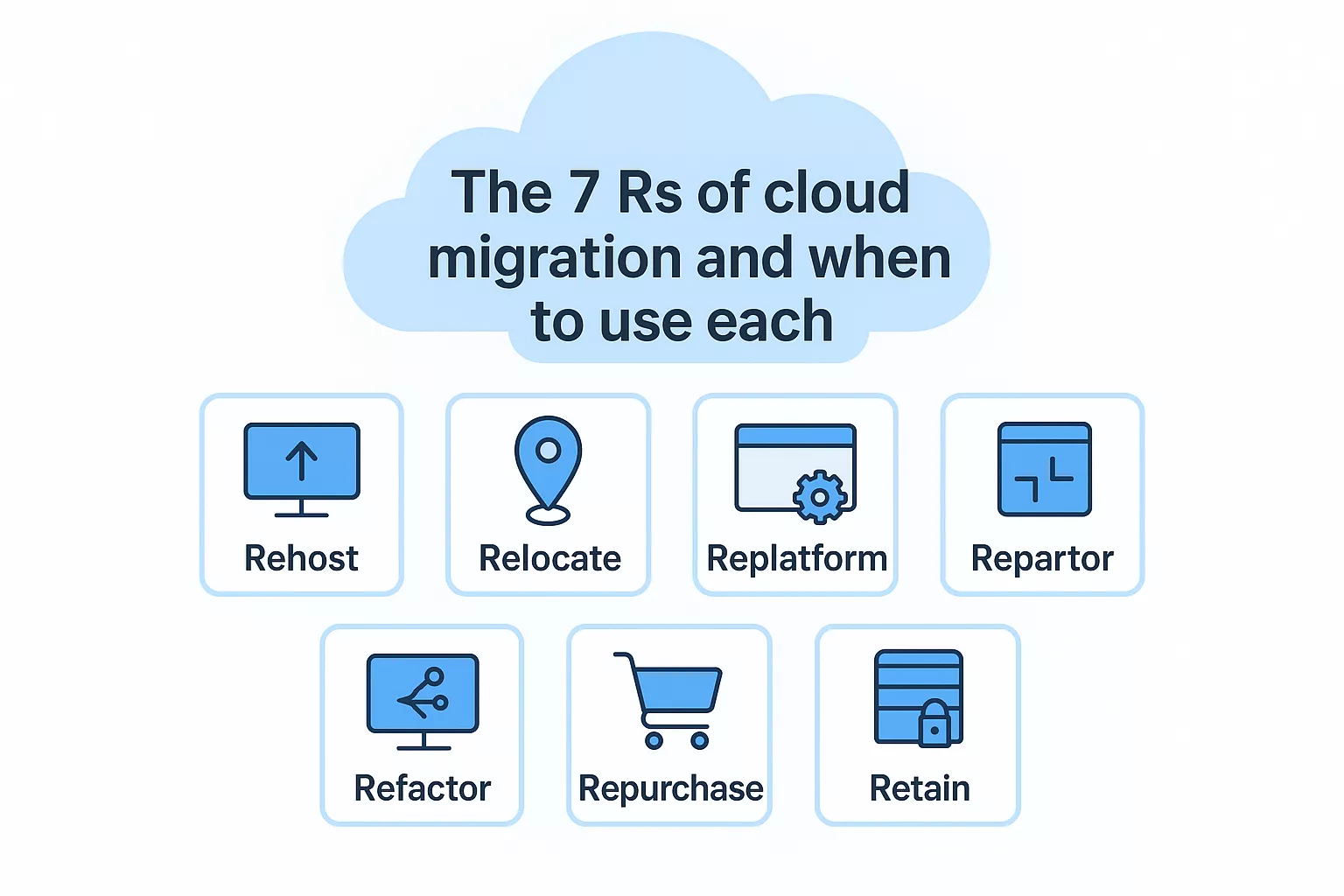
Rehosting (lift and shift) moves applications to the cloud with minimal changes, making it the fastest migration path. You'll use this approach when you need to exit a data center quickly or want to realize immediate cost savings without extensive refactoring work. The trade-off is that you won't optimize for cloud-native features, but you can always improve the architecture later after the migration completes.
Relocating involves moving entire server fleets to the cloud without purchasing new hardware or modifying applications. This pattern works best when you're already running virtualized infrastructure and want to transfer those virtual machines directly to cloud instances. You maintain your existing operational model while gaining cloud benefits like elasticity and pay-as-you-go pricing.
Replatforming makes targeted optimizations during migration without changing core application architecture. You might swap your self-managed database for a managed cloud service or containerize an application while keeping its code intact. This middle-ground approach delivers some cloud benefits without the time and risk of a complete rebuild.
Choose your R based on the application's strategic importance and how much improvement it needs, not just what seems easiest.
Refactoring (re-architecting) rebuilds applications to take full advantage of cloud-native services and architectures. You'll pursue this path for applications that need significant performance improvements, better scalability, or features that on-premises infrastructure can't support. The investment is substantial, but you gain long-term benefits like reduced operational overhead and faster feature deployment.
Repurchasing replaces your existing application with a SaaS alternative or different commercial product. This option makes sense when maintaining custom software no longer justifies the cost or when better commercial solutions exist. You trade customization for reduced maintenance burden and automatic updates from the vendor.
Retaining means keeping certain applications on-premises, at least temporarily. Some systems have dependencies that make migration too complex right now, while others might have compliance requirements that prevent cloud deployment. Your strategy should identify these applications explicitly rather than leaving them in migration limbo.
Retiring involves decommissioning applications that no longer serve your business needs. You'll often discover during your application assessment that certain systems have low usage or redundant functionality. Shutting these down before migration reduces your cloud footprint and ongoing costs while simplifying your overall transformation.
Your cloud migration strategy moves from theory to reality through a structured execution process that minimizes risk while maintaining business continuity. Breaking the migration into distinct phases lets you validate your approach with lower-risk workloads before tackling mission-critical systems. This sequential progression builds organizational confidence and technical expertise as you advance from planning through final cutover and optimization.
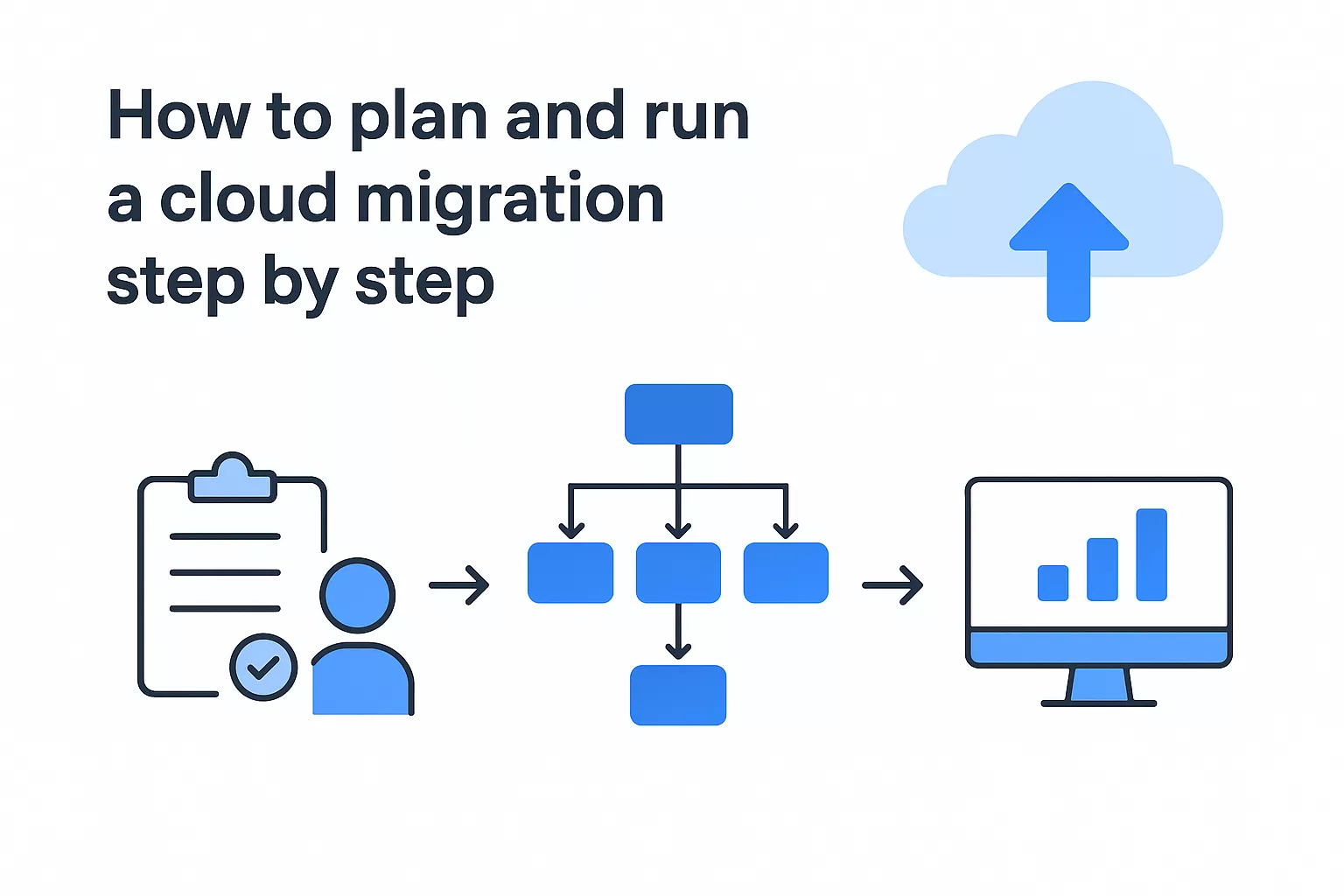
Start by gathering detailed information about your current infrastructure and applications. You'll need to document server specifications, application dependencies, data volumes, and performance baselines that establish your starting point. Tools like AWS Application Discovery Service can automate much of this inventory work, but you'll still need manual verification for complex integrations and custom configurations.
Analyze each application to determine its cloud readiness and assign it to one of the 7 Rs migration patterns. Consider technical factors like operating system compatibility, licensing restrictions, and architectural constraints that might limit your options. Also evaluate business factors such as strategic importance, budget allocation, and stakeholder priorities that influence when and how you migrate each workload.
Your assessment determines whether you're building on solid ground or quicksand.
Group applications into migration waves based on complexity, dependencies, and business value. Your first wave should include low-risk applications with minimal dependencies that let your team practice the migration process and refine procedures. Later waves tackle more complex systems after you've established proven patterns and built operational confidence.
Define success criteria and rollback procedures for each migration wave before you begin execution. Specify performance benchmarks, data validation checkpoints, and acceptance testing requirements that must pass before you consider a migration complete. Document your rollback plan with clear triggers that determine when you abandon a migration attempt and restore the original environment.
Provision your target cloud environment and establish connectivity between on-premises and cloud resources. Set up monitoring and logging infrastructure first so you can observe application behavior from the moment services start running in the cloud. Configure your network connections, security groups, and access controls before moving any applications to ensure proper isolation and protection.
Migrate your selected applications following the pattern you defined in your roadmap. Run applications in parallel across both environments during your cutover window, validating that cloud deployments match on-premises performance and functionality. Execute your data synchronization strategy to ensure consistency, then redirect traffic to cloud resources only after thorough testing confirms everything works correctly. Monitor closely during the first 48 hours when issues most commonly surface and your team needs to respond quickly.
Security and compliance requirements need to shape your cloud migration strategy from the start, not get addressed as afterthoughts once applications are already running in production. Building these controls into your migration architecture protects your data during transit and ensures you maintain regulatory compliance throughout the transition. Your organization faces significant risks if you treat security as a checkbox exercise rather than a fundamental design principle that influences every migration decision.
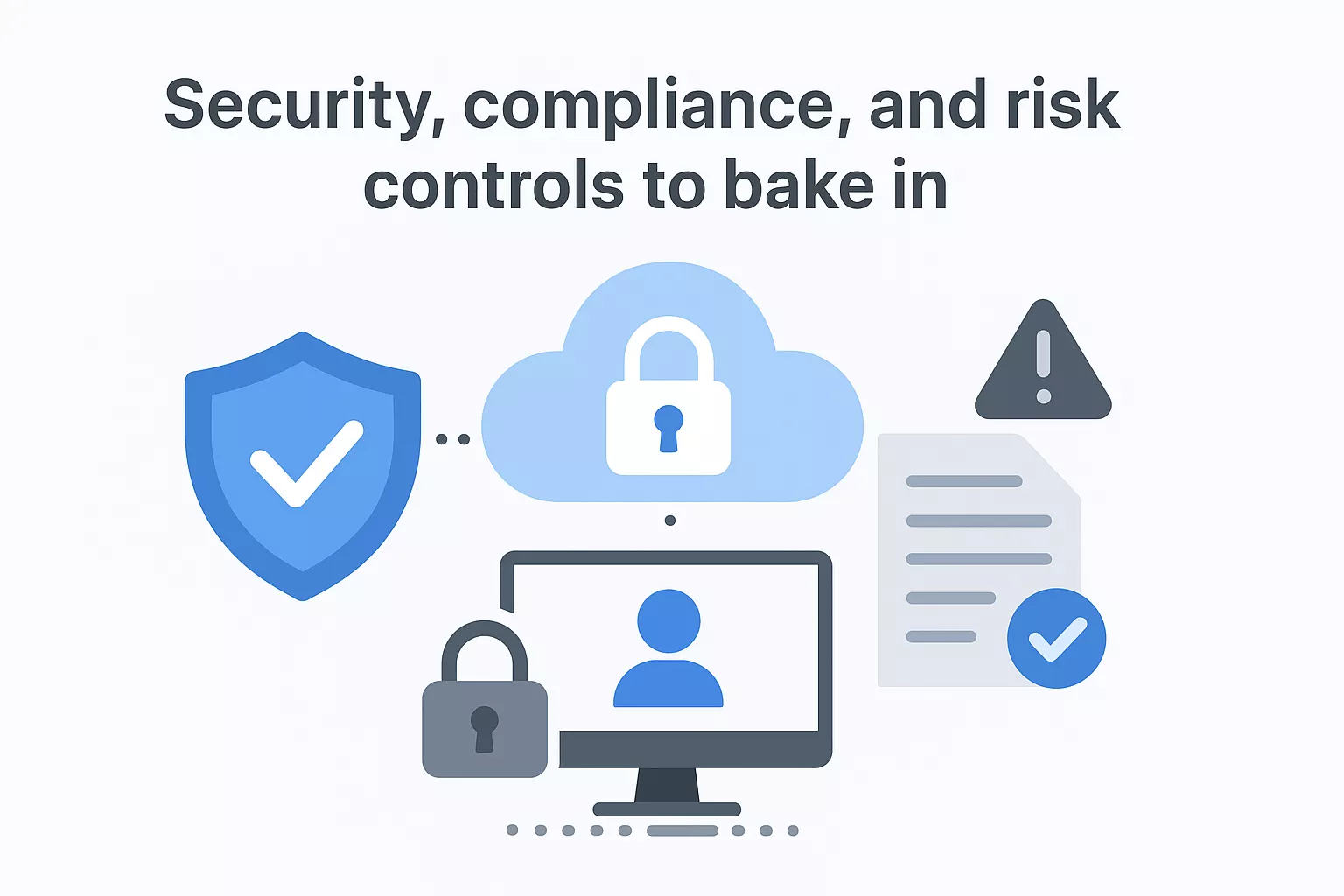
Encrypt your data both at rest and in transit to protect it from unauthorized access during migration and ongoing operations. Use industry-standard encryption protocols like AES-256 for stored data and TLS 1.2 or higher for data moving between systems. Your encryption strategy should cover databases, file storage, backups, and any temporary staging areas you use during the migration process.
Classify your data based on sensitivity levels before you move anything to the cloud. Identify which datasets contain personally identifiable information, financial records, or intellectual property that require additional protection. This classification determines which security controls you apply, what encryption keys you use, and which cloud regions you can deploy to based on data residency requirements.
Security controls implemented during migration prevent the breaches that happen after migration completes.
Establish your identity and access management structure before migrating workloads so you control who can access what from day one. Implement role-based access controls that follow the principle of least privilege, giving users and services only the permissions they need to perform their specific functions. Your IAM framework should integrate with existing identity providers through federation rather than creating separate credential systems that increase security risks.
Enable multi-factor authentication for all administrative access to your cloud environment and enforce it across your entire team. Set up audit logging for privileged operations so you can track who made changes, when they occurred, and what specific actions they took. Regular access reviews help you identify and revoke permissions that are no longer needed as team members change roles or leave the organization.
Document how your cloud architecture meets specific regulatory requirements that apply to your industry and geography. Map compliance controls to specific cloud services and configurations, showing auditors exactly how you address each requirement. Your documentation should reference relevant certifications your cloud provider holds, like SOC 2, ISO 27001, or HIPAA compliance, while also explaining additional controls you've implemented.
Implement continuous compliance monitoring that alerts you when configurations drift from approved baselines. Use automated scanning tools to check for misconfigurations, exposed resources, or policy violations before they create security incidents. Maintain detailed audit trails of all migration activities, configuration changes, and access attempts to support both internal reviews and external audits that demonstrate your ongoing compliance posture.
Your cloud migration strategy comes together when you convert planning documents into actionable checklists that prevent oversights and catch problems before they escalate. A comprehensive checklist serves as your quality gate at each phase, ensuring you've completed critical tasks and validated assumptions before moving forward. Most migration failures trace back to skipped steps or unchecked assumptions that seemed minor during planning but created major problems during execution.
Verify you've documented every application dependency and validated those mappings with the teams who actually use the systems. Your dependency analysis should include database connections, API integrations, file shares, authentication systems, and any scheduled jobs that run between services. Test your rollback procedures in a non-production environment to confirm they work before you need them in a crisis.
Confirm you have adequate bandwidth and network connectivity to support data transfer without impacting business operations. Calculate realistic transfer times based on your actual network throughput, not theoretical maximums, and schedule migrations during low-traffic windows when temporary slowdowns cause minimal disruption. Validate that your monitoring tools can observe both source and target environments simultaneously so you can compare performance metrics during cutover.
Your checklist catches the details that planning documents miss and execution teams forget under pressure.
Organizations consistently underestimate the time required for testing and assume applications will work correctly in the cloud without thorough validation. You'll face extended downtime when you skip proper testing only to discover integration failures, performance problems, or data inconsistencies after you've already redirected production traffic. Budget at least 30% of your migration timeline for testing activities rather than treating validation as a quick final step.
Teams move applications without understanding their actual resource consumption patterns, leading to either undersized instances that perform poorly or oversized configurations that waste money. Collect baseline performance data during normal and peak usage periods before migration so you can right-size your cloud resources accurately. Many projects also fail to account for cloud-specific costs like data egress fees, load balancer charges, and managed service premiums that don't exist in on-premises environments.
Run your applications under realistic load in the cloud environment and compare performance metrics against your on-premises baselines. Verify response times, throughput, error rates, and resource utilization match or exceed your requirements before you decommission source systems. Execute your disaster recovery procedures to confirm backups work correctly and you can restore data within your defined recovery time objectives.
Conduct security scans and compliance checks on your migrated infrastructure to identify any configuration gaps or policy violations. Validate that encryption works correctly, access controls match your approved policies, and audit logging captures all required events. Document your final architecture including network diagrams, runbooks, and operational procedures so your team can support the environment effectively after migration activities conclude.
Your cloud migration strategy determines whether your transition delivers business value or becomes a cautionary tale about unplanned infrastructure projects. The framework, checklists, and 7 Rs model covered here give you the foundation to make informed decisions rather than reactive choices under pressure. Start by assessing your application portfolio, documenting dependencies, and categorizing workloads according to the migration patterns that match your technical capabilities and business objectives.
Migration complexity increases with scale, and getting expert guidance early prevents expensive mistakes that compound over time. Brilworks specializes in AWS cloud migrations that balance speed with stability, helping organizations move infrastructure while maintaining business continuity. Our team has guided both startups and enterprises through successful transitions by building strategies that account for real-world constraints and organizational readiness. Schedule a consultation with our cloud engineering team to discuss your specific migration challenges and develop a roadmap that aligns your infrastructure transformation with your business goals.
A Cloud Migration Strategy is a comprehensive plan that outlines how an organization will move its applications, data, and infrastructure from on-premises environments or legacy systems to cloud platforms. A well-defined Cloud Migration Strategy includes assessment of current systems, selection of migration approaches, timeline planning, risk mitigation, cost estimation, and post-migration optimization to ensure successful cloud adoption.
Having a Cloud Migration Strategy is essential to avoid costly mistakes, minimize downtime, manage risks, control costs, ensure security compliance, and achieve business objectives. Organizations without a proper Cloud Migration Strategy often experience budget overruns, extended timelines, security vulnerabilities, and failed migrations. A structured Cloud Migration Strategy provides a roadmap for successful transformation.
The 7 Rs of Cloud Migration Strategy are: Rehost (lift-and-shift), Replatform (lift-tinker-and-shift), Refactor/Re-architect (modernize applications), Repurchase (move to SaaS), Relocate (hypervisor-level migration), Retain (keep on-premises), and Retire (decommission). Each approach in a Cloud Migration Strategy serves different business needs, technical requirements, and risk tolerance levels.
Common frameworks for Cloud Migration Strategy include the AWS Cloud Adoption Framework (CAF), Microsoft Cloud Adoption Framework for Azure, Google Cloud Adoption Framework, and the 5-phase migration methodology (Assess, Plan, Design, Migrate, Optimize). These frameworks provide structured approaches that make your Cloud Migration Strategy comprehensive, repeatable, and aligned with industry best practices.
Developing a Cloud Migration Strategy typically takes 1-3 months for assessment and planning, while execution varies widely: simple migrations may complete in 3-6 months, medium complexity migrations take 6-12 months, and enterprise-wide transformations require 12-24+ months. The timeline for your Cloud Migration Strategy depends on workload complexity, data volume, organizational readiness, and chosen migration approaches.
Get In Touch
Contact us for your software development requirements
Get In Touch
Contact us for your software development requirements

Hello, we are BRILLIAN’S. Trying to make an effort to put the right people for you to get the best results. Just insight !

 503, Fortune Business Hub, Science City Road, Sola, Ahmedabad, Gujarat, India Pincode- 380060
 + 91 9313644148
 sales@brilworks.com


