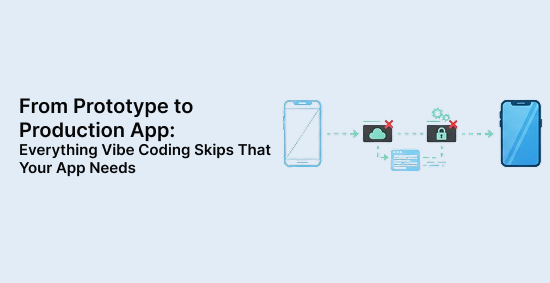
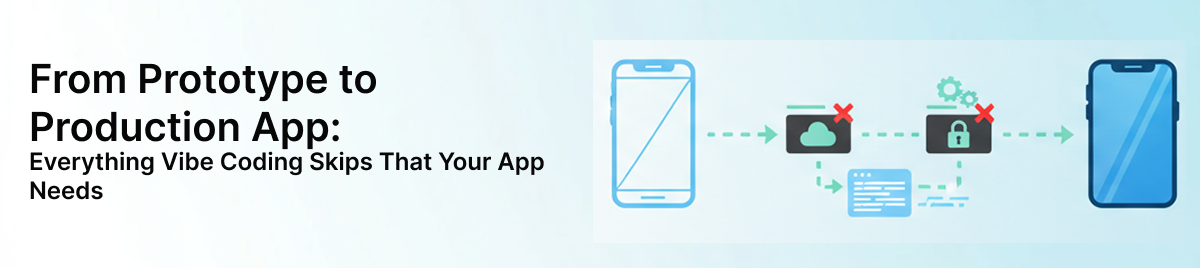
Your app works in the demo. Investors saw it, your team loves it, and the core flow runs without crashing. Then you push it to real users and something breaks — a login edge case, a database timeout, a security header that was never set. The prototype proved your idea. It was never designed to survive production. Moving from a prototype to production app is a distinct engineering effort, and vibe coding tools do not do it for you. This article maps every gap: security, database reliability, monitoring, CI/CD, infrastructure, compliance, and maintenance. By the end, you will have a clear picture of what your app still needs.
What "Prototype to Production App" Really Means
Most teams treat "the MVP is live" as a finish line. It is actually a starting point for a different kind of work.
Definition: A prototype to production app is the process of taking a demo or MVP that proves an idea and transforming it into a secure, scalable, and maintainable product. It requires deliberate engineering work across security, infrastructure, observability, and operations — none of which AI-generated code provides by default.
Prototype vs. Production: The Real Difference
Prototypes are built to answer one question: does this idea work? Speed is the priority. Corners get cut intentionally because learning fast matters more than building right.
Production apps answer a different question: can this survive real users, real failures, and real attacks? That requires reliability, security, scale, and maintainability — none of which are defaults in AI-generated or vibe-coded output.
When you use tools like Cursor, Lovable, or Bolt to build your first version, you get a working UI, basic workflows, and enough logic to demo convincingly. What you do not get is the operational layer underneath. Understanding the full mobile app development timeline helps set realistic expectations for how much work the production phase actually involves.
Why Vibe Coding Gets You 70% There
The 70% vibe coding delivers is genuinely valuable. You get a proof of concept faster than any previous generation of tools allowed. Your react native for MVP development cycle shrinks from months to weeks or days.
The missing 30% is where production risk lives. That gap includes:
Automated testing and test coverage
Security hardening and access control
Deployment pipelines and rollback capability
Monitoring, alerting, and error tracking
Database optimization and migration strategy
Documentation and compliance readiness
Each of those items is skippable in a prototype. None of them are skippable once real users and real data are involved.
What "Production Ready" Actually Means
Production readiness means an app is secure, observable, recoverable, scalable, and maintainable in real-world conditions.
Secure: it resists common attacks and protects user data. Observable: failures are visible before users report them. Recoverable: data can be restored and bad deployments can be reversed. Scalable: it handles traffic growth without collapsing. Maintainable: another developer can understand, update, and extend it without needing you to explain everything.
If your app cannot satisfy all five, it is not production ready yet.
Prototype vs. Production: A Quick Comparison
Dimension
Prototype
Production App
Security
Minimal or none
Hardened, validated, audited
Authentication
Basic login
OAuth2, JWT, RBAC, MFA
Testing
Manual, ad hoc
Automated, staged, continuous
Monitoring
None or console logs
Structured logs, alerts, tracing
Deployment
Manual push
CI/CD pipeline with rollback
Infrastructure
Dashboard clicks
Infrastructure as code
Maintenance
None planned
Patching, updates, monitoring
Security Hardening: The Most Dangerous Gap in AI App to Production Migration
Security is the most dangerous gap in any AI app to production migration. Vulnerabilities in a prototype are invisible until someone exploits them.
Input Validation, Injection Prevention, and CSRF Protection
AI-generated code typically validates input on the frontend. That is not enough. A malicious user bypasses your UI entirely and sends raw requests to your API.
Your production ready app checklist must include:
Server-side input validation on every endpoint, not just the form layer
Parameterized queries to prevent SQL injection
Output encoding to block cross-site scripting (XSS)
CSRF tokens on all state-changing requests
Rate limiting to prevent brute force and abuse
What vibe coding typically misses: CSRF tokens, server-side validation, rate limiting, and XSS output encoding. These are rarely generated automatically and almost never tested.
Authentication vs. Authorization: Why Basic Login Breaks in Production
Basic login is not production-grade auth. Authentication confirms who you are. Authorization controls what you can do. Both need to be built deliberately.
For production, you need:
OAuth2 for third-party identity providers
JWT with proper expiry and refresh logic
Role-based access control (RBAC) to enforce least privilege
Multi-factor authentication (MFA) for sensitive accounts
Session management with secure, HttpOnly, SameSite cookies
A vibe-coded app often has one user role and no concept of permissions. That breaks immediately when you add admins, team members, or tiered access.
Secrets Management and Secure Configuration
Hardcoded API keys are one of the most common and most costly mistakes in a prototype to production app migration. Credentials in your codebase get committed to version control, shared in screenshots, and exposed in build logs.
Production configuration requires:
Environment variables for all credentials and configuration values
Secret managers like AWS Secrets Manager, HashiCorp Vault, or GCP Secret Manager
Rotation policies for API keys and database passwords
Audit trails for who accessed what credential and when
Scan your codebase for hardcoded strings before you do anything else.
Database Optimization and Data Reliability for Production Scale
A prototype database works because it has ten rows and one user. Production databases have millions of rows, concurrent writes, and zero tolerance for data loss.
Indexing, Query Optimization, and Connection Pooling
Slow queries in a prototype are invisible because the data volume is tiny. Under real load, an unindexed table scan that takes 2ms with 100 rows takes 4 seconds with 1 million rows. That is the kind of degradation that kills user retention overnight.
Your MVP to production checklist for database performance should include:
Query analysis using EXPLAIN or your database's query profiler
Strategic indexes on columns used in WHERE, JOIN, and ORDER BY clauses
Connection pooling with tools like PgBouncer or built-in ORM pooling to reduce connection overhead
N+1 query detection to catch loops that hammer the database on every request
What vibe coding typically misses: Indexes, connection pooling, and query optimization. These are added reactively after users complain about slowness, which is the wrong time.
Migration Strategy and Schema Changes
Manual database edits are how production data gets corrupted. When you ALTER a table by hand in a production environment, there is no review, no rollback, and no record of what changed.
Migrations need to be:
Versioned and committed to source control alongside the code that depends on them
Backward compatible where possible, so a rollback does not break the running app
Tested in staging before they touch production data
Automated as part of your deployment pipeline, not a manual step someone runs from their laptop
Backup, Recovery, and Data Protection
Backups that have never been restored are not backups. They are hopes. Production readiness means you have tested the restore process and you know your recovery time objective (RTO) and recovery point objective (RPO).
At minimum, your app needs:
Automated daily backups with point-in-time recovery for databases
Offsite or cross-region backup storage so a single failure does not take down both your app and your backups
Documented restore procedures that a team member can execute under pressure
Regular restore tests to confirm backups are valid and complete
Error Handling, Monitoring, and Operational Visibility
If you cannot see failures, you cannot fix them. Most prototypes are completely dark once deployed.
Structured Logging and Error Tracking
Console logs are not a monitoring strategy. They disappear in most deployment environments and cannot be queried, aggregated, or alerted on.
Production logging requires:
Structured logs in JSON format with consistent fields: timestamp, severity, service, user ID, request ID
Correlation IDs that trace a single request across multiple services or functions
Error tracking tools like Sentry, Rollbar, or Datadog to capture exceptions with full stack traces and context
What vibe coding typically misses: Structured logging, correlation IDs, and error tracking integration. Errors surface only when users report them.
Uptime Monitoring and Alerting
Your production ready app checklist should include monitoring that runs independently of your app. If your app is down, it cannot tell you it is down.
Set up:
External uptime checks from services like Better Uptime, Pingdom, or AWS CloudWatch Synthetics
Alert thresholds for error rate spikes, latency increases, and failed health checks
Notification routes to PagerDuty, Slack, or email so the right person is woken up, not just notified
What Good Observability Actually Enables
Visibility is not just a technical convenience. When you can see exactly what failed, where, and why, your mean time to resolution drops from hours to minutes. Postmortems become productive instead of speculative. Release decisions get made with data instead of gut feel.
Teams that invest in observability early ship faster and break less. Teams that skip it spend their engineering time firefighting instead of building.
CI/CD, Testing, and Safe Deployment for Vibe Coding to Production
Manual deployments are a liability. Clicking buttons in a dashboard is not a repeatable process, and it does not scale into a trustworthy production workflow.
Automated Testing Before Every Deployment
AI-generated code needs verification before every deploy. Features change fast in early-stage products, and without tests, every release is a gamble.
Your baseline testing stack should include:
Unit tests for business logic and utility functions
Integration tests for API endpoints and database interactions
Smoke tests that verify critical user flows after every deployment
Automated test runs triggered on every pull request, not just before major releases
What vibe coding typically misses: Any automated tests. AI tools generate code, not test suites. You have to add them deliberately.
Staged Environments and Environment Management
Dev, staging, and production should be separate environments with separate configurations. Staging should mirror production as closely as possible — same infrastructure size, same data shape, same environment variables.
The mobile app development with agile methodology applies directly here: treat each environment promotion as a gate, not a formality. If staging catches a bug, it did its job.
Configuration differences between environments should be managed through environment variables, never through hardcoded conditionals in the codebase.
Rollback Capability and Release Safety
Every deployment should have a defined rollback path. That means either:
Blue-green deployments where you switch traffic back to the previous version instantly
Feature flags that let you disable a broken feature without redeploying
Tagged releases in version control so you can redeploy a known-good build in minutes
Production readiness includes surviving a bad release, not just a successful one.
Performance Optimization and Scalable Infrastructure
"It loads on my laptop" is not a performance benchmark. Real traffic exposes bottlenecks that never appeared in development.
Caching, CDN, and Lazy Loading
Every database query your app does not need to make is latency you save. Every asset your CDN serves is load your server does not carry.
Practical performance wins include:
Redis for caching frequently read data like user sessions, feature flags, and expensive query results
CDN caching for static assets, images, and public API responses with appropriate cache headers
Lazy loading for images and non-critical UI components to reduce initial page load time
Code splitting to avoid shipping your entire JavaScript bundle on the first request
Load Testing and Bottleneck Identification Before Launch
You need to know where your app breaks before your users find out. Load testing before launch is not optional for a production-grade app.
Use tools like k6, Locust, or Artillery to:
Simulate realistic concurrent user traffic
Identify which endpoints degrade first under load
Measure database query time at scale
Find memory leaks that only appear after sustained use
What vibe coding typically misses: Any load testing. Performance issues are discovered in production, not before it.
Infrastructure as Code for Reproducible Production Environments
Clicking through AWS or GCP dashboards to provision infrastructure creates undocumented, unreproducible environments. When something breaks or you need to scale, you cannot rebuild it reliably.
Infrastructure as code tools solve this:
Docker for consistent, portable application containers
Kubernetes for orchestrating containers at scale with health checks and auto-restart
Terraform or Pulumi for defining cloud infrastructure in version-controlled code
When your infrastructure is code, it can be reviewed, tested, versioned, and rebuilt. That is what production-grade infrastructure looks like. Teams that skip this step consistently hit the biggest mobile app development challenges at the worst possible time — during a traffic spike or an incident.
Documentation, Compliance, and Ongoing Maintenance
Shipping is not the end. A prototype to production app requires ongoing care, and it requires documentation that makes that care possible.
Documentation That New Developers Can Actually Use
Undocumented systems create single points of failure: the one person who knows how everything works. When they leave or get sick, the team is stuck.
Production documentation should include:
API documentation generated from your code or maintained in tools like Swagger or Postman
Architecture decision records (ADRs) that explain why key technical choices were made
Runbooks for common operational tasks like deploying, rolling back, and restoring data
Onboarding guides so a new developer can get the app running locally without asking ten questions
A solid no-code migration strategy always includes documentation as a first-class deliverable, not an afterthought. The same principle applies when you are migrating from a vibe-coded prototype.
Compliance Readiness: SOC 2, GDPR, and HIPAA
Compliance does not begin at audit time. It begins when you make architecture decisions. By the time you are preparing for a SOC 2 audit, the access controls, logging, and data handling patterns should already be in place.
What compliance readiness requires:
Data classification so you know what sensitive data you hold and where it lives
Access logging for all sensitive data reads and writes
Data retention and deletion policies that satisfy GDPR right-to-erasure requirements
Encryption at rest and in transit for all user data
Vendor risk assessments for every third-party service that touches your data
If your app handles health data, financial data, or data from EU users, these are not optional.
Dependency Updates, Security Patches, and Ongoing Maintenance
Your app does not stop needing engineering attention after launch. Dependencies release security patches. Vulnerabilities get discovered. Features need updates. Databases need tuning as data grows.
Ongoing maintenance includes:
Weekly or monthly dependency audits using tools like Dependabot, Snyk, or npm audit
Security patch prioritization based on CVSS severity scores
Database performance reviews as data volume grows and query patterns change
Feature maintenance to keep the app aligned with user needs and platform changes
Maintenance is part of production readiness. Treating it as optional is how apps become liabilities.
No-Code to Production: When to Make the Engineering Transition
The shift from no-code to production engineering is not just a technical decision. It is a business one.
Your app needs professional engineering when it starts handling real users, sensitive data, or revenue. At that point, security, compliance, monitoring, and maintainability stop being optional. Waiting until after a failure to make the transition is the most expensive way to do it.
No-code and vibe-coded tools are excellent for validating ideas. They are not designed to carry production workloads. The moment your app becomes something users depend on, the engineering standards described in this article apply. If you are unsure how to create a mobile app that meets those standards from the start, that is the right time to bring in experienced engineers — before launch, not after an incident.
Ready to Take Your App to Production?
Your prototype proved the idea. Now the real engineering work begins. If you are unsure where your app stands against a production readiness checklist, or if you need a team that has done this migration before, Brilworks can help you close the gaps without rebuilding from scratch. Explore our vibe coding migration services to see how we approach the transition, or book a free consultation to talk through your specific situation.
FAQ
A prototype to production app is the process of taking a demo or MVP that proves an idea and turning it into a secure, scalable, maintainable product. The shift requires production readiness work across authentication, monitoring, testing, infrastructure, and maintenance. It is a full engineering upgrade, not a launch step.
The biggest gap in vibe coding to production is the security and operational layer. AI-generated code gets the feature working but misses input validation, access control, logging, deployment safety, and recovery planning. Those omissions become critical risks the moment real users and real data are involved.
An MVP to production checklist must include security hardening, production-grade authentication, database optimization, error tracking, CI/CD pipelines, performance testing, infrastructure as code, documentation, compliance checks, and maintenance planning. Rollback capability and backup verification belong on that list too.
A production ready app checklist confirms that your app is secure, observable, recoverable, and scalable. If you do not have automated testing, active alerts, verified backups, or a rollback plan, your app is not production ready. Production readiness means the app can handle failures, traffic spikes, and updates without breaking.
The most common mistake when you scale a vibe coded app is assuming the initial codebase can handle production without refactoring. Teams skip database tuning, secrets management, and staged deployments until the app starts failing under load. By then, fixes are slower and significantly more expensive.
Co-founder of Brilworks. As technology futurists, we love helping startups turn their ideas into reality. Our expertise spans startups to SMEs, and we're dedicated to their success.