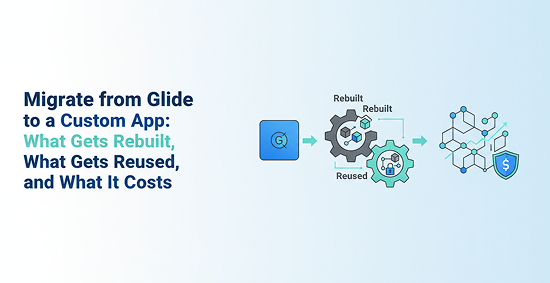
You built something real in Glide. It works, people use it, and it solved a problem fast. But now the cracks are showing: you cannot add the permission logic you need, the spreadsheet is getting fragile, and every new feature feels like a workaround. You are not alone in reaching this point. When founders and product owners decide to migrate from Glide, the first question is always the same: can I move what I have, or do I start over? This article answers that directly. You will learn what actually carries over, how to handle the data move, what the UI and logic rebuild involves, and what a realistic budget and timeline looks like.
There is no direct migration path from Glide to a custom app. Nothing in Glide's export tools hands you a codebase, a schema, or a component library. When you decide to leave Glide apps behind, you are committing to a rebuild. The question is not whether you rebuild, but how much of your existing work informs that rebuild.
Understanding what is portable versus what must be recreated from scratch is the most important thing to get clear before you talk to any development team.
If your Glide app pulls from Google Sheets or Airtable, that data can be exported and reused. The records, fields, and relationships you have built up over time are not lost. What does not transfer is anything Glide built on top of that data: the screens, the filters, the computed values, the actions triggered by button taps.
Your Glide app replacement is essentially a new application that reads from the same raw data you already have. That is a meaningful head start, but it is not a shortcut.
Business Logic and Workflows Must Be Recreated
Glide's visibility conditions, action chains, and role-based filters are proprietary to the Glide platform. They do not export as code. Every rule that controls what a user sees, what they can do, and what happens when they submit a form needs to be rewritten in your new backend.
Zapier and Make automations can often be reconnected, but they need to point at new API endpoints. Your existing automation logic is a useful reference, not a reusable asset.
Why There Is No One-Click Migration Path from Glide
Glide is a no-code platform that generates its own internal representation of your app. It does not compile to React, Swift, or any other portable format. That is by design: the platform handles the complexity so you do not have to.
When you pursue a Glide alternative custom build, you are trading that abstraction for full control. The rebuild is the price of that trade. Teams that go in expecting an export are consistently surprised by the scope.
How to Plan the Data Migration Step by Step
Data migration is the one part of a Glide to custom app project where your existing work genuinely carries forward. But it still requires careful handling. Moving from a spreadsheet-style data model to a proper relational database is not just a copy-paste operation.
Getting the data model right at the start prevents expensive rework later. This is where a solid Glide migration guide earns its value.
Export from Google Sheets or Airtable
Start by pulling a clean export of every table your Glide app uses. In Google Sheets, that is a CSV download per sheet. In Airtable, you can export via CSV or use the API to extract records with their field types intact.
Watch for these common issues during export:
- Flat tables that mix data that should live in separate entities
- Duplicate records created by manual data entry over time
- Inconsistent field types where a column holds both dates and text strings
- Hidden dependencies where one sheet references another without a formal relationship
Clean the data before you design the new schema. Garbage in, garbage out applies here more than anywhere else.
Redesign the Schema for a Relational Database
A spreadsheet and a relational database solve the same problem differently. Your new app needs tables with explicit relationships, primary keys, and normalized structure. Mirroring the Glide spreadsheet exactly is a mistake most teams make once.
Design the schema around your actual entities: users, roles, records, transactions, and whatever domain objects your app manages. Ask your development team to walk through the data model with you before a single line of code is written. Schema changes after launch are expensive.
Replace Glide Computed Columns with Backend Logic
Glide computed columns, rollups, and derived values are calculated on the fly inside the platform. In a custom backend, those calculations need to live somewhere explicit: a SQL view, a calculated field, or a service-layer function.
A column that shows "total orders this month" in Glide becomes a SQL query or a backend function in your new app. Map every computed column in your current Glide build before the rebuild starts. Missing one is how bugs appear in production three weeks after launch.
Rebuilding the UI and User Experience for Your Glide App Replacement
Your Glide app's interface does not transfer. No component, no layout, no screen. The UI rebuild is often the most underestimated part of a Glide app replacement, especially for teams that have never scoped a custom frontend project before.
The good news: you already have a working reference. Use it.
Use Glide Screenshots as the Design Source
Walk through every screen in your current Glide app and capture screenshots and screen recordings. These become your design brief. They show the development team what information lives on each screen, what actions users take, and what the navigation flow looks like.
This approach preserves user familiarity while giving the design team room to improve layout, responsiveness, and accessibility. You are not recreating Glide's visual style. You are recreating the workflows your users already know.
Choose the Right Target Platform
Platform selection should be driven by how your users actually use the app, not by what is trendy or familiar to your development team.
- Web app (React/Next.js): Best for browser-based internal tools, admin panels, and apps where users work at a desk
- Native mobile (React Native/Flutter): Best for app-store distribution, device-heavy workflows, camera or GPS features, or when offline support is critical
- PWA (Progressive Web App): Best for lightweight mobile access without app-store overhead, especially for internal tools accessed on phones
If you are moving to a web-first product, a Glide to React rebuild with Next.js is a strong default. If your users are primarily on mobile, reviewing mobile app development costs and delivery timelines for React Native or Flutter is worth doing early in the planning process.
For teams evaluating React Native specifically, understanding React Native development cost factors early helps you set a realistic budget before committing to a platform.
Preserve the Workflows, Not the Visuals
The goal of the UI rebuild is not to recreate Glide's interface. It is to recreate the workflows your users depend on, in a form that is faster, more flexible, and built to scale.
Most teams find that the migration is a good moment to fix navigation issues, improve mobile responsiveness, and remove screens that nobody uses. Your Glide app was version one. This is version two. Build it accordingly.
Translating Business Logic, Authentication, and Integrations
This is where most Glide migration guide projects run into hidden complexity. Data migration is predictable. UI rebuild is estimable. Business logic, auth, and integrations are where scope surprises live.
The Glide rebuild cost often goes up here because teams discover undocumented rules, edge cases, and permission structures that were never written down.
Convert Glide Visibility Rules and Actions into Backend Logic
Every visibility condition in Glide, every "show this field if role equals manager" rule, needs to become explicit logic in your new backend. In a custom app, that means API endpoints that enforce rules server-side, not client-side filters that can be bypassed.
This is architecturally more correct than how Glide handles it, but it takes more time to build. Plan for this work explicitly. Do not let it get absorbed into the UI estimate.
Rebuild User Authentication and Permissions
Glide manages authentication through its own system, tied to email-based access and its internal role model. A custom app needs a proper auth layer. Common choices include:
- Auth0: Strong enterprise fit, good for complex permission models
- Clerk: Fast to implement, excellent developer experience, good for startups
- Supabase Auth: Good fit if you are using Supabase as your database layer
Migrating existing user accounts may require a password reset flow or account re-verification, depending on how users authenticated in Glide. Build that communication plan before you launch.
Reconnect Zapier, Make, and API Integrations
Your existing automations in Zapier or Make are not broken, but they are pointing at the wrong place. Every trigger and action that hits a Glide endpoint needs to be repointed at your new app's API.
Treat integration work as architecture, not plumbing. A direct API integration that was a workaround in Glide should be redesigned using proper SDKs or REST endpoints in the custom app. This is also a good moment to evaluate whether some Zapier automations should become native backend logic instead.
For teams moving toward a more scalable product, this mirrors the same transition covered in Lovable MVP to production: the patterns that worked at prototype stage need to be replaced with patterns that hold at scale.
What a Glide Migration Really Costs and How Long It Takes
Cost and timeline are the two questions every founder asks before committing to a custom build. A migrate from Glide project costs more than most people expect and takes longer than the optimistic estimate. Here is what realistic looks like.
The 2–3x Cost Reality of a Glide Rebuild
Agencies and development teams consistently report that a Glide to custom app rebuild costs 2–3x the original Glide app development effort. That multiplier exists because you are not just building features: you are building infrastructure, auth, a real database, and a deployment pipeline.
| Phase | Share of Effort | What It Includes |
|---|
| Data migration | 10% | Export, clean, redesign schema, import |
| UI rebuild | 30% | Design, frontend components, responsive layout |
| Business logic | 35% | Backend rules, APIs, permissions, computed fields |
| Testing and deployment | 25% | QA, staging, production setup, user acceptance |
The business logic phase is consistently the most expensive. That is where undocumented rules surface and scope expands.
Timeline Expectations by App Complexity
- Simple internal tool (1–2 roles, basic CRUD, no integrations): 2–4 weeks
- Mid-complexity app (multiple roles, some integrations, custom logic): 4–8 weeks
- Complex multi-role app (many integrations, complex permissions, mobile-first): 8–12+ weeks
Timeline depends on two things: how much logic the app contains, and how well-documented the current Glide build is. An undocumented app with implicit rules takes longer to scope and longer to rebuild.
What Drives Glide Rebuild Cost Above the Initial Estimate
Several factors consistently push a Glide rebuild cost above the initial estimate:
- Messy or inconsistent data that requires significant cleanup before migration
- Unclear or undocumented permissions that require discovery sessions to map
- Many third-party integrations that each need to be repointed and tested
- Mobile-specific UX requirements that add design and testing complexity
- Undocumented business logic that only surfaces during QA
If you want to understand how this compares to similar platform migrations, the scope and cost dynamics of a migrate from Replit project follow a similar pattern: the hidden complexity is always in the logic layer, not the data.
Should You Migrate from Glide or Rebuild From Scratch?
Not every migrate from Glide project should proceed. Sometimes the right answer is to stay on Glide for another six months and revisit when the business case is clearer. Here is how to think through that decision.
Use User Count and Data Complexity as Primary Signals
A low-user, low-complexity internal tool with a simple workflow probably does not justify a full custom rebuild yet. Glide is doing its job. The cost of migration would not return value quickly enough.
Apps that typically do justify migration share these characteristics:
- Multiple user roles with different permissions and views
- Data that has grown beyond what a spreadsheet handles cleanly
- Business logic that requires workarounds or manual intervention to function
- Integrations that are fragile or require constant maintenance
- Plans to scale to hundreds or thousands of users
If your app hits two or more of those signals, the conversation about a Glide app replacement becomes serious.
Match the Decision to Budget and Timeline
A rebuild requires budget, time, and internal bandwidth to review and test. If any of those are constrained right now, the migration may need to wait. Staying on Glide is not failure. It is a reasonable short-term decision when the alternative is a rushed rebuild that ships with problems.
Compare the cost of staying on Glide, including subscription fees, workaround time, and lost feature velocity, against the one-time rebuild investment. For many apps, that comparison tips toward migration within 12–18 months of hitting the first real limitation.
The same evaluation logic applies when teams consider whether to migrate from Bubble or other no-code platforms: the trigger is almost always a combination of scaling pressure and logic complexity that the platform cannot handle cleanly.
A Simple Decision Rule for Teams Leaving Glide Apps
Migrate if: your app has multiple roles, complex data, custom auth requirements, or scaling needs that Glide cannot meet without workarounds.
Stay if: the current Glide app still meets your users' needs, your budget is limited, your timeline is short, and you have not hit a hard technical ceiling yet.
That is the decision in two lines. Everything else is detail.
The Practical Path from Glide to Custom App
Your data is the most reusable asset you have. Export it, clean it, and redesign the schema before anything else. The UI, business logic, authentication, and integrations all need to be rebuilt, but they can be rebuilt better than they were in Glide.
Start by mapping every screen, every rule, and every integration in your current app. That documentation becomes the spec for your rebuild. Then decide on your target platform based on how users actually access the app. Then get a realistic cost and timeline estimate from a team that has done this before.
A phased approach works well for most teams: migrate the data and core workflows first, then layer in integrations and advanced logic. That way you have a working app at each stage rather than a big-bang launch. If your users are primarily on mobile, a guide for mobile app development can help you frame the right platform and architecture decisions before the build starts.