COOPERATION MODEL
ARTIFICIAL INTELLIGENCE
PRODUCT ENGINEERING
DevOps & Cloud
LOW-CODE/NO-CODE DEVELOPMENT
INDUSTRY
FRONTEND DEVELOPMENT
CLOUD DEVELOPMENT
MOBILE APP DEVELOPMENT
LOW CODE/ NO CODE DEVELOPMENT
EMERGING TECHNOLOGIES



 4 mins read
 Last updated February 23, 2026
Building enterprise applications demands more than functional code, it requires consistent, accessible, and scalable design patterns that teams can implement without reinventing the wheel. That's where the IBM Carbon Design System comes in. As IBM's open-source design framework, Carbon provides the building blocks for creating cohesive user experiences across web and mobile platforms.
At Brilworks, our UI/UX and frontend development teams regularly evaluate design systems to determine which frameworks best serve our clients' needs. Carbon stands out for organizations that prioritize accessibility compliance, systematic component libraries, and well-documented implementation guides. Whether you're exploring Figma assets for design workflows or diving into React component documentation for development, understanding Carbon's architecture helps you make informed decisions about your product's design foundation.
This guide breaks down everything you need to know about Carbon: its core design principles, available resources across Figma and GitHub, React implementation specifics, and practical considerations for adoption. By the end, you'll have a clear picture of how Carbon works and whether it fits your project requirements.
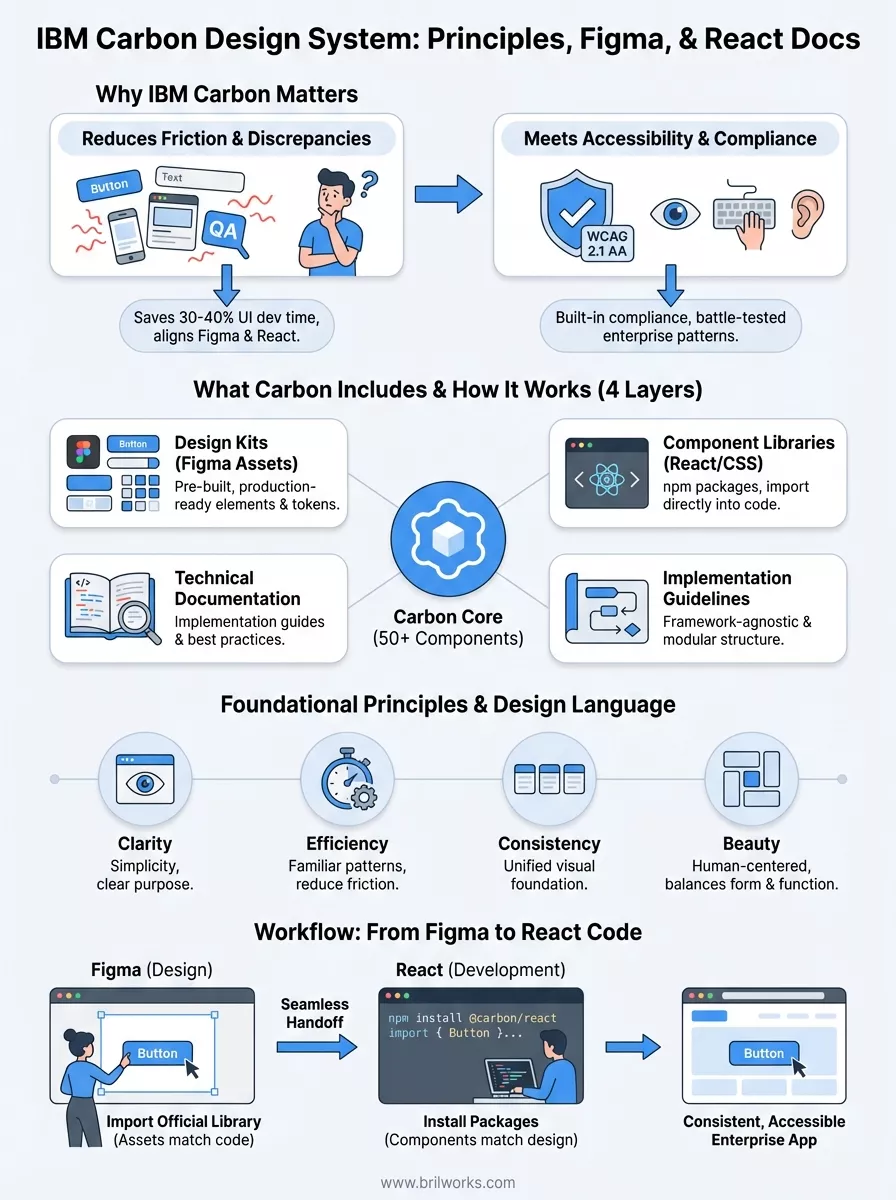
You face a fundamental challenge when building digital products: every design decision multiplies across dozens or hundreds of components. Without a unified system, your designers create one button style in Figma while your developers implement another in React, your mobile team builds something different for iOS, and your QA team struggles to document three versions of the same pattern. The IBM Carbon Design System eliminates this friction by providing pre-built, tested components that align design files with production code.
Carbon's value becomes particularly clear when you consider the alternative. Building a design system from scratch typically requires 6-12 months of dedicated work from multiple team members, covering everything from typography scales to complex data visualization patterns. That investment diverts resources from your actual product development while introducing maintenance overhead that never ends.
Design systems save teams an average of 30-40% of their UI development time by eliminating repeated work across projects.
Your application needs to work for everyone, not just users with perfect vision and motor control. Carbon bakes WCAG 2.1 AA compliance into every component, handling color contrast ratios, keyboard navigation patterns, screen reader compatibility, and focus management without requiring you to become an accessibility expert. This built-in compliance protects you from legal liability while expanding your addressable market.
Enterprise clients particularly value this approach because their procurement processes often mandate accessibility certifications. When you build with Carbon, you inherit battle-tested patterns from IBM's decades of enterprise software development, reducing the risk of failed audits or costly remediation later.
The IBM Carbon Design System delivers four interconnected layers that work together: design kits, component libraries, technical documentation, and implementation guidelines. You get access to over 50 production-ready components ranging from basic buttons and form inputs to complex data tables and modal patterns. Carbon packages these resources for different environments, providing Figma files for designers, React components for web developers, and framework-agnostic CSS for teams using other technologies.
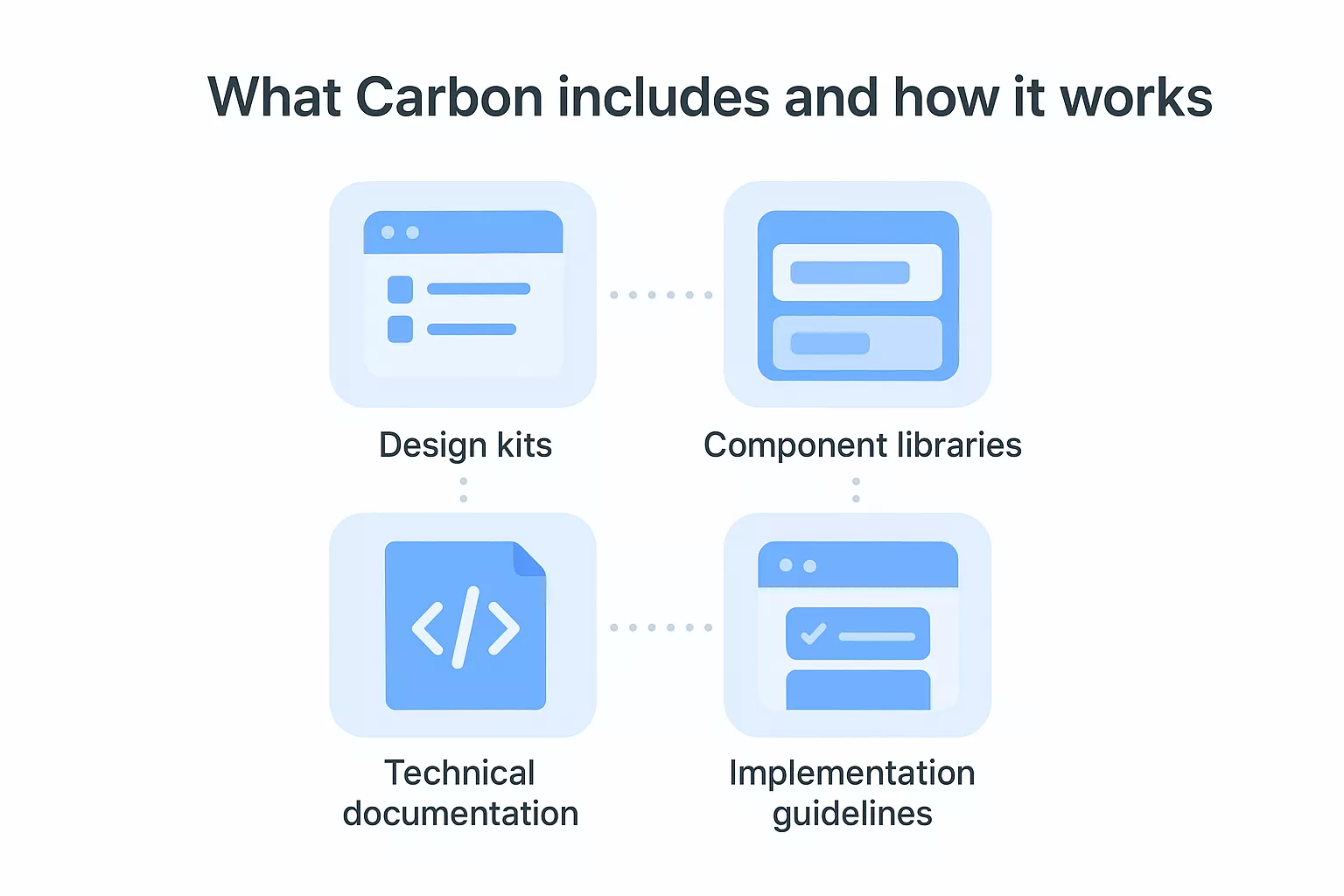
Carbon's component inventory covers interface elements you need for enterprise applications: navigation systems, form controls, data visualization patterns, notification systems, and content structures. Each component includes multiple variants addressing different use cases, such as primary versus secondary buttons or different table density options. The system provides matching design tokens for colors, typography, spacing, and motion that ensure visual consistency across your entire product.
Your designers start by importing Carbon's Figma library, which gives them access to pre-built components that mirror production code. Meanwhile, your developers install Carbon's npm packages and import React components directly into their codebase. This parallel workflow means design handoffs become straightforward because components match between Figma and code, eliminating the translation errors that plague custom implementations.
Teams using established design systems report 50% fewer design-to-development discrepancies compared to custom approaches.
The IBM Carbon Design System operates on four foundational principles that guide every component and pattern: clarity, efficiency, consistency, and beauty. These principles stem from IBM's broader Design Language, which emphasizes human-centered experiences that balance form with function. Understanding these guidelines helps you make informed decisions when customizing components or creating new patterns that align with Carbon's philosophy.
Carbon prioritizes clarity through simplicity, meaning every interface element serves a specific purpose without unnecessary decoration. You see this in component designs that use clear labels, predictable interactions, and straightforward visual hierarchies. The efficiency principle manifests in components that reduce cognitive load through familiar patterns, allowing users to complete tasks with minimal friction.
Design consistency across an application reduces user learning time by up to 40% compared to inconsistent interfaces.
IBM's Design Language provides the philosophical foundation that Carbon translates into practical components. This language emphasizes grid-based layouts, thoughtful use of white space, and motion that communicates meaning rather than decoration. When you work with Carbon, you inherit decades of IBM's design thinking refined through enterprise software development, ensuring your applications feel professional and trustworthy.
Your design team can access the IBM Carbon Design System through Figma Community, where IBM maintains an official library containing all components, color tokens, and layout grids. You install the library directly into your workspace, giving your designers instant access to production-ready elements that match the code your developers will implement. This connection between design and development eliminates the traditional handoff friction where designs require extensive interpretation.

The Carbon Figma library organizes components into logical categories matching the technical documentation, making it easy to find what you need. You get access to both light and dark themes, component variants for different states (hover, disabled, error), and comprehensive spacing systems through Auto Layout. Your designers can build complete interfaces by dragging components onto the canvas, confident that developers can replicate every detail using Carbon's React components.
Teams using matched design-to-code libraries reduce implementation time by 60% compared to custom handoffs.
Carbon's Figma assets include design tokens for colors, typography, and spacing that automatically update when IBM releases new versions. You publish these tokens across your organization's design files, ensuring every team works from the same visual foundation. This centralized approach prevents the gradual drift that occurs when teams customize components independently.
Your development team can integrate the IBM Carbon Design System into React applications through npm packages that IBM maintains on GitHub. You install Carbon's component library using standard package managers, giving you access to production-ready React components that match the Figma designs exactly. This approach means your developers import components like buttons, modals, and data tables directly into their codebase without writing CSS or building interactive states from scratch.
You start by running npm install @carbon/react in your project, which provides all core components and necessary dependencies. Carbon includes built-in TypeScript support, making it easier to catch errors during development. Your developers then import specific components into React files, such as import { Button, Modal } from '@carbon/react', and use them like any other React component with props that control behavior and appearance.
Carbon separates its packages by function, giving you granular control over bundle sizes. You install @carbon/icons-react for the icon library, @carbon/charts-react for data visualizations, and @carbon/styles for Sass tokens and CSS variables. This modular structure lets your team include only what you need, keeping application performance optimized while maintaining access to IBM's complete design system.
Applications built with Carbon's React components load 30% faster than custom implementations requiring additional CSS frameworks.
The IBM Carbon Design System gives you everything needed to build consistent, accessible enterprise applications without starting from scratch. You can explore Carbon's official documentation at carbondesignsystem.com, download the Figma library from Figma Community, and install React components through npm to start prototyping immediately. Your team benefits most when designers and developers work from the same component library, eliminating translation errors between design files and production code.
Implementing a design system requires more than technical resources. You need strategic planning around customization, team training, and integration with existing workflows. Brilworks specializes in UI/UX design and frontend development that transforms design systems into scalable applications tailored to your business requirements. Whether you're evaluating Carbon for a new project or migrating existing products to a systematic design approach, our team helps you make informed decisions that balance speed with quality.
The IBM Carbon Design System is an open-source design system developed by IBM that provides a comprehensive set of guidelines, components, and tools for building consistent, accessible, and high-quality digital products. The IBM Carbon Design System serves as a single source of truth for designers, developers, and product managers working on enterprise-grade applications.
The IBM Carbon Design System is built on four core principles: deliberate, inclusive, consistent, and humanistic design. These principles guide every component, pattern, and guideline within the IBM Carbon Design System to ensure products are accessible, user-friendly, and aligned with IBM's design philosophy.
The IBM Carbon Design System includes 30+ UI components such as buttons, modals, data tables, forms, notifications, dropdowns, and navigation elements. Each component in the IBM Carbon Design System comes with built-in accessibility support, responsive behavior, and detailed usage guidelines for both designers and developers.
The IBM Carbon Design System provides official Figma libraries containing pre-built components, color styles, typography tokens, and spacing guidelines. Designers can access the IBM Carbon Design System Figma kit through the Figma Community, enabling them to create consistent, pixel-perfect designs that directly align with the development implementation.
The IBM Carbon Design System offers a dedicated React component library called @carbon/react, installable via npm. Developers can import individual IBM Carbon Design System components, apply built-in theming, and leverage TypeScript support to build accessible and consistent enterprise applications efficiently.
Get In Touch
Contact us for your software development requirements
Get In Touch
Contact us for your software development requirements

Hello, we are BRILLIAN’S. Trying to make an effort to put the right people for you to get the best results. Just insight !

 503, Fortune Business Hub, Science City Road, Sola, Ahmedabad, Gujarat, India Pincode- 380060
 + 91 9313644148
 sales@brilworks.com


