Last updated May 2, 2026
Thunkable vs Custom Mobile App: When to Stay and When to Migrate

7 mins read
Summarize with AI:


Data
AI
The Stack Underneath
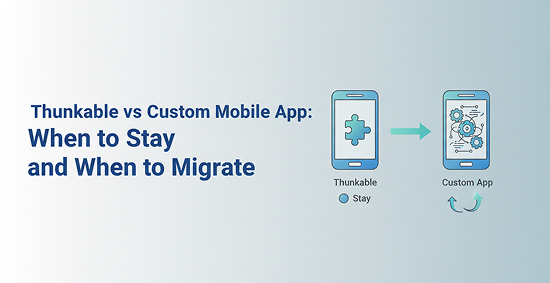
You built something in Thunkable. It works. Users are clicking around, the logic holds, and you shipped faster than any dev team could have managed. Now you are getting questions: Why does the app feel sluggish? Can we add background location tracking? The app store reviewer flagged something. These are not Thunkable failures — they are signals that your product has outgrown the tool. The Thunkable vs custom mobile app decision is not about which tool is better in the abstract. It is about which one fits where your product actually is right now. This article walks you through a side-by-side comparison, performance tradeoffs, app store realities, and a practical framework for deciding whether to stay or migrate.
What is the difference between Thunkable and a custom mobile app? Thunkable is a no-code mobile app builder that lets you create apps using visual blocks without writing code. A custom mobile app is built with frameworks like React Native or Flutter, giving your team full control over architecture, UI, performance, and device integration. The core tradeoff is speed versus flexibility — Thunkable gets you to a working app faster; custom development gets you to a better app for production.
If you have looked at similar decisions before — like Bubble vs custom development — the pattern here is familiar. No-code platforms trade control for speed. The question is always how much control you actually need.
|
Factor |
Thunkable |
Custom Mobile App |
Best For |
|
Development speed |
Fast — days to weeks |
Slower — weeks to months |
Thunkable for early validation |
|
Upfront cost |
Low |
Higher |
Thunkable for tight budgets |
|
Runtime performance |
Interpreted, slower |
Compiled or native-like, faster |
Custom for production apps |
|
App store compliance |
Possible but limited |
Full control |
Custom for consumer apps |
|
Hardware access |
Limited |
Full device access |
Custom for hardware-dependent apps |
|
UI customization |
Template-constrained |
Pixel-perfect control |
Custom for branded products |
|
Scalability |
Limited |
High |
Custom for growing products |
|
Maintenance |
Platform-managed |
Team-managed |
Depends on team capacity |
Custom development means your team owns the codebase, the architecture, and every decision about how the app behaves. That takes more time and budget upfront. What you get back is the ability to build exactly what your product needs, test it properly, and evolve it without hitting platform walls.
"Custom mobile app" does not mean only fully native iOS and Android builds. Frameworks like React Native and Flutter sit between no-code and fully native. They give you code-level control with cross-platform reach. For most teams moving beyond Thunkable, one of these two is the practical next step.
Thunkable fits the validation stage. If you are testing whether an idea works, whether users engage, or whether a workflow makes sense, Thunkable gets you there faster and cheaper than any dev team. Custom development fits the scaling stage. Once the product is proven and you need stronger performance, deeper integrations, or a polished consumer experience, the architecture needs to match those ambitions.
Thunkable is not a compromise for teams that cannot afford real development. For the right use cases, it is genuinely the better choice. Comparing it to tools like Glide vs custom development shows a consistent pattern: no-code platforms win when speed and simplicity matter more than depth.
Thunkable's block-based editor means a non-developer can build a working app in a weekend. There is no syntax to learn, no build pipeline to configure, and no environment setup. For founders who need to move fast without a technical co-founder, that is a real advantage. Iteration is quick — changing a screen or adding a data source takes minutes, not a sprint.
You build once in Thunkable and deploy to both iOS and Android. No separate codebases, no platform-specific logic, no extra QA cycles for each OS. For internal tools, early-stage products, or apps with a small user base, this is a meaningful time saver. You are not managing two parallel development tracks before you even know if the product has legs.
Thunkable is one of the fastest ways to put a working mobile prototype in front of real users. You can validate a workflow, test a concept, or demo an idea to stakeholders without committing engineering resources. That matters because building a custom app around an unproven idea is expensive. Thunkable lets you find out what works first, then decide whether the investment in custom development makes sense.
This is where the honest tradeoffs live. Thunkable's constraints are not bugs — they are the cost of the no-code model. But when your product runs into those constraints, the impact is real and user-facing.
Thunkable runs on an interpreted runtime. That means your app's logic is processed at runtime rather than compiled ahead of time. Users feel this as slightly slower transitions, less fluid animations, and occasional lag during data-heavy interactions.
Custom apps built with Flutter or React Native compile down to native or near-native code. The difference shows up in how the app feels — and users notice. Retention data consistently ties app responsiveness to engagement. A sluggish experience is not just annoying; it costs you users.
Camera pipelines, GPS with background tracking, Bluetooth, biometric authentication, NFC, accelerometers — these are all accessible in custom development with the right packages and permissions. Thunkable exposes some device features, but the depth is limited. If your app's core functionality depends on hardware integration, you will hit those limits quickly. Custom development is the only path when the product is the hardware experience.
Custom apps give you exact control over every pixel of your UI. You can match platform design guidelines precisely, implement custom animations, and build a visual identity that feels native to iOS or Android.
App store optimization also benefits from this control — you can fine-tune performance benchmarks, accessibility compliance, and metadata in ways Thunkable does not expose. For enterprise apps, security architecture matters too. Custom development lets you implement certificate pinning, encrypted local storage, and role-based access at the code level. Thunkable cannot match that depth.
Performance differences between Thunkable and custom apps are not just technical trivia. They translate directly into user behavior and business outcomes.
Thunkable interprets your app's logic at runtime. Every interaction triggers a processing step that a compiled app handles ahead of time. For simple apps with light UI and basic data calls, this difference is barely noticeable. For apps with complex screens, frequent state changes, or heavy data interaction, the gap becomes visible.
React Native vs Flutter each handle compilation and rendering differently, but both outperform Thunkable's runtime model in production scenarios. Flutter compiles to native ARM code directly. React Native bridges to native components. Either way, your users get a faster, more responsive experience than Thunkable's interpreted layer can deliver.
A 300-millisecond delay on a button tap feels fine in a prototype. In a production app used daily, it feels broken. App store ratings reflect this — users leave one-star reviews for apps that feel slow, even when the functionality is correct.
Conversion rates on onboarding flows drop when transitions stutter. These are not hypothetical risks; they are documented patterns across consumer apps. Performance is not a nice-to-have once real users are involved.
Consumer-facing apps, media-heavy apps, and apps with frequent real-time data updates are where Thunkable's runtime limitations become serious. If your app streams content, processes images, updates a live feed, or handles complex form logic across multiple screens, the interpreted runtime will show its limits. For these categories, custom development is the safer long-term architecture from day one.
App store review is where a lot of Thunkable apps hit unexpected friction. The stores do not care how fast you built your app. They care how it performs.
Apple and Google both evaluate apps for stability, predictable behavior, and compliance with platform rules. Apps that crash, behave inconsistently, or use restricted APIs in undeclared ways get rejected. Custom development gives you direct control over how your app handles these requirements. You can write proper error handling, manage permissions explicitly, and test against review criteria before submission. With Thunkable, you are working within what the platform exposes — and that is not always enough.
iOS Human Interface Guidelines and Android Material Design are not suggestions for consumer apps. Reviewers check navigation patterns, accessibility, and responsiveness. Custom apps let you implement these standards precisely.
Thunkable's template-based UI can approximate them, but fine-tuning details like gesture handling, safe area insets, and dynamic type support requires code-level access that Thunkable does not provide. The gap is small for simple apps and significant for anything consumer-facing.
Common friction points include:
Limited UI flexibility that makes it hard to match platform design standards
Runtime performance that falls below benchmark expectations
Feature constraints that prevent implementing required privacy or accessibility behaviors
For simple internal apps, none of this matters much. For consumer-facing products competing in a crowded app store, these gaps affect both review outcomes and user ratings.
Use this framework directly. Apply it to your current app and the product you are trying to build.
You are building a prototype or proof of concept
The app is for internal use only, not public distribution
Your feature set is simple: forms, data display, basic navigation
Budget is tight and speed to first version matters most
The app does not need custom hardware access or complex integrations
You are still validating whether the product idea has real demand
Staying on Thunkable in these situations is not settling. It is the efficient choice. Comparing this to decisions like Lovable vs custom development shows the same logic applies across no-code tools — use the platform until the product outgrows it.
Your app is consumer-facing and competing on user experience
Performance complaints are showing up in feedback or reviews
You need hardware features Thunkable cannot access
The app needs to scale to thousands of active users
Security, compliance, or enterprise requirements are in scope
App store success is a core business metric, not a nice-to-have
These are strong migration signals. If two or more apply to your app, the rebuild conversation is overdue.
React Native is the stronger choice if your team has JavaScript experience, you want a large ecosystem of libraries, and you need broad community support. The guide to cross-platform mobile app development covers the tradeoffs between these frameworks in more depth if you are still deciding.
Flutter is the better fit if UI polish is a top priority, you want consistent rendering across platforms, and you are comfortable with Dart. Both are significant upgrades over Thunkable for production apps.
For teams that want to go deeper on component-level decisions in React Native, the best React Native UI libraries guide covers the ecosystem options that matter most for production builds.
Moving from Thunkable to a custom app is not a conversion process. There is no export button that produces React Native or Flutter code. Set that expectation clearly before planning begins.
Thunkable apps cannot be exported into a custom codebase. The visual blocks, data connections, and screen logic are all stored in Thunkable's proprietary format. Moving beyond Thunkable means rebuilding every screen, every piece of logic, and every integration from scratch in the new framework.
That is not a reason to avoid migrating — it is a reason to plan the migration properly. Understanding the scope upfront prevents the project from stalling halfway through. Teams that skip this step consistently underestimate the timeline by 40 to 60 percent.
React Native and Flutter are the most practical next steps for teams moving beyond Thunkable. Both support cross-platform deployment, have strong tooling ecosystems, and give you full control over architecture and UI.
React Native suits teams already working in JavaScript. Flutter suits teams prioritizing visual consistency and performance. If your team is evaluating the technical differences between these two frameworks, React Native vs Kotlin also provides useful context on where cross-platform frameworks sit relative to fully native development.
A Thunkable-to-custom migration typically moves through three phases:
Audit your existing Thunkable app — document every screen, data source, API connection, and user flow before writing a single line of new code.
Define the rebuild scope — decide what carries over as-is, what gets redesigned, and what new features ship with the rebuild.
Build and validate in parallel — keep the Thunkable app live while the custom build is in progress so users are not disrupted during the transition.
For a broader look at what it means to move from a managed platform environment to a custom one, Replit vs custom hosting covers the infrastructure side of that shift.
Stay on Thunkable if you are building a prototype, an internal tool, or a simple app with limited functionality and a tight budget. It is the right choice when speed to launch matters more than customization or when the app is not mission-critical. If you are still validating the idea, Thunkable is the most efficient path to your first real answer.
The biggest mistake is using Thunkable for an app that actually needs custom performance, hardware access, or long-term scaling. Teams often discover this too late — after investing time in a Thunkable build that cannot support the full product roadmap. Defining your migration triggers early saves significant rework.
Thunkable works for simple apps, but app store success becomes harder when the app needs advanced performance, polished UI, or complex device features. Apple and Google reward apps that are stable, responsive, and compliant with platform design standards. For consumer-facing products, custom development gives you the control needed to meet those expectations consistently.
You can migrate, but not by exporting code. Thunkable's project format cannot be converted directly into React Native or Flutter — the app must be fully rebuilt in the new framework. Planning the migration scope before you start is critical for keeping the project on track.
Thunkable is a no-code platform that lets you build mobile apps using visual blocks without writing code. A custom mobile app is built with frameworks like React Native or Flutter, giving your team full control over performance, design, and hardware access. Thunkable gets you to a working app faster; custom development gets you to a better app for production.
You might also like

Hello, we are BRILLIAN’S. Trying to make an effort to put the right people for you to get the best results. Just insight !