COOPERATION MODEL
ARTIFICIAL INTELLIGENCE
PRODUCT ENGINEERING
DevOps & Cloud
LOW-CODE/NO-CODE DEVELOPMENT
INDUSTRY
FRONTEND DEVELOPMENT
CLOUD DEVELOPMENT
MOBILE APP DEVELOPMENT
LOW CODE/ NO CODE DEVELOPMENT
EMERGING TECHNOLOGIES



 9 mins read
 Last updated February 25, 2026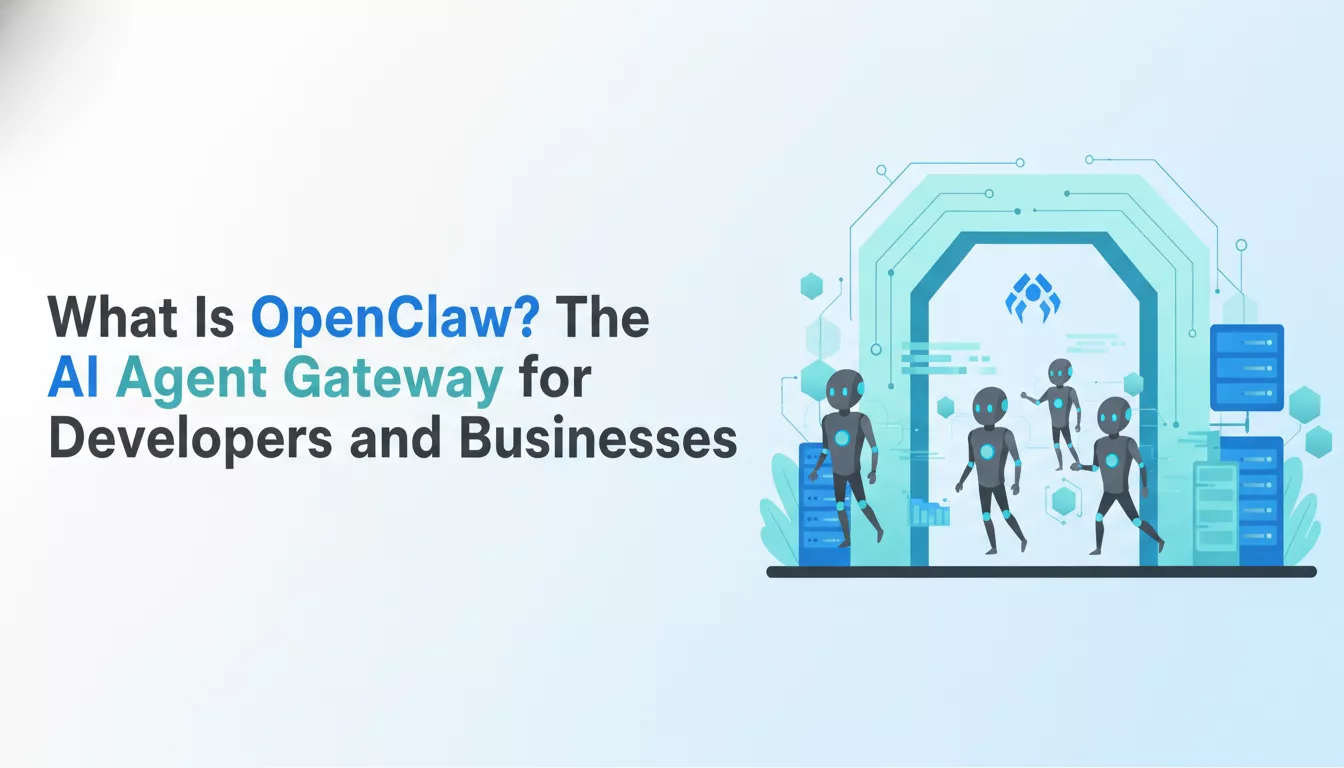
You've got access to the most powerful AI models in history. Claude, GPT-4, Gemini — all within reach of an API call. But here's the problem most businesses run into: they're still accessing that intelligence through a browser tab, resetting context every session, and manually triggering every task.
That's not a workflow. That's a bottleneck.
OpenClaw is a self-hosted AI agent gateway that changes that equation entirely. It connects every messaging app you already use — WhatsApp, Telegram, Discord, Slack, iMessage, Signal, and more — to AI agents that work on your behalf, around the clock, from your own hardware. No SaaS lock-in. No data leaving your control. No per-seat pricing.
This article covers everything you need to know: what OpenClaw is, how its architecture works, how it stacks up against traditional automation tools like Zapier and n8n, and which businesses are already building with it.
OpenClaw is an open-source, self-hosted gateway that connects AI agents to the messaging channels and tools your team already uses. A single Gateway process — running on your Mac, Linux server, or VPS — becomes your always-available AI command center, accessible from any device via any supported channel.
Definition: OpenClaw is a self-hosted AI agent gateway that runs on your infrastructure, connects to 20+ messaging channels simultaneously, and orchestrates AI agents capable of browsing the web, writing code, managing files, sending messages, scheduling tasks, and operating autonomously with tool use and persistent memory.
No browser tab required. Your agent is live wherever you are — on your phone via WhatsApp, in your team's Slack workspace, or inside your Discord server. Same agent, same memory, same session context.
Most businesses that explore AI agents run into the same wall fast. Hosted tools like ChatGPT, Claude.ai, and similar platforms are powerful in isolation — but they're single-channel, stateless by default, and locked behind subscription models that charge per user or per usage tier.
The real operational problems:
OpenClaw solves all of this at the infrastructure level. You run it once. It routes everything.
OpenClaw is MIT licensed and community-driven. It's built for developers, agency teams, and power users who want agent-native tooling — not a chatbot wrapper over an API.
The philosophy: AI agents should be first-class citizens in your workflow, not an afterthought accessed through a web UI. The Gateway is the runtime. Your messaging apps are the interfaces. Your agents are the workers.
Understanding OpenClaw means understanding five core components: Gateway, Channels, Agents, Skills, and Nodes. Together, they form a complete AI agent runtime.
[Channels: WhatsApp / Telegram / Discord / Slack / iMessage...]
                       ↓
                   [Gateway]
              ↙        ↓        ↘
         [Agent A]  [Agent B]  [Agent C]
              ↓        ↓        ↓
     [Tools / APIs / Memory / Cron / Sub-Agents]
                       ↓
              [Nodes: Mobile Devices]
The Gateway is a single process running on your machine or server. It acts as the routing layer between all connected channels and all configured AI agents.
When a message arrives from Telegram, the Gateway determines which agent should handle it, passes it the relevant session context and memory, executes the agent's tool calls, and routes the response back to the originating channel. This all happens in real time, with persistent session state.
The Gateway also manages:
OpenClaw supports 20+ messaging channels simultaneously from a single Gateway:
Every channel is a live connection. Route your marketing team to one agent on Slack. Give engineers a coding agent on Discord. Reach your personal assistant from WhatsApp on your phone. The same Gateway handles all of it.
Each agent in OpenClaw is an isolated AI session with:
An agent isn't a chatbot. It's a reasoning system with tool access, memory, and the ability to act autonomously on multi-step tasks.
Skills are pre-built or custom behavior packs that load specialized instructions and workflows into an agent. They extend what an agent knows how to do without manual prompting every time.
Examples of Skills in production:
Skills are loaded from a directory on your server and referenced by the Gateway at startup. Teams can build and share custom skills — or pull from the ClawhHub marketplace.
OpenClaw lets you pair iOS and Android devices as Nodes — physical devices that your agents can interact with.
This means your agent can:
For DevOps teams, this means agents that can respond to system events by accessing node diagnostics. For field teams, it means agents that can pull real-time visual context from mobile devices.
| Feature | What It Does |
|---|---|
| Multi-channel gateway | Run one AI across WhatsApp, Telegram, Discord, Slack simultaneously |
| Self-hosted | Your data stays on your hardware — no vendor lock-in |
| Agent-native | Built for tool use, sessions, memory, and multi-agent routing |
| Cron jobs | Schedule agent tasks — heartbeats, reports, automated pipelines |
| Web Control UI | Browser dashboard for chat, config, sessions, and node management |
| Skills system | Extensible agent behaviors via pre-built or custom skill packs |
| Mobile nodes | Pair iOS/Android for camera, screen, location, and notification access |
| Open source | MIT licensed — full transparency, self-host for free |
Route different channels to different agents — or route different senders to different agents on the same channel. A marketing director on Slack routes to the Marketing Coordinator agent. An engineer on Discord routes to the Coding Agent. A founder on WhatsApp routes to their personal assistant agent.
Multi-agent routing means specialization without fragmentation. Each agent stays focused on its domain. The Gateway handles the routing logic.
OpenClaw's cron system is AI-native, not rule-based. You can schedule:
Unlike traditional cron, OpenClaw's scheduled jobs can invoke full AI reasoning — not just script execution.
Every agent maintains persistent memory across sessions. Using an embedded memory system (MEMORY.md + tagged memory files), agents remember:
Ask the agent about a project you discussed two weeks ago. It remembers. No re-explaining required.
The built-in Web Control UI gives you a full browser-based interface to:
For teams, it's the operations dashboard for your AI workforce.
This is where the distinction matters most. OpenClaw is often asked about alongside Zapier, n8n, and Make (Integromat). They're not the same category.
| Dimension | OpenClaw | Zapier | n8n | Make (Integromat) |
|---|---|---|---|---|
| AI-native | ✅ Yes — reasoning agents | ❌ Rule-based only | ⚠️ Partial (some AI steps) | ⚠️ Partial (some AI steps) |
| Self-hosted | ✅ Yes | ❌ Cloud only | ✅ Yes (community) | ❌ Cloud (or paid self-host) |
| Natural language control | ✅ Conversational interface | ❌ Visual/code builder | ❌ Visual/code builder | ❌ Visual/code builder |
| Multi-channel messaging | ✅ 20+ channels natively | ⚠️ Limited messaging integrations | ⚠️ Limited | ⚠️ Limited |
| Agent memory | ✅ Persistent across sessions | ❌ None | ❌ None | ❌ None |
| Multi-agent orchestration | ✅ Native sub-agents | ❌ No | ❌ No | ❌ No |
| Scheduled AI tasks (cron) | ✅ AI-native cron | ⚠️ Trigger-based only | ⚠️ Trigger-based only | ⚠️ Trigger-based only |
| Pricing model | Free (OSS) + LLM API cost | Per-task SaaS subscription | Free self-hosted | Per-operation SaaS |
| Best for | AI agent workflows, agencies | Simple app integrations | Dev/power user automations | Marketing automations |
Zapier, Make, and n8n excel at connecting apps with predefined logic: "When X happens, do Y." They're excellent tools for structured, deterministic workflows where every edge case can be anticipated and mapped.
OpenClaw operates on a different abstraction. Instead of defining every step in a visual flowchart, you deploy an AI agent that can:
The comparison that clarifies it: Zapier connects your CRM to your email tool when a deal closes. OpenClaw's agent reads your CRM, drafts a personalized follow-up email, checks your calendar for availability, schedules a meeting, and sends the invite — from a WhatsApp message you sent while commuting.
Choose OpenClaw when:
Keep Zapier or n8n when:
For most growing agencies and technical teams: the answer is often both. OpenClaw handles the intelligence layer; traditional automation handles the data plumbing.
This is where OpenClaw's multi-agent architecture delivers the clearest ROI.
A typical agency content pipeline looks like this: client requests a blog post → account manager briefs the writer → writer researches → writes → reviews → edits → submits → waits for approval → hands off to design for images → passes to CMS team for publishing → posts social copy to the LinkedIn scheduler.
With OpenClaw, that entire pipeline runs as an orchestrated agent workflow:
Every step runs autonomously. Every output gate requires human approval before proceeding. The result: consistent 4-blog-per-week output without a proportional headcount increase.
Brilworks runs exactly this pipeline. Our AI agent workforce — deployed on OpenClaw — produces blog content, LinkedIn posts, email sequences, and content assets for our own marketing operation. We built this system, we operate it daily, and we use it to prove the concept before recommending it to clients.
For software agencies, OpenClaw agents handle the coordination overhead that bleeds engineering time:
Engineers stay in their zone of genius. Coordination, documentation, and client communication run on agents.
OpenClaw is arguably most powerful for solo founders who need leverage without headcount.
A founder using OpenClaw via WhatsApp gets:
This isn't a chatbot. It's a persistent AI collaborator with full tool access, running 24/7 on hardware you control.
OpenClaw's Nodes feature opens up real-time system monitoring with a conversational interface:
For larger teams, OpenClaw's session isolation and multi-agent routing support:
OpenClaw runs on:
Requirements:
npm install -g openclaw@latest
openclaw onboard --install-daemon
openclaw gateway start
From there:
Full documentation: https://docs.openclaw.ai
OpenClaw is MIT licensed and free to self-host. There are no per-seat fees, no subscription tiers, and no usage caps from OpenClaw itself.
Your only cost is LLM API usage — typically:
For a small agency running 4 blogs/week plus social content, real-world API costs typically fall in the $50–$200/month range — a fraction of what a single content contractor costs.
Brilworks estimates its agent workforce saves 15–20 hours of manual content work per week, at a fraction of the cost of equivalent human labor.
We don't just recommend AI agent platforms. We run one.
Brilworks operates a full AI agent workforce on OpenClaw:
Every agent operates with human approval gates. Nothing publishes without sign-off. The system handles the execution. Humans handle judgment.
When Brilworks designs AI-powered workflows for clients — whether it's a content automation system, an internal knowledge base agent, or a customer-facing AI assistant — we draw on direct operational experience running multi-agent pipelines at scale.
This isn't a proof of concept. It's how we operate every day.
Replace manual content operations with an AI content team that works while your human team sleeps. Automate client communication and follow-up sequences. Build AI-powered internal knowledge assistants for your team. Schedule AI-driven analytics reporting that posts every Monday before your leadership standup.
The ceiling is what you build on top of the Gateway.
Want to deploy AI agents for your business?
Brilworks builds custom AI agent workflows powered by platforms like OpenClaw. From content automation to AI-assisted software development, we combine the speed of AI with the rigor of professional engineering — and we operate the same systems ourselves.
The question isn't whether AI agents belong in your operation. The question is whether you want to run them on someone else's platform — or your own.
Ready to explore what an OpenClaw deployment could look like for your agency or business? Talk to the Brilworks team →
Related reading:
External references:
Get In Touch
Contact us for your software development requirements
Get In Touch
Contact us for your software development requirements

Hello, we are BRILLIAN’S. Trying to make an effort to put the right people for you to get the best results. Just insight !

 503, Fortune Business Hub, Science City Road, Sola, Ahmedabad, Gujarat, India Pincode- 380060
 + 91 9313644148
 sales@brilworks.com


