Vector databases arrived on the scene a few years ago and enhance the capacity of today's search engines, image recognition tools, recommendation systems, and several other tools. As generative tools like ChatGPT and Gemini gain traction, the term 'vector databases' is popping up everywhere.
So, what exactly are these vector databases, and how do they differ from traditional ones? This article will focus on the key concepts related to vector databases. We will specifically list down some of the best vector databases in the blog.
What is a Vector Database?
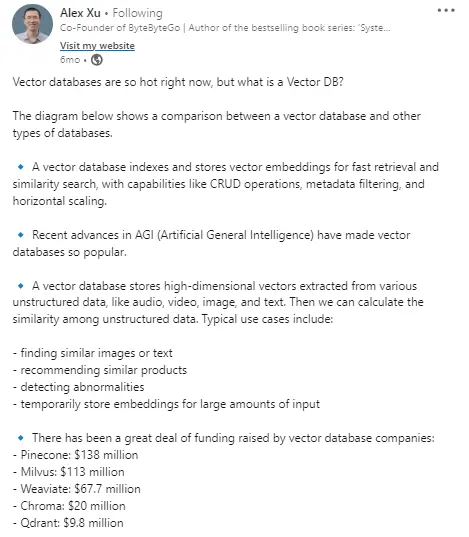
A vector database stores complex data as mathematical representations in a multi-dimensional vector space. This is referred to as vector embedding. The vector embedding is generated through machine learning models. These vectors capture the semantic relationships and similarities between data, making them incredibly useful in machine learning and artificial intelligence.
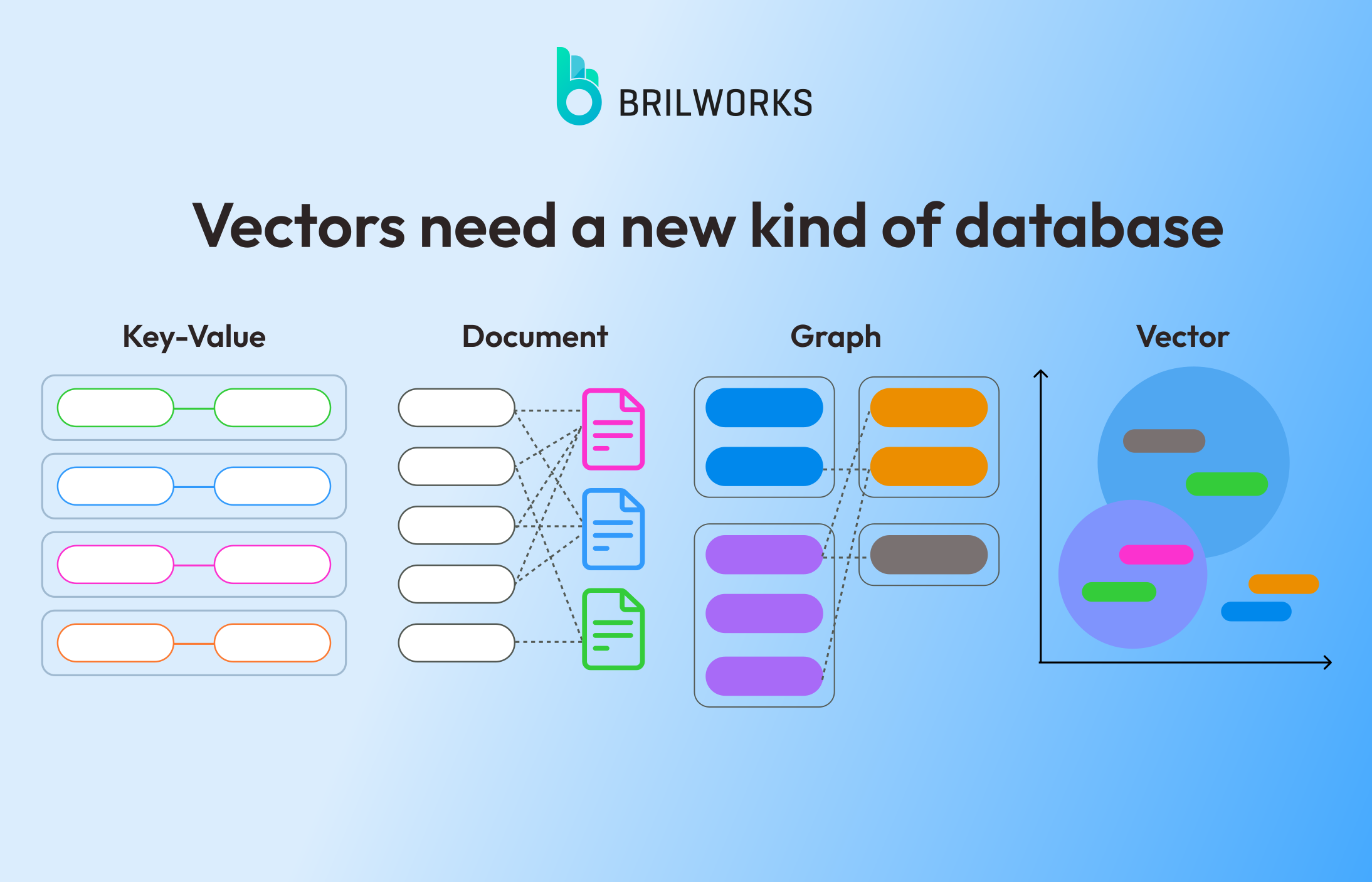
Understanding Vector Databases
As AI takes center stage for major companies, traditional databases struggle to handle the complex and often unstructured data of images, text, audio, and video. This has ignited a need for crucial tools like vector databases, which excel at efficiently storing and retrieving these complex data types.
Whether you are developing a large language model or utilizing pre-trained models, Vector databases can provide long-term memory and can store and retrieve from multi-dimensional vectors.
They can deliver better performance than traditional ones when it comes to handling high-dimensional data for performing complex similarity searches, pattern recognition, etc.
1. How does it work?
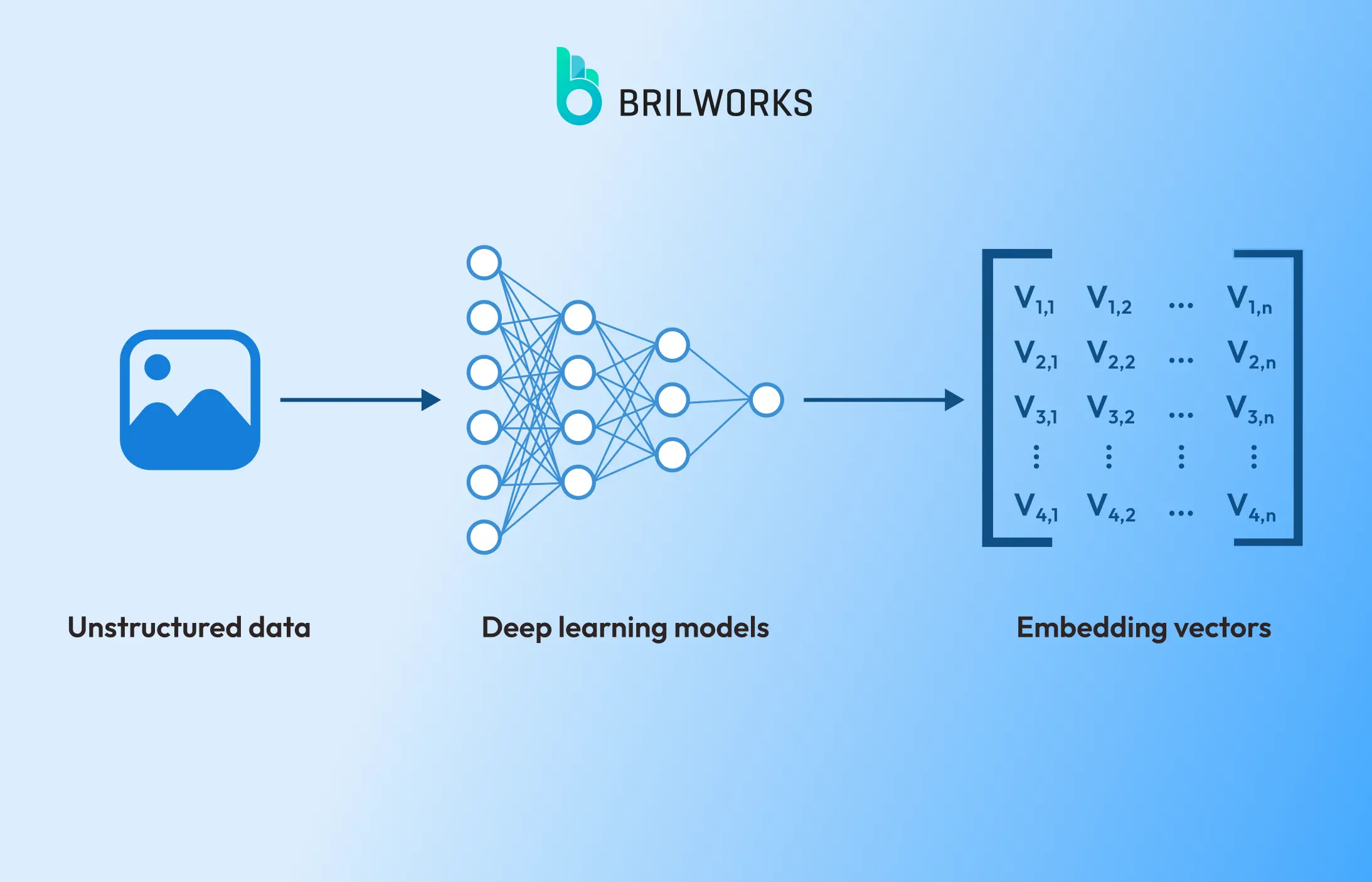
Data comes in various forms, from text and images to videos and audio. Today's AI models are trained on and designed to handle this increasingly unstructured data. Vector databases bridge the gap by converting these datasets into mathematical representations called vector embeddings. This allows for efficient storage, retrieval, and manipulation of unstructured data.
2. What is Vector embedding?
Vector embedding is what makes these databases highly potent for working with unstructured data. As stated above, these vector embeddings are an array of numbers that are generated through embedding or machine-learning models.
The image below demonstrates how it works:
3. Indexing in Vector Databases
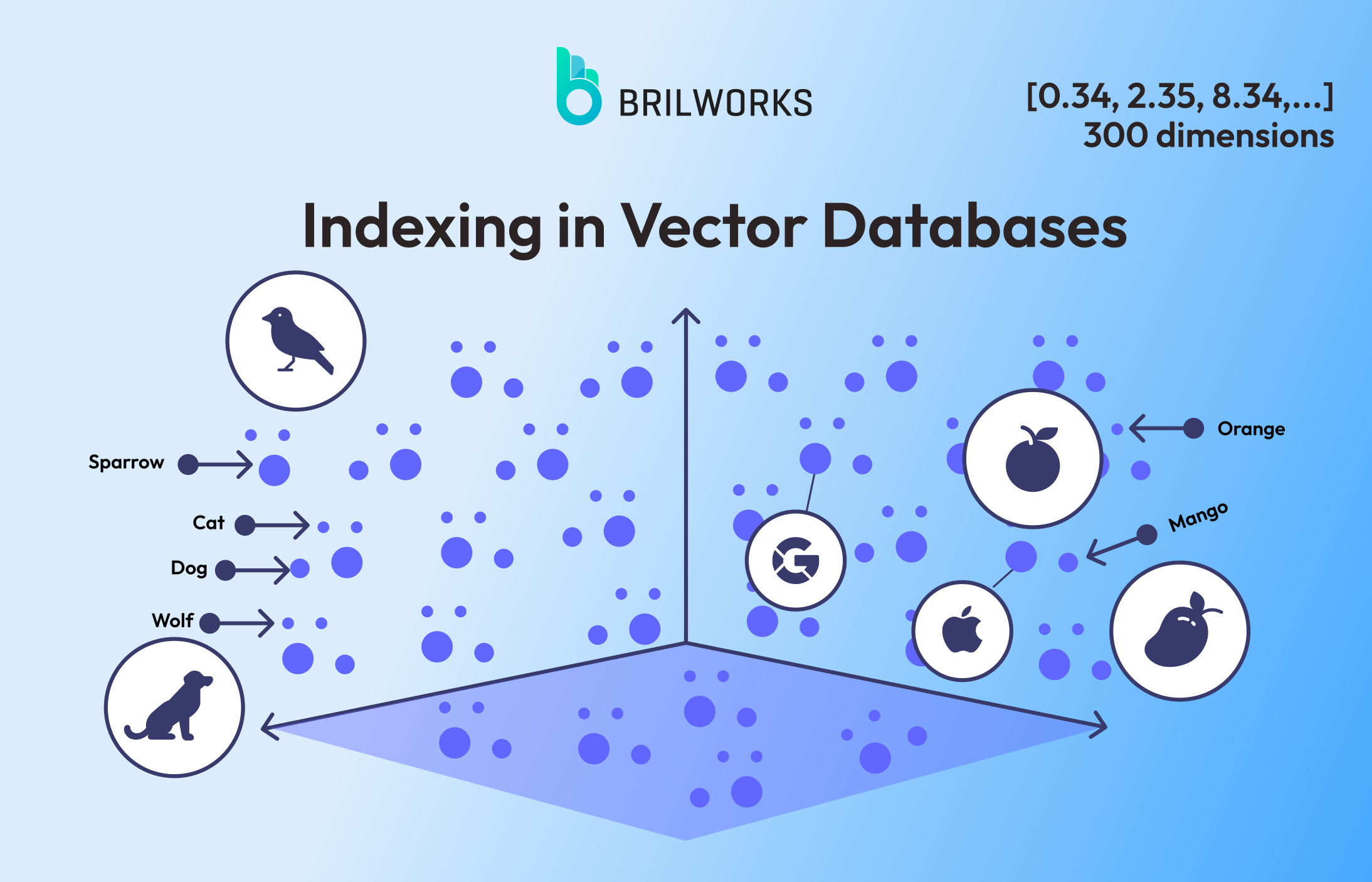
Once our data is converted into vector embeddings, the data is organized in a multi-dimensional vector space for efficient similarity search. The similarity search is a central concept that involves finding the most similar vectors using distance metrics such as Euclidean distance, Cosine similarity, etc.
The below image represents a vector space; when the query is converted to vectors, the database computes the similarity between the search query and the collection of data points. For example, the vector for bananas (both the text and the image) is located near apples and not cats.
Use Cases of Vector Databases
Have you ever wondered how your favorite streaming platform recommends the perfect movie for you or how search engines understand the nuances of your queries, even when they involve multiple meanings?
Take a look at the following example: how Google can differentiate between searches for "apple taste" and "apple valuation."
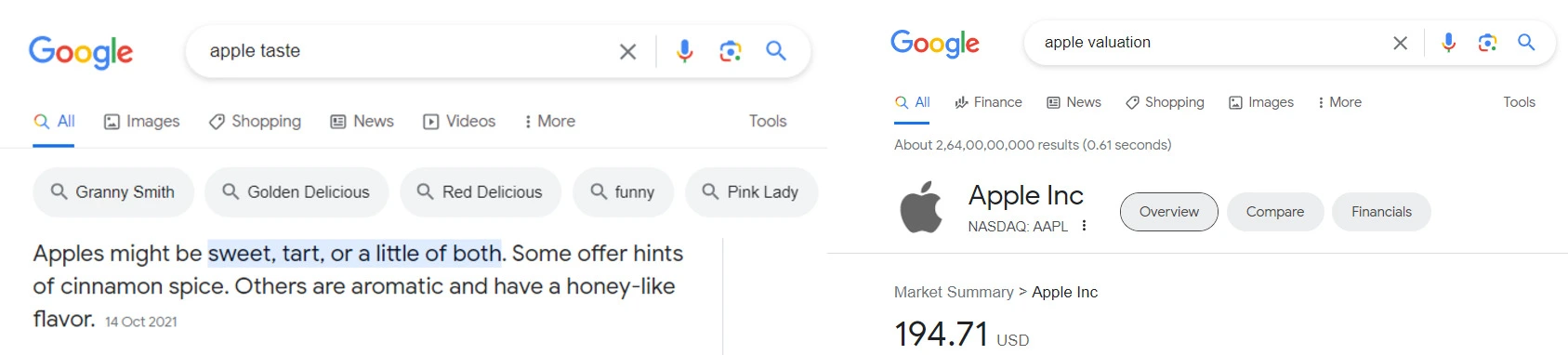
The big drawback with traditional databases is that they rely on keyword matching. In other words, traditional databases might not understand the intent behind keywords. On the other hand, vector databases can understand the semantic relationship encoded in vector embeddings.
Due to their efficient handling of complex datasets, vector databases are ideal solutions for developing various systems, including:
Personalized Recommendations: These databases are perfect for building personalized recommendation systems. For example, Netflix leverages a vector database that enables it to recommend movies tailored to your specific interests. This goes beyond simple genre or actor matching, taking into account your preferences for specific subgenres, directors, and even cinematography styles.
Search engines: Google's search results aim to understand the context of your search queries. This means that even if you use ambiguous words or phrases, Google can understand your intent and the context of the search.
Chatbots: These databases are great for developing AI-powered chatbots that can process natural language, understand human language, and converse with users as if they were humans.
Beyond chatbots, vector databases are now central to how AI agents retrieve context at runtime pulling the most relevant information from a knowledge base before generating a response.
Image search: Platforms like Pinterest and Google Images use vector databases to enable users to search for images based on their visual content.
Vector Database vs Traditional Database
Traditional databases are built for exactness. You query for a record, you get that record or you don't. That works perfectly for structured data like user accounts, transactions, and inventory. It breaks down the moment your data becomes unstructured images, text, audio and your queries become fuzzy.
That's not a flaw in traditional databases. It's just not what they were designed for.
Here's how the two compare across the dimensions that actually matter for AI-driven applications:
| | Traditional Database | Vector Database |
|---|
| Data type | Structured (rows, columns) | Unstructured (text, images, audio, video) |
| Query type | Exact match | Similarity search |
| Search basis | Keywords, IDs, values | Meaning, context, semantic relevance |
| Indexing | B-tree, hash indexes | HNSW, IVF |
| Best for | Transactions, records, reporting | AI search, recommendations, RAG pipelines |
| Scaling | Vertical | Horizontal, distributed |
| Examples | PostgreSQL, MySQL, MongoDB | Pinecone, Weaviate, Qdrant, Milvus |
The honest answer is: most production AI applications need both. A vector database finds the semantically relevant results. A traditional database stores the structured metadata around them, user IDs, timestamps, prices. They work alongside each other, not instead of each other.
If someone is pitching you a vector database as a full replacement for your existing database, that's a red flag.
Best Vector Databases in 2026
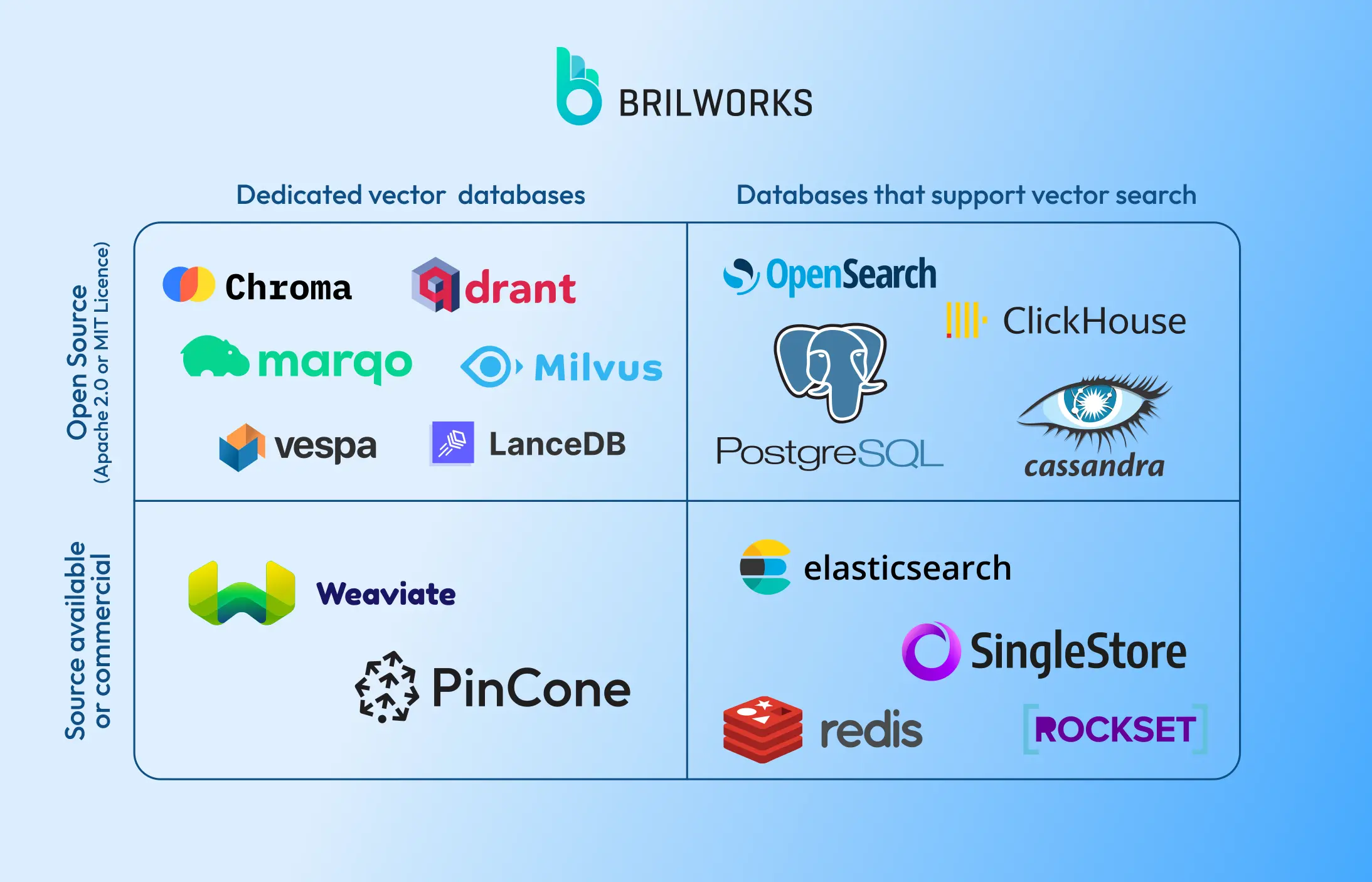
1. Chroma

Chroma, an open-source vector database, offers different storage options for developing large language models. It supports standalone deployments with DuckDB and distributed, scalable deployments with ClickHouse. It provides SDKs for Python and JavaScript/TypeScript, making it an easy-to-use option.
Key features:
- It is an open-source database.
- SDKs for Python and JavaScript/TypeScript.
- Integration with ClickHouse
- Automatically saving and reloading data.
- Multiple storage options
2. Pinecone

It is a cloud-native database tailored for applications that involve large language models. It offers simple API for Python, JavaScript/TyepScript, and REST API to make it easy for developers to integrate it with different programming languages and frameworks. Pinecone is renowned for its speed and is being leveraged by renowned names such as Google Cloud, OpenAI, AWS, etc.
Key features:
- Fully managed service
- Dence and sparse vector embedding
- Rich metadata support
- Integration with popular AI and machine learning tools
- Real-time data ingestion
3. Weaviate
It is an open-source vector database that stores both vectors and objects. This allows developers to handle both structured and unstructured data in one place, unique from other databases.
Key features:
- Low-latency vector database
- Real-time search
- Semantic Search, Question-Answer Extraction, Classification, Customizable Models (PyTorch/TensorFlow/Keras)
- Stores both objects and vectors
- Cloud-native database
- Accessible through GraphQL, REST, and various client-side programming languages.
4. Qdrant
Qdrant's API allows easy integration with your preferred programming language. It lets you either build your own code for interaction with API or utilize pre-built libraries for simpler implementation. This cloud-native platform utilizes the HNSW algorithm for accurate nearest-neighbor search, ensuring fast and reliable results.
Key features:
- Easy-to-use API
- Ready-made client for Python
- Additional payload support
- Support for a variety of data types, including string, numerics, geo-locations, and more.
- Cloud-native and scalable
5. Milvus

Milvus is the option you reach for when scale stops being theoretical. It's open-source, cloud-native, and built to handle billions of vectors across distributed nodes which is why it's the database underneath a number of enterprise AI pipelines that Pinecone's pricing made impractical.
Milvus has operational overhead. If your team doesn't have someone comfortable managing distributed infrastructure, the setup cost will slow you down more than it should.
Key features:
- Open-source, cloud-native
- Handles billion-scale vector workloads
- Supports HNSW, IVF, and other indexing methods
- SDKs for Python, Java, Go, and Node.js
6. pgvector
pgvector is a Postgres extension not a standalone database. If your stack already runs on Postgres, this is the fastest path to vector search without adding a new system to maintain. One extension, one database, one less thing to break in production.
Pgvector's performance at large scale doesn't match purpose-built vector databases. For most SMB use cases handling under 10 million vectors, that gap won't matter. Above that, it will.
Key features:
- Native Postgres extension
- Supports cosine similarity, dot product, Euclidean distance
- Works with existing Postgres tooling and infrastructure
- No new database to manage
7. FAISS

FAISS is a library, not a database — and that distinction matters. Built by Meta's AI research team, it's designed for fast similarity search on local machines, making it the standard tool for AI researchers and teams running offline or on-premise workloads. There's no server, no API, no managed service. Just extremely fast vector search you control entirely.
When you wouldn't: FAISS has no built-in persistence, no metadata filtering, and no production serving layer. If you need those things and most production applications do you'll end up building infrastructure around it. At that point, a purpose-built database is the cleaner call.
Key features:
- Built by Meta AI Research
- Extremely fast similarity search
- Supports billion-scale vectors on a single machine
- CPU and GPU support
8. MongoDB Atlas Vector Search
If your application already runs on MongoDB, Atlas Vector Search adds vector capabilities directly into your existing database no migration, no new system, no additional operational complexity. It landed in general availability in 2023 and has matured quickly since.
If you're not already on MongoDB, there's no strong reason to start here just for vector search. Purpose-built options will serve you better.
Key features:
- Native vector search inside MongoDB Atlas
- Combines vector and traditional queries in one database
- Fully managed
- Integrates with LangChain, LlamaIndex, and other AI frameworks
How to Choose the Right Vector Database
The wrong way to pick a vector database: read a features list and choose the one with the most checkmarks. We've seen teams do this and end up with Milvus when they needed pgvector, or Pinecone when FAISS would've done the job for free.
The right way is to answer four questions first.
1. Are you prototyping or building for production?
If you're prototyping, start with Chroma. It's local, fast to set up, and disposable. Don't over-engineer the database choice before you've validated the use case.
If you're going straight to production, Chroma is off the list. Start with Pinecone if you want zero infrastructure work, or Weaviate/Qdrant if you want open-source with production-grade reliability.
2. What's already in your stack?
Already on Postgres? pgvector is almost always the right first move — one extension, no new system to manage, and your existing tooling works unchanged.
Already on MongoDB? Atlas Vector Search is the same answer for the same reason.
Starting fresh with no constraints? Then evaluate based on scale and budget.
3. How many vectors are you actually handling?
- Under 10 million: pgvector, Chroma, Qdrant — all viable
- 10M to 100M: Pinecone, Weaviate, Qdrant
- 100M+: Milvus or FAISS — and if you're here, you probably already know it
4. Do you need a managed service or full control?
Managed (someone else runs the infrastructure): Pinecone, MongoDB Atlas Vector Search, Weaviate Cloud
Self-hosted (you own the infrastructure): Milvus, Qdrant, Chroma, FAISS
The tradeoff is cost vs control. Managed services cost more at scale. Self-hosted costs more in engineering time. Neither is free. Your choice of vector database will also depend on which AI platforms you're building on top of some have native integrations that make the decision easier.
| Your situation | Start here |
|---|
| First RAG prototype | Chroma |
| Already on Postgres | pgvector |
| Already on MongoDB | Atlas Vector Search |
| Need fully managed, fast | Pinecone |
| Open-source, production-ready | Qdrant or Weaviate |
| Billion-scale, self-hosted | Milvus |
| Research / offline / on-premise | FAISS |
Conclusion
In this article, we've cracked the code on vector databases and explained what they are, how they work, and why they're crucial in the AI revolution. The rise of AI and machine learning, along with large language models, will propel the growth of databases as surely as the future of the upcoming tech era.
If you are struggling with complex datasets like text, images, and code, and you want to provide a more personalized and engaging experience to your customers, consider entering the world of vector databases to enhance your business.
Brilworks is a renowned company that provides cost-effective AI-powered solutions, from consultation to deployment, so businesses can leverage cutting-edge technology to improve their services. Contact us today if you are looking for cost-effective AI solutions.
If you're working with complex datasets, text, images, code — and want to build AI features your users will actually notice, vector databases are where that starts. Our AI development services cover everything from picking the right database to shipping the final product.







)
