COOPERATION MODEL
ARTIFICIAL INTELLIGENCE
PRODUCT ENGINEERING
DevOps & Cloud
LOW-CODE/NO-CODE DEVELOPMENT
INDUSTRY
FRONTEND DEVELOPMENT
CLOUD DEVELOPMENT
MOBILE APP DEVELOPMENT
LOW CODE/ NO CODE DEVELOPMENT
EMERGING TECHNOLOGIES


PageMiner is a Chrome extension for browser automation, web scraping, and workflow building. Record actions, build custom automation flows, and automate repetitive web tasks directly in your browser.
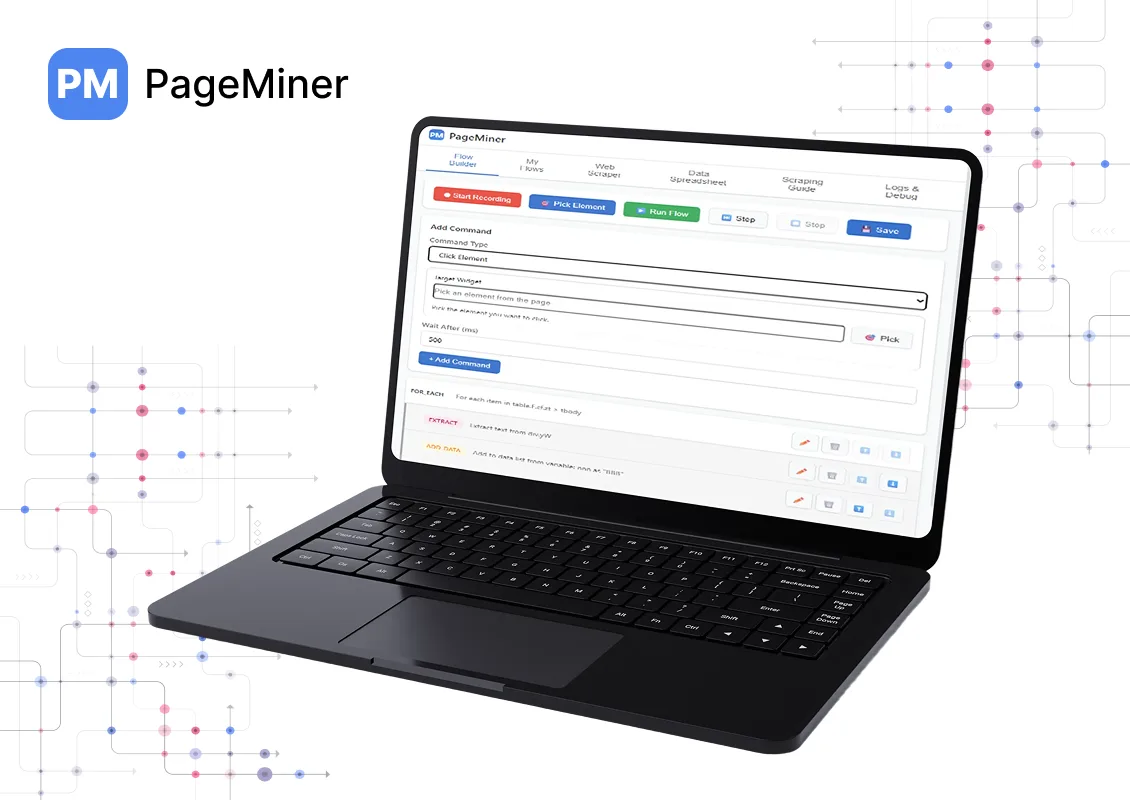
PageMiner helps automate interactions with websites and extract data by letting users create step-by-step workflows. These workflows can be recorded automatically or built manually using a visual interface.
Start recording from the extension interface, perform actions on any webpage, stop recording and review captured steps, then edit and save the flow.
Select command types from the interface, configure required fields, add commands step by step, and save the completed flow.
Open a saved flow, navigate to the target website, run the flow and observe execution, then review results and logs after completion.
Powerful automation and scraping capabilities
Create automation flows using a visual interface. Record browser actions such as clicks, typing, and navigation. Manually add and edit automation commands. Drag and reorder steps in a flow. View the flow structure in real time while building.
Run automated sequences on any website. Click buttons and links, fill and submit forms, navigate between pages, scroll and interact with dynamic content, execute custom JavaScript, and extract and store data during execution.
Extract data from websites using selectors. Scrape text, links, and element attributes. Use CSS selectors for targeting elements. Handle paginated content, store scraped data in variables, and export extracted data in JSON or CSV format.
Connect PageMiner workflows with external services. Webhooks for triggering external automation platforms, REST API calls with authentication, Google Sheets for data export, Slack and Discord notifications, and Airtable and Notion for structured data storage.
Monitor and troubleshoot automation runs with step-by-step execution, detailed execution logs, variable inspection, and error tracking and reporting.
Organize and reuse automation workflows. Save and manage multiple flows, import and export flows as JSON, use templates for common automation tasks, and support for variable substitution within flows.
Three simple ways to create and run automation workflows
Start recording, perform actions, stop and review, then edit and save
Select commands, configure fields, add steps, and save the flow
Open flow, navigate to site, run and observe, review results
Automate repetitive tasks and extract data efficiently
Automate repetitive browser actions
Scrape structured data from web pages
Build reusable automation workflows
Integrate browser automation with external tools
Connect PageMiner with your favorite tools and services
Trigger external automation platforms
API calls with authentication
Export data to spreadsheets
Send notifications to Slack
Discord notifications
Structured data storage
Store data in Notion
Export data in multiple formats
Install PageMiner and start automating browser workflows, scraping data, and building custom automation flows. Record actions, build flows manually, or run saved workflows—all directly in your browser.
Your data privacy is our priority
The developer has disclosed that it will not collect or use your data
Your data is not being sold to third parties outside approved use cases
See the developer's privacy policy for complete details
All automation runs locally in your browser for maximum security
PageMiner makes browser automation and web scraping simple. Record actions, build custom flows, and automate repetitive tasks—all with a visual interface. Start automating today!

Hello, we are BRILLIAN’S. Trying to make an effort to put the right people for you to get the best results. Just insight !

 503, Fortune Business Hub, Science City Road, Sola, Ahmedabad, Gujarat, India Pincode- 380060
 + 91 9313644148
 sales@brilworks.com


