Most teams building an AI agent skip straight to the build. They pick a framework, wire up a model, get a demo working in a week, and treat that as progress. Then month three arrives and the agent is confidently giving wrong answers to real customers, nobody can explain why, and the person who built it has already moved on.
We see this every month.
The demo was never the hard part. A B2B support agent that handles refund queries is easy to demo. You can have one answering questions over your help docs in an afternoon. Getting that same agent to a state where you would let it talk to a paying customer without a human reading every reply is six to twelve weeks of work, and most of that work has nothing to do with the model.
That gap is the reason the AI agent development lifecycle exists. It does not make agents smarter. It catches the failures that kill agent projects before they reach a customer. The use case with no success criteria. The data nobody cleaned. The hallucination nobody tested for. Skip a stage and the failure does not disappear, it just shows up later when it costs more to fix.
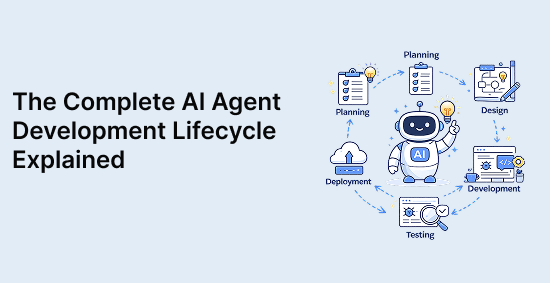
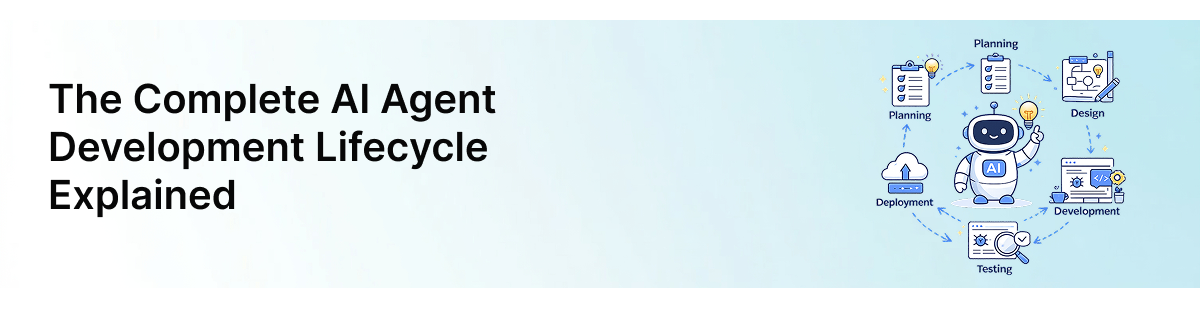
This blog walks the lifecycle as a timeline, not a concept. Four stages, in the order you actually run them for any AI agent implementation, with honest ranges for how long each takes and what makes it slip. We anchor the numbers to one example throughout, a B2B SaaS support and ops agent, because real numbers are more useful than "it depends."
What is the AI agent development lifecycle?
Definition and purpose
The AI agent development lifecycle is the end-to-end process of taking an agent from a business problem to a system running in production that you can trust, monitor, and improve. It covers scoping, building, testing, and the ongoing operation after launch.
It is not a checklist you complete once. An agent is never finished the way a static feature is finished. The model drifts, the data changes, customers ask things you never tested for, and the agent that worked in March starts failing quietly in June. The lifecycle exists to manage that, not to end it.
The purpose is narrow and worth stating plainly. The lifecycle keeps the agent tied to a business outcome at every stage, so you do not end up with a technically impressive system that nobody asked for and no one can measure.
How it differs from traditional software development
The reason agents need their own lifecycle comes down to one property. Traditional software is deterministic. Same input, same output, every time. An AI agent is probabilistic. The same question can produce a slightly different answer depending on the model, the context, and the phrasing.
That single difference changes how every stage runs.
| |
Traditional software (SDLC)
|
AI agent lifecycle
|
|
Behavior
|
Deterministic. Every path is coded.
|
Probabilistic. Behavior emerges from the model.
|
|
Testing
|
Pass or fail against fixed expected output
|
Evaluated on quality and accuracy across many runs
|
|
"Done"
|
Ships when features are complete
|
Never fully done, monitored continuously
|
|
Failure mode
|
Crashes, errors, broken builds
|
Confidently wrong answers that look fine
|
|
Post-launch
|
Maintenance and bug fixes
|
Ongoing evaluation, retraining, drift correction
|
The dangerous row is the failure mode. Traditional software breaks loudly. An agent breaks quietly. It does not throw an error when it gives a customer the wrong refund policy, it just says it with the same confidence it says everything else. That is why testing and monitoring carry far more weight here than in a normal build, and why we treat them as their own stages rather than an afterthought.
Why businesses need a lifecycle approach for AI agent implementation
You can build an agent without a lifecycle. Plenty of teams do. The question is what happens to it after the demo.
Here is what skipping the lifecycle actually costs, in the order it tends to hit:
-
No success criteria: The agent ships, but nobody can say whether it is working, so the project quietly loses budget when someone asks for proof and there isn't any.
-
Unclean data: The agent answers from whatever was in the knowledge base, including the outdated pricing doc from two years ago. Now it is wrong in production.
-
No evaluation step: The hallucination that would have shown up in a 200-case test run shows up in front of a customer instead.
-
No monitoring: The agent degrades over weeks and nobody notices until support tickets spike.
-
No owner: Everything above goes unhandled because the person who built it moved on and nobody inherited it.
For enterprise AI agents the stakes scale with the blast radius. An SMB FAQ agent giving a wrong answer is an annoyance. An agent with access to billing, customer records, or the ability to take actions is a different risk class entirely, and the lifecycle is what keeps that risk inside known bounds.
None of this requires a heavy process. For the support and ops agent we are using as our example, the lifecycle is four stages over eight to twelve weeks, not a year of governance overhead. The point is to run the stages, not to drown the build in them.
Stage 1: define the business problem and agent objectives
The cheapest stage to run and the most expensive to skip. Most failed agent projects we have seen did not fail in the code. They failed here, before a line of it was written.
Timeline for the support and ops agent: week one to two.
What gates it is access to the right people and real examples of the work. What makes it slip is starting the build before this stage is finished, which feels like progress and isn't.By the end you should have one document covering four things.
Identifying high-value use cases
Ask what one job, done well, would justify the build on its own. For a B2B support and ops agent the candidates rank by risk:
-
Answering tier-one questions from help docs (low risk, start here)
-
Triaging and routing tickets (medium risk)
-
Pulling account or billing data (needs system access)
-
Taking actions like refunds (highest risk, do this last)
Start at the top. This will disappoint anyone hoping to launch an autonomous ops agent in week one, but the FAQ job is the one that survives contact with real customers while you learn how the rest should behave.
If you are weighing build versus buy, that decision belongs here, not after you have picked a stack. We cover it in our guide on choosing the right AI agent development company.
Setting measurable success metrics
An agent without a metric cannot be evaluated, improved, or defended when someone asks whether it was worth the money. Vague targets are worse than none.
|
Vague goal
|
Measurable metric
|
|
Reduce support load
|
Deflect 40% of tier-one tickets
|
|
Be accurate
|
95%+ correct on a 200-question eval set
|
|
Don't make things up
|
Zero unsupported claims, checked every release
|
Set these before the build. A metric defined after launch is usually one reverse-engineered to make the agent look good. Scope, autonomy, and accuracy targets also move the price more than anything else, which we broke down in what B2B SaaS founders pay for AI agent development.
Determine the autonomy level
Autonomy is a ladder, not a switch. The rung you pick decides most of the downstream risk and cost.
-
Suggest. Agent drafts, human sends. Useful day one.
-
Act with approval. Agent proposes, human confirms. The right default for anything touching customer data.
-
Act and notify. Agent acts, logs it for review. Earn your way here.
Fully autonomous. No human in the loop. Only for actions that are cheap to reverse.
Pick the lowest rung that still delivers the value. Teams reach for rung four because it demos well, then spend two months building guardrails they would not have needed at rung two.
Decide whether a custom build is required
Sometimes the answer is that you don't need one. A custom build pays off when the workflow is specific to your business, the agent must reach into your own systems, or a generic chatbot would damage the customer relationship. When the job is generic and a configured SaaS tool gets you 80% of the way, buy instead. We have told clients exactly that more than once.
Stage 2: design and build the AI agent
Where the visible work happens, and where most teams overspend by building more than the use case from Stage 1 actually called for.
Timeline for the support and ops agent: weeks two to six.
What gates it is clean data and decided integrations. What makes it slip is scope creep, usually a stakeholder asking for "one more thing the agent could also do."
Choosing models, frameworks, and tools
Pick the smallest model that clears your accuracy bar, not the most powerful one available. A tier-one support agent does not need a frontier reasoning model for every reply.
-
Model. A fast, cheap model for routing and simple answers, a stronger one only for the hard cases.
-
Framework. A real agent with branching logic and tool use wants an orchestration framework. A simple FAQ flow wants a workflow tool, not a framework. Don't deploy a framework where a script will do.
-
Retrieval. If the agent answers from your docs, you need a vector store for search, not a bigger context window.
Designing workflows and decision-making logic
This is where the AI agent workflow stops being a chatbot and becomes a system. Map the path before you build it.
-
Request comes in
-
Agent classifies intent
-
Retrieves relevant data
-
Decides to answer, ask for clarification, or escalate
-
Acts or hands off to a human
The escalation rung matters most. An agent that knows when to say "I'm handing this to a person" beats one that answers everything and is wrong some of the time.
Integrating data sources and business systems
The integration work is usually the real cost of the build, not the model. For enterprise AI agents this is where weeks disappear, connecting the agent to your CRM, billing, help docs, and internal tools, each with its own auth and rate limits.
One rule. Clean the data before you connect it. An agent answering from an outdated pricing doc is confidently wrong, and nobody notices until a customer does.
Building guardrails and security controls
Guardrails are not optional once the agent touches real data or takes real actions. The most common security problem we see in agent builds handed to us for audit is over-broad access, the agent given keys to systems it never needed.
-
Scope access. The agent gets read access to what it needs, write access to almost nothing.
-
Constrain output. Block it from inventing policy, prices, or commitments not in the source data.
-
Log everything. Every action recorded, so a wrong one can be traced and reversed.
-
Keep a human rung. For anything irreversible, route to approval. Guardrails you cannot monitor are not guardrails.
Stage 3: test, validate, and optimize
The stage teams underestimate most. With traditional software you test whether the code runs. With an agent you test whether the answers are right, and "mostly right" is not a passing grade when a customer is on the other end.
Timeline for the support and ops agent: weeks five to nine, overlapping the build.
What gates it is a labeled eval set, the bank of real questions with known-correct answers you measure against. What makes it slip is treating testing as a final step instead of running it alongside the build from week five.
Functional testing
The baseline check. Does the plumbing work before you judge the answers?
-
Does the agent retrieve from the right data source?
-
Does it call the correct tool or API?
-
Does escalation actually route to a human?
-
Does it fail safely when a system is down?
This is the closest thing to traditional software testing in the whole lifecycle. Pass or fail, no judgment calls.
Accuracy and reliability evaluation
This is the heart of agent evaluation, and it is where the eval set earns its place. Run the agent against your 200-question set, score every answer, and track the number across releases.
|
Metric
|
Target for tier-one support
|
|
Correct answers
|
95%+ on the eval set
|
|
Correct escalations
|
Flags the cases it shouldn't answer
|
|
Consistency
|
Same question, same answer across runs
|
Reliability matters as much as accuracy. An agent that is right 95% of the time but gives a different answer to the same question on each run is not one you can trust in production.
Hallucination and failure testing
This is the test that decides whether the agent is allowed near a customer. A hallucination here is not a glitch, it is your agent inventing a refund policy that does not exist and saying it with full confidence.
Test the failure paths on purpose:
-
Ask questions the docs do not answer. Does it say "I don't know," or make something up?
-
Feed it edge cases and adversarial phrasing.
-
Check that every factual claim traces back to a real source.
The passing bar for anything customer-facing is zero unsupported claims on the eval set. Confidently wrong is the failure mode that kills trust, and it is invisible until you test for it.
Performance optimization before launch
Once the answers are right, make them fast and affordable. Optimize in this order:
-
Accuracy first. Never trade correctness for speed.
-
Latency. Median response under a few seconds, or customers route around the agent.
-
Cost. Cache common answers and route easy questions to the cheaper model.
Optimize only after the agent is accurate. A fast, cheap agent that gives wrong answers is just a faster way to lose a customer.
Stage 4: deploy, monitor, and scale
The stage that never fully ends. Everything before this got the agent ready. This stage keeps it working, because an agent that passed every test in week nine can still drift into wrong answers by week twenty.
Timeline for the support and ops agent: launch in week eight to twelve, then ongoing.
What gates the launch is a rollback plan. What makes it slip is treating go-live as the finish line instead of the start of the part that actually matters.
AI agent deployment strategies
Don't flip the switch for everyone at once. Roll out in stages so a problem hits a handful of users, not your whole customer base.
-
Shadow mode: The agent runs alongside humans and drafts answers nobody sends, so you compare against real outcomes first.
-
Limited rollout: Live for a small slice of traffic, monitored closely.
-
Full rollout: Only after the limited phase holds.
This is one stage of the lifecycle deep enough to deserve its own playbook. We wrote that one separately, on how to successfully launch an AI agent for your business.
Monitoring performance in production
A test set is fixed. Production is not. Customers ask things you never tested, and the agent's behavior shifts as your data and the model underneath it change.
Watch four things continuously:
|
Signal
|
What it tells you
|
|
Accuracy on sampled real answers
|
Whether quality is holding
|
|
Escalation rate
|
Spikes mean the agent is out of its depth
|
|
Response latency
|
Slowdowns that push users away
|
|
Cost per conversation
|
Drift in your unit economics
|
Continuous improvement and retraining
The agent improves on the back of what production teaches you. Feed real failures back into the eval set, fix the gaps, and re-test before each change ships.
Retraining is not constant. You revisit when the monitoring signals slip, when your product changes, or when the underlying model updates. Change one thing, re-run the eval set, then deploy. Never push an untested change to a live agent.
When to work with AI agent development services
You can run this lifecycle in-house if you have the engineering capacity and someone who will own the agent after launch. The honest signal that you need outside AI agent development services is simpler than most vendors admit. Bring in a partner when the integration work or the evaluation rigor is beyond what your team can staff without pulling engineers off the product that pays the bills.
The build is a one-time cost. The lifecycle is not. Whoever owns it has to be there in month twenty, not just at launch.
Conclusion
The teams whose agents are still running in month twenty are not the ones who built the best demo. They are the ones who treated the AI agent development lifecycle as the actual job and the demo as the easy first step.
So before you start, decide which agent you are building. For the B2B support and ops agent we used throughout, that is four stages over eight to twelve weeks, scoped to one high-value job, held to a real metric, tested against an eval set, and watched in production. Not a year of process. Just the stages run in order, none of them skipped.
Here is the one thing to do right now. Take the agent you have in mind and write the Stage 1 document, the single job, the success metric, and the autonomy rung. If you cannot fit it on a page, the problem is not defined well enough to build yet. That page will tell you more about whether the project is ready than any demo will.
If you would rather not run all four stages alone, that is what we do. Our AI agent development services cover the full lifecycle, from scoping the first use case to monitoring the agent once it is live. A 30-minute call will get you a real scope and a real timeline, not a range.