COOPERATION MODEL
ARTIFICIAL INTELLIGENCE
PRODUCT ENGINEERING
DevOps & Cloud
LOW-CODE/NO-CODE DEVELOPMENT
INDUSTRY
FRONTEND DEVELOPMENT
CLOUD DEVELOPMENT
MOBILE APP DEVELOPMENT
LOW CODE/ NO CODE DEVELOPMENT
EMERGING TECHNOLOGIES



 7 mins read
 Last updated March 18, 2026
Moving your infrastructure to the cloud sounds straightforward until you're knee-deep in dependency maps, security audits, and migration timelines that keep slipping. The difference between a smooth transition and a costly mess often comes down to following proven cloud migration best practices from the start. Without a clear framework, teams run into unexpected downtime, data loss, or budget overruns that could have been avoided entirely.
Whether you're lifting and shifting a handful of workloads or rearchitecting an entire application portfolio, the decisions you make before and during migration shape your cloud ROI for years. Getting it right means choosing the correct migration strategy for each workload, locking down security at every stage, and building a rollback plan you hopefully never need. Getting it wrong means spending months cleaning up technical debt that didn't exist before you started.
At Brilworks, we've helped startups and enterprises migrate complex systems to AWS while keeping operations running and budgets intact. This article breaks down eight practices we've seen work consistently, covering everything from assessment and the 7 Rs framework to post-migration optimization, so you can plan your move with confidence.
A migration partner gives you access to engineers who have already solved the problems you're about to face. Rather than learning through costly mistakes, you get repeatable processes, proven tooling, and a team that knows exactly which failure modes to watch for. That shortcut alone can cut weeks off your timeline and reduce your risk exposure significantly.
Partners bring pre-built frameworks and runbooks that your internal team would otherwise build from scratch. They've run migrations across different industries and cloud environments, so they already know how specific database types behave during replication, how to handle compliance requirements for regulated data, and where network latency issues typically surface. That institutional knowledge translates directly into fewer surprises during cutover.
The biggest value a migration partner delivers is not the work itself but the judgment to catch problems before they become incidents.
Our team takes on the technical heavy lifting so your internal engineers can stay focused on the business. We handle dependency mapping, architecture design, and landing zone setup alongside security configuration, data movement, and post-migration monitoring. Every configuration decision gets documented in full so your team inherits a cloud environment they can operate and extend without needing us on every future call.
Before you commit, ask the partner to walk you through a recent migration case similar to yours in scale and complexity. Find out how they handle scope changes mid-project, what their escalation path looks like when something breaks at 2 AM, and whether they hold relevant certifications such as AWS Partner status. Vague answers to those questions are a clear signal to keep looking.
Define ownership clearly in writing before the project starts. Your partner should hand off architecture diagrams, runbooks, and access credentials at every major milestone, not just at the end of the engagement. Establish a shared documentation repository from day one so knowledge stays with your organization after the migration closes, regardless of who runs the environment going forward.
Most migrations stall not because of technical failures but because the team never agreed on what success actually looks like. Before any workload moves, you need to connect your migration plan to concrete business outcomes so every technical decision has a clear reason behind it.
Start by asking what the business needs to improve. Whether you're chasing faster deployment cycles, lower infrastructure costs, or better geographic availability, document those goals and rank them by priority order. That ranking guides every trade-off you'll make during execution.
Define your hard limits upfront: maximum acceptable downtime, data residency requirements, and any regulatory frameworks such as HIPAA or SOC 2 that apply to your systems. These constraints shape your architecture choices before a single workload moves.
Treating compliance as an afterthought adds weeks of rework and puts your entire migration timeline at risk.
Build a one-page scorecard that tracks three to five measurable metrics and share it with both technical leads and business stakeholders so everyone reads from the same source. Useful metrics include:
Scope creep is one of the most common cloud migration best practices failures. Lock down what is in scope and out of scope in writing before the project starts, and require a formal change request for anything outside those boundaries. That single habit keeps budgets predictable and timelines honest.
Skipping the inventory phase is one of the fastest ways to break your migration mid-flight. You cannot make sound decisions about what to move, when to move it, and in what order if you don't have a complete picture of your current environment.
Start by cataloging every application, server, database, and network component in your environment. Tools like AWS Application Discovery Service can automate much of this work, but you should verify the output manually against your actual configuration records to catch anything that doesn't show up in automated scans.
Once you have your inventory, trace how each component connects to the others. A single application often touches multiple databases, message queues, and external APIs, and moving it without accounting for those connections causes failures that are hard to diagnose under pressure.
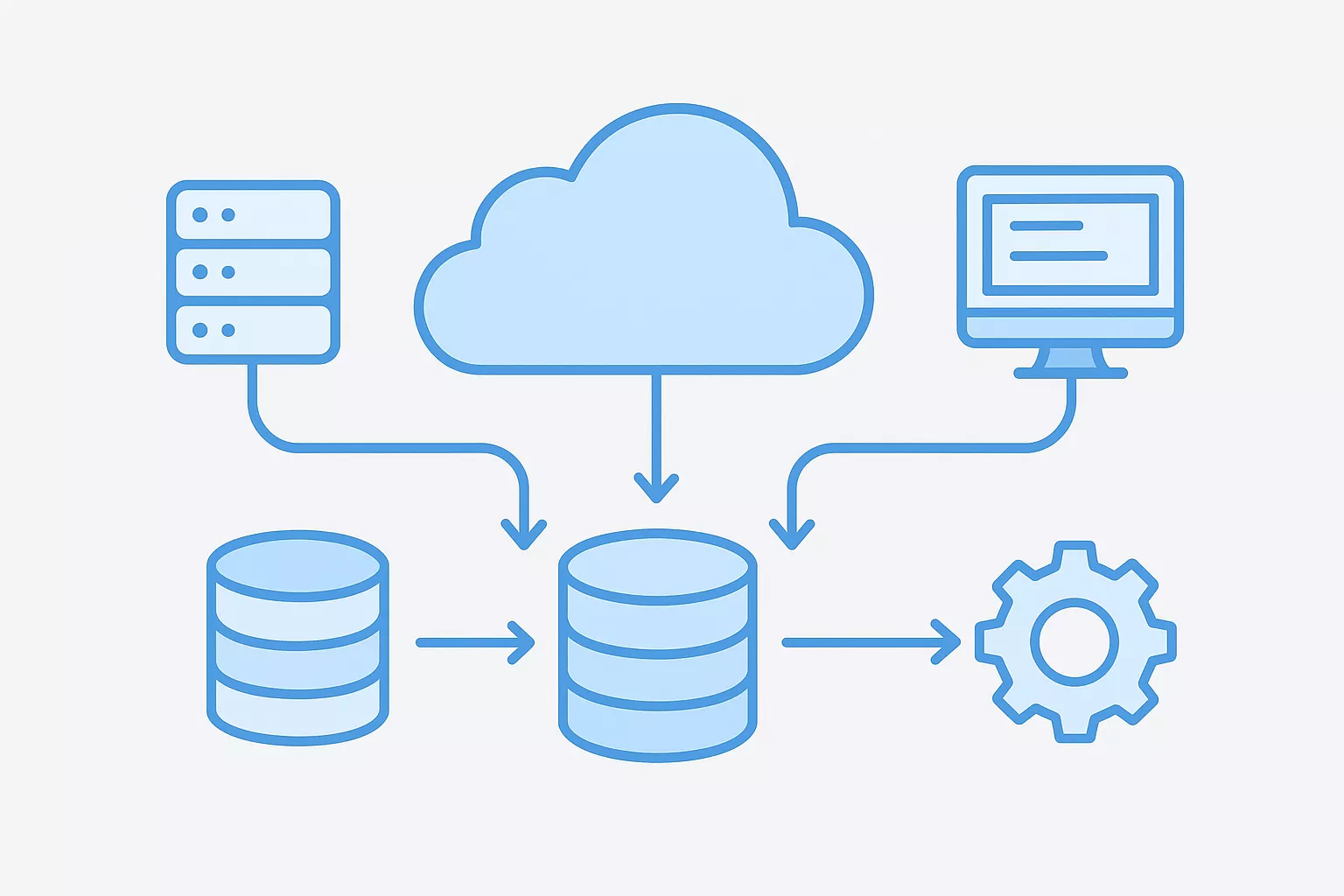
Dependency mapping done before migration is far cheaper than dependency discovery done during an outage.
Organize workloads into logical waves based on complexity and risk, starting with low-dependency systems and working toward tightly coupled ones. This approach gives your team early wins, builds confidence, and lets you refine your process before tackling the hardest parts of the migration.
Not every system belongs in the cloud. Review each workload and flag anything that is redundant, near end-of-life, or too costly to migrate. Retiring unused systems before you start reduces scope and cuts your overall cloud migration best practices workload significantly.
The migration strategy you assign to each workload shapes how much time, cost, and complexity you take on. Picking the wrong approach for a given system is one of the most common cloud migration best practices failures teams encounter.
Each R represents a distinct strategy with its own trade-offs in effort and outcome:
Applying the same strategy to every workload inflates cost and complexity without delivering proportional value.
Evaluate each workload against business value, technical complexity, and time sensitivity before assigning a strategy. Systems with high interdependency and long-term strategic importance typically justify more investment in refactoring, while stable low-traffic tools often need nothing beyond a rehost.
Refactor when the workload genuinely needs cloud-native capabilities like auto-scaling or serverless execution. Replatform when managed services reduce operational burden without requiring a full redesign, and rehost when speed is the priority and the existing architecture already performs well.
Use open standards and containerization wherever practical to keep workloads portable across providers. Avoid proprietary services for core business functions unless the performance or cost advantage clearly outweighs the dependency you are accepting.
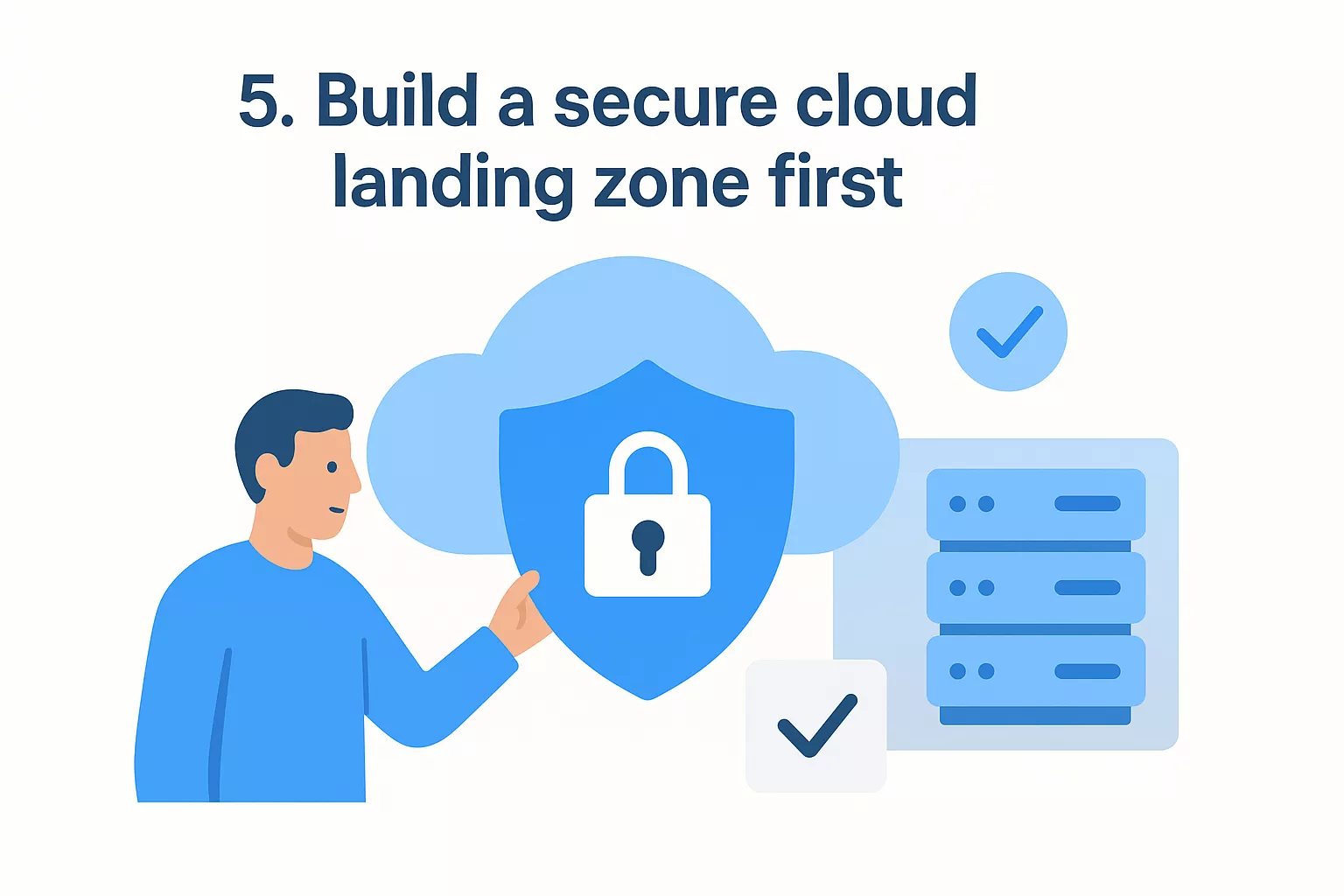
Rushing workloads into the cloud before your foundational security layer is in place creates vulnerabilities that cost far more to fix post-migration. A landing zone establishes a secure, consistent baseline and represents one of the most critical cloud migration best practices your team can follow before any workload moves.
Define least-privilege roles for every account using AWS IAM and enforce multi-factor authentication on all privileged access. This ensures every action in your environment traces back to a specific identity you can verify during an audit.
Use VPCs and subnets to isolate workloads and prevent lateral movement if one segment is compromised. Connect your on-premises systems to the cloud through private links rather than exposing services over the public internet.
Correcting network segmentation mistakes after workloads are running in production forces re-architecture that sets your entire timeline back.
Encrypt every data store and enforce TLS for all service-to-service traffic. Centralize key rotation policies so your team controls exactly who can decrypt sensitive data and when.
Aggregate logs into a single observability layer before your first workload goes live. Set up automated alerts for failed authentication, anomalous access patterns, and configuration changes so your security team can respond before small issues escalate.
Define your landing zone using IaC templates so every environment your team provisions matches the same security and compliance baseline. Version-controlled infrastructure eliminates configuration drift and makes audits straightforward.
Treating your cutover as an afterthought turns what should be a controlled event into a scramble. One of the most overlooked cloud migration best practices is applying the same structured planning and stakeholder coordination you'd use for a product launch so your data migration stays predictable rather than chaotic.
Start by tagging every dataset with sensitivity level and regulatory residency requirements. Those labels determine your recovery time objectives and shape every downstream decision about how and when you move each dataset.
Bulk transfer tools work well for large static datasets, while continuous replication suits live databases that cannot tolerate downtime. Match the method to the size, change rate, and availability requirements of each dataset rather than applying one approach across the board.
Run checksum comparisons and record counts after every transfer to confirm your data arrived intact. Spot-check a statistical sample manually to catch edge cases that automated validation might miss.
Skipping validation steps is the fastest way to discover data corruption after you've already cut over.
Document a step-by-step cutover runbook that includes explicit rollback triggers and the exact steps to reverse each action if something goes wrong. Your team should execute the rollback without making judgment calls under pressure.
Use live replication to keep source and target in sync right up to cutover, then switch traffic in phases. Migrating one service group at a time limits your blast radius and gives your team time to verify each phase before moving forward.
Testing is where assumptions get exposed. Running structured tests and rehearsals before go-live is one of the most skipped cloud migration best practices, which means teams often discover critical failures during the actual cutover rather than in a controlled environment where fixes are cheap.
Your staging environment needs to mirror production in compute configuration, network topology, and data volume. If you cut corners on staging, your tests won't surface the failures that matter. Spin up the environment using the same infrastructure-as-code templates you plan to deploy in production.
Cover three test types before you commit to any cutover date:
Schedule dedicated game days where your team executes the full cutover runbook from start to finish, including the rollback procedure. Rehearsals surface timing gaps and ownership confusion that written plans hide.
A cutover your team has never practiced is a cutover your team is not ready to run.
Route a small percentage of traffic to the new environment first using canary releases, then shift progressively. Blue-green deployments keep your old environment live until you're confident, giving you a clean rollback path without re-migration.
Wire your CI/CD pipeline to handle deployments, configuration updates, and rollback triggers automatically. Automation removes human error from repetitive steps and gives your team consistent, auditable execution across every environment.
Go-live is not the finish line. The real work of cloud migration best practices starts after your workloads are running, when you shift from execution mode to continuous performance and cost management.
Define service level objectives for each workload immediately after cutover and capture baseline metrics using Amazon CloudWatch. Those numbers give you a reference point to catch regressions before users report them.
Baselines measured before you optimize give you proof that your changes are actually working.
Your initial instance sizing is a starting estimate, not a final answer. Review CPU and memory utilization weekly for the first month and downsize wherever workloads consistently run below 40 percent utilization. Reserved instances or savings plans can cut compute costs significantly once you have steady-state usage data to work from.
Apply a consistent tagging taxonomy to every resource so you can attribute costs to specific teams, products, or environments. Set budget alerts and spending thresholds to stop uncontrolled usage from inflating your monthly bill before anyone notices.
Run automated policy checks using AWS Config to flag configuration drift the moment it appears. Schedule quarterly compliance reviews rather than waiting for an external assessment to surface gaps that have been building for months.
Treat optimization as a continuous engineering practice, not a one-time cleanup. Maintain a prioritized backlog of performance improvements, architectural upgrades, and cost reduction items, and review it monthly with your cloud operations team.
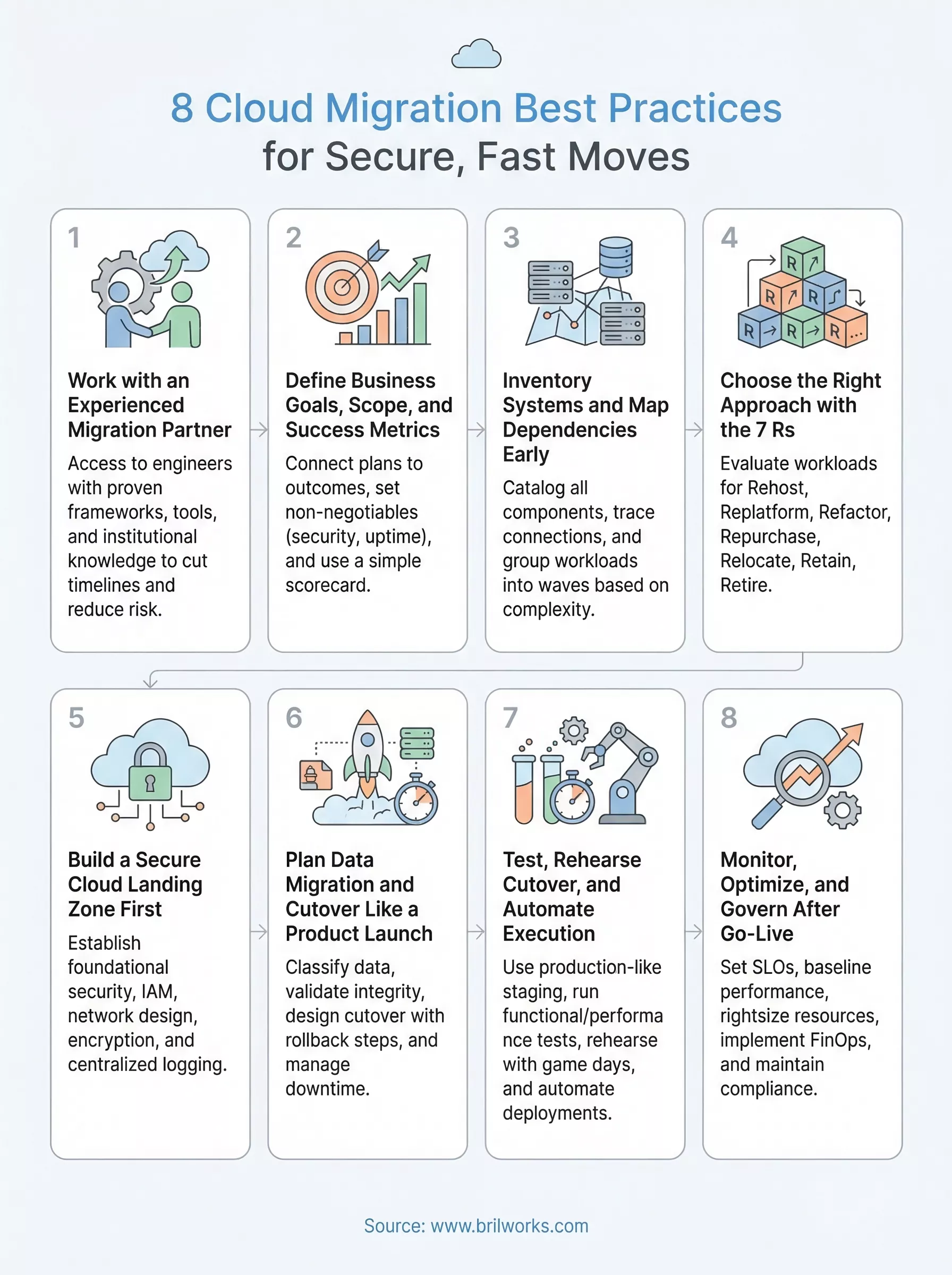
The eight cloud migration best practices in this guide give you a framework to run a migration that stays on schedule, within budget, and secure throughout. Each practice builds on the last, from locking down your landing zone before any workload moves to running a continuous optimization backlog long after go-live. Following them in sequence keeps your team from discovering problems at the worst possible moment.
Your next move is to assess where you stand against each practice and identify the gaps that need attention before your first wave kicks off. If your team is missing the technical depth or bandwidth to execute confidently, working with a partner that has done this before is often the fastest path to a clean migration. Reach out to the Brilworks team to talk through your environment, your goals, and what a migration plan built around your specific situation looks like.
The most important cloud migration best practices include assessing your current infrastructure, choosing the right migration strategy, prioritizing security and compliance, and testing thoroughly before full deployment. A well-planned approach reduces downtime, avoids data loss, and ensures a smoother transition to the cloud.
Choosing the right strategy depends on your business goals, application complexity, and timeline. Common approaches include rehosting, replatforming, and refactoring. Among cloud migration best practices, aligning the strategy with performance needs and long-term scalability is critical.
Some common challenges include data security risks, unexpected downtime, compatibility issues, and cost overruns. Following proven cloud migration best practices like proper planning, risk assessment, and continuous monitoring can help minimize these challenges.
Data security can be ensured by using encryption, implementing identity and access management controls, and performing regular security audits. One of the key cloud migration best practices is to build security into every phase of the migration process rather than treating it as an afterthought.
The timeline varies based on the size and complexity of the infrastructure. It can range from a few weeks for small applications to several months for enterprise systems. Following structured cloud migration best practices helps streamline the process and avoid unnecessary delays.
Get In Touch
Contact us for your software development requirements
Get In Touch
Contact us for your software development requirements

Hello, we are BRILLIAN’S. Trying to make an effort to put the right people for you to get the best results. Just insight !

 503, Fortune Business Hub, Science City Road, Sola, Ahmedabad, Gujarat, India Pincode- 380060
 + 91 9313644148
 sales@brilworks.com


