COOPERATION MODEL
ARTIFICIAL INTELLIGENCE
PRODUCT ENGINEERING
DevOps & Cloud
LOW-CODE/NO-CODE DEVELOPMENT
INDUSTRY
FRONTEND DEVELOPMENT
CLOUD DEVELOPMENT
MOBILE APP DEVELOPMENT
LOW CODE/ NO CODE DEVELOPMENT
EMERGING TECHNOLOGIES



 5 mins read
 Last updated March 16, 2026
A single data breach can cost millions in fines, legal fees, and lost customer trust, and mobile apps remain one of the most exploited attack surfaces. If you're building or maintaining a mobile product, following mobile app security best practices isn't optional. It's a core requirement that directly affects your business reputation and bottom line.
Every app that handles user data, whether it's a fintech platform, a healthcare portal, or an e-commerce marketplace, needs layered defenses baked in from day one. We're talking about secure coding, proper encryption, strong authentication, and locked-down APIs. Skip any of these, and you're leaving the door open for attackers. The challenge is knowing exactly where vulnerabilities hide and how to address them before they become incidents.
At Brilworks, we build mobile applications with security woven into every development phase, not bolted on at the end. This guide breaks down six proven practices that protect user data and keep your app resilient against modern threats.
Security doesn't start with code review or penetration testing. It starts with the architecture decisions you make before writing a single line of code. Getting these foundations right saves you from expensive rework later and makes every other mobile app security best practice far easier to implement consistently across your team.
Threat modeling forces you to think like an attacker before one finds you. Walk through every piece of sensitive data your app touches, where it comes from, where it goes, and who can access it at each step. Microsoft's STRIDE framework gives you a structured way to identify threats across spoofing, tampering, repudiation, information disclosure, denial of service, and elevation of privilege.
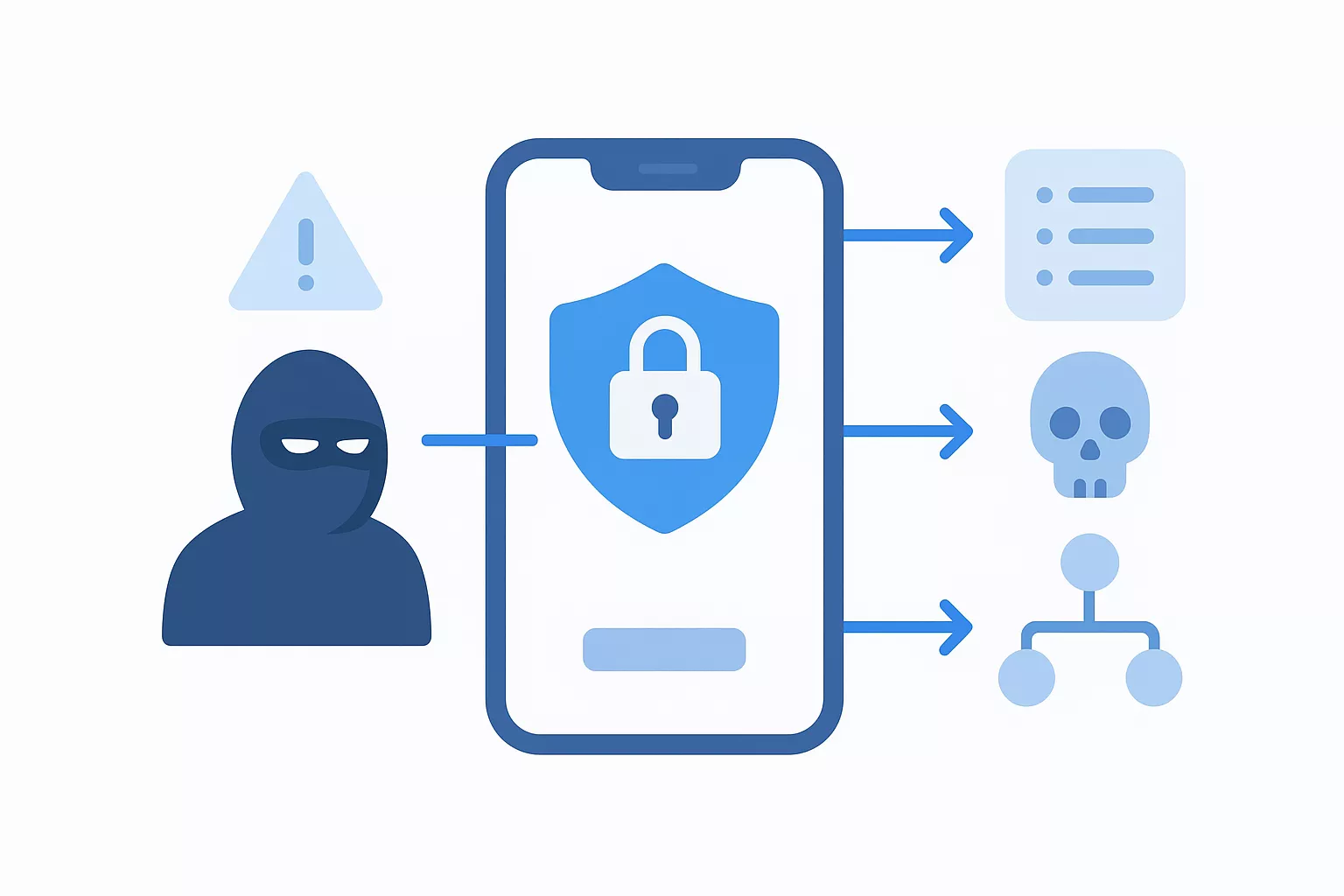
Threat modeling early in the project lifecycle costs a fraction of what it takes to fix a security flaw discovered in production.
Every component of your app should request only the permissions it absolutely needs to function, nothing more. This applies to OS-level permissions like camera and location, but also to database roles, API keys, and internal service accounts. Restricting access at every layer means a compromised component can only damage a small part of your system rather than everything it touches.
Your app should fail safe. Set secure defaults for every subsystem from day one: encrypted local storage, HTTPS-only network connections, and logs that never capture passwords, tokens, or personal identifiers. Developers on your team shouldn't have to make a deliberate choice to be secure. The default configuration should already be the right one.
Running on a rooted Android device or a jailbroken iPhone removes the OS-level protections your app depends on. Design your app to detect compromised environments at runtime and respond appropriately, whether that means blocking sensitive features or alerting your backend. Never assume the platform will protect you by default.
Weak authentication is one of the most common entry points attackers exploit in mobile apps. Choosing strong auth patterns and enforcing strict authorization controls across every endpoint are non-negotiable parts of any solid mobile app security best practices checklist.
Your app should rely on proven standards like OAuth 2.0 and OpenID Connect rather than custom-built auth flows. Custom implementations almost always contain subtle flaws. Leverage Google Identity or similar trusted identity providers to handle token issuance and session management reliably.
Passwords alone are not enough. Add multi-factor authentication for any account that accesses sensitive data, and push users toward FIDO2-compliant options like passkeys where your platform supports them. These phishing-resistant methods eliminate credential theft as an attack vector.
MFA blocks over 99% of automated account compromise attacks, making it one of the highest-return security investments you can make.
Authentication confirms who a user is. Authorization controls what they can do. Assign roles with the narrowest possible scopes and validate permissions on every API call, not just at login.
Store tokens in secure, platform-appropriate storage and enforce short expiration windows. When a user logs out, invalidate tokens server-side immediately rather than just clearing them from the client.
Encryption is one of the foundational mobile app security best practices that protects user data even when attackers intercept or steal it. Without it, sensitive information travels and sits exposed, making every other security control far less effective.
Every network connection your app makes must use TLS 1.2 or higher, with strong cipher suites that exclude outdated algorithms like RC4 or MD5. Implement certificate pinning to prevent man-in-the-middle attacks from intercepting your traffic through fraudulent certificates.
Android's Keystore system and iOS's Keychain exist specifically for storing credentials, tokens, and cryptographic keys securely. Never write secrets directly into your source code or configuration files, where version control history and decompilation tools can expose them instantly.
Credentials hardcoded in source files have been the root cause of some of the most damaging mobile data breaches on record.
Treat encryption keys like passwords: rotate them on a defined schedule and revoke access immediately when a key is compromised. Apply strict access controls at the key management level so only the specific services that need a key can reach it.
Building your own encryption algorithms introduces subtle flaws that professional cryptographers spend years identifying in the wild. Use established libraries and standards approved by NIST, and never substitute convenience for proven cryptographic implementations in your app.
Your mobile app is only as secure as the backend it connects to. APIs represent the primary attack surface for most mobile applications, and attackers actively probe endpoints for weak authentication, missing validation, and overly permissive data responses. Locking down your backend is a critical part of any complete mobile app security best practices strategy.
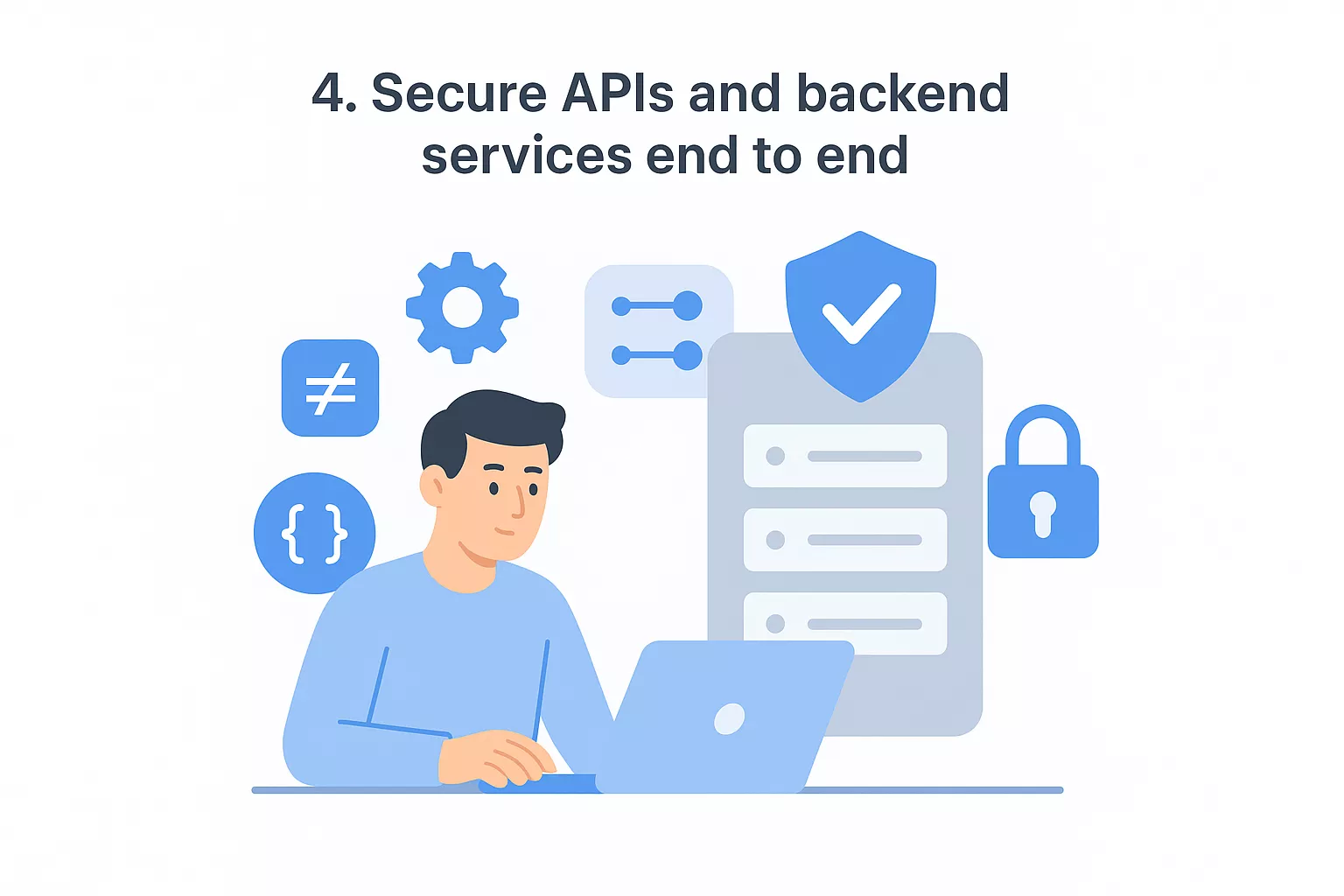
Every API call your app makes should carry a valid, short-lived token that your server verifies before processing anything. Never trust client-side data. Validate all inputs server-side for type, length, and format, and reject anything that doesn't match your expected schema before it reaches your database or business logic.
Set strict rate limits and request quotas on every endpoint to block brute-force attempts and automated scraping. Enforce these limits at the API gateway level so they apply consistently across all clients and can't be bypassed through alternate entry points.
Rate limiting is one of the simplest controls you can add, yet it stops a significant portion of automated attacks before they escalate into actual breaches.
Validate that the authenticated user owns or has explicit permission to access each specific resource they request. Check ownership at the object level on every endpoint, not just at the route level during initial authentication.
Capture structured logs for every API request, including timestamps, user identifiers, endpoints accessed, and response codes. Set up automated alerts for patterns like repeated failures, unusual request volumes, or access to sensitive endpoints outside normal usage windows.
Vulnerabilities often come from code your team writes and the third-party libraries you pull in. Covering both areas is central to mobile app security best practices and keeps your codebase resilient against attacks that exploit sloppy code or outdated packages.
Train your team on memory safety, injection prevention, and insecure deserialization using the OWASP Secure Coding Practices guide as a concrete reference. These patterns address the exploits developers introduce most often without realizing it.
Run security-focused code reviews as a standard part of your pull request process, not just functional reviews, to catch vulnerabilities before they reach your users.
Never trust incoming data from users, APIs, or integrated services. Validate every input server-side against a strict schema before it touches your business logic or database.
Write error responses that inform users without exposing stack traces, internal file paths, or system details that attackers can use to map your infrastructure.
Verbose error messages are one of the most overlooked sources of information leakage in mobile app backends.
Every SDK you add expands your attack surface. Vet libraries before adopting them, check their maintenance history and known vulnerabilities, and use dependency pinning to block silent version updates from introducing malicious or breaking changes.
Integrate dependency scanning directly into your CI pipeline to catch known CVEs before they ship. Configure automated pull requests for security patches so your team resolves vulnerabilities quickly and keeps the library inventory current.
Building secure code is essential, but testing that security holds and monitoring for live threats in production completes your defense strategy. This final layer of mobile app security best practices closes the gaps that static analysis and code review consistently miss on their own.
Integrate SAST, DAST, and software composition analysis directly into your CI pipeline so every build gets scanned before it ships. Catching vulnerabilities at commit time costs far less than patching them after release.
Run these tools on every pull request, not just nightly builds, to surface issues while the context is still fresh in your team's mind.
Automated tools miss context-dependent vulnerabilities that require human judgment. Schedule manual penetration testing on a regular cadence, targeting issues unique to mobile environments.
Focus on insecure deep links, sensitive data exposed in screenshots, and improper background app state handling that scanners routinely overlook.
Deploy runtime application self-protection (RASP) controls that detect active debugging sessions and hooking frameworks at execution time. Respond automatically by blocking sensitive features or terminating the session when tampering is confirmed.
Runtime protection is your last line of defense when every other control has been bypassed.
Connect your app to centralized logging and anomaly detection so your team spots unusual patterns before users report them. Define a documented incident response runbook covering containment steps, notification timelines, and rollback procedures so your team acts decisively when something goes wrong.
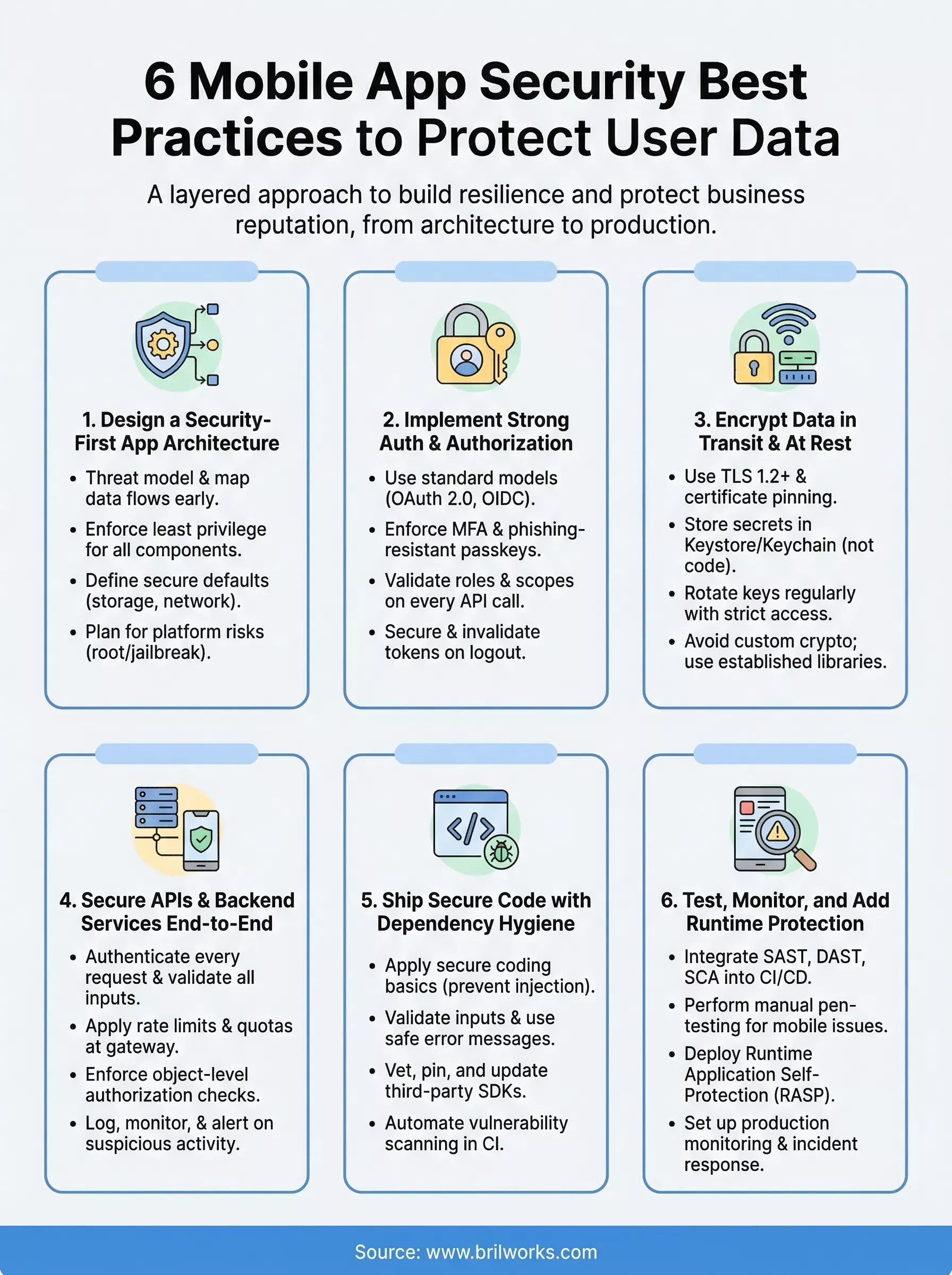
Securing a mobile app is an ongoing process, not a one-time checklist. The mobile app security best practices covered in this guide give you a clear framework to work through, from architecture decisions and encryption to runtime protection and incident response. Start by identifying which areas carry the most risk for your specific app, then work through each layer systematically rather than trying to fix everything at once.
Your team's ability to ship secure code consistently depends on building security into every stage of development, including planning, coding, testing, and monitoring. Review your current architecture against each section in this guide, prioritize the gaps with the highest potential impact, and assign ownership so nothing gets skipped.
If you need an experienced partner to build a secure, scalable mobile application from the ground up, connect with the Brilworks team to discuss your project requirements.
Mobile App Security Best Practices are essential strategies and techniques to protect user data, prevent unauthorized access, and secure mobile applications from cyber threats. These Mobile App Security Best Practices include encryption, secure authentication, API security, code obfuscation, secure data storage, and regular security testing to safeguard sensitive information and maintain user trust across iOS and Android platforms.
Implementing Mobile App Security Best Practices is critical because data breaches can cost businesses $4.35 million on average, damage brand reputation, result in legal penalties under regulations like GDPR and CCPA, and cause customer loss. Following Mobile App Security Best Practices protects user data, ensures compliance, builds customer trust, prevents financial losses, and maintains competitive advantage in an increasingly security-conscious market.
The most critical Mobile App Security Best Practices include implementing strong encryption for data at rest and in transit, using secure authentication methods (multi-factor authentication, biometrics), securing APIs with tokens and rate limiting, storing sensitive data securely (never in plain text), performing regular security audits and penetration testing, and keeping third-party libraries updated. These Mobile App Security Best Practices form the foundation of comprehensive app protection.
Mobile App Security Best Practices protect user data through multiple layers: encryption prevents unauthorized access to stored and transmitted data, secure authentication ensures only legitimate users access accounts, API security prevents backend exploitation, code obfuscation protects against reverse engineering, and secure coding practices eliminate vulnerabilities. Following these Mobile App Security Best Practices creates defense-in-depth that significantly reduces breach risks and protects sensitive user information.
Common mistakes against Mobile App Security Best Practices include storing passwords or API keys in plain text, using weak or no encryption, neglecting server-side validation, hardcoding sensitive data in code, ignoring SSL certificate validation, failing to implement session timeouts, using outdated third-party libraries with known vulnerabilities, and skipping security testing. Avoiding these violations of Mobile App Security Best Practices is essential for maintaining robust application security and protecting user data.
Get In Touch
Contact us for your software development requirements
Get In Touch
Contact us for your software development requirements

Hello, we are BRILLIAN’S. Trying to make an effort to put the right people for you to get the best results. Just insight !

 503, Fortune Business Hub, Science City Road, Sola, Ahmedabad, Gujarat, India Pincode- 380060
 + 91 9313644148
 sales@brilworks.com


