A three-decade-old programming language, yet heavily used in modern software development, Java consistently evolves to meet modern software demands, with each new Java version bringing significant updates. Introduced in 2014 in Java 8, Stream API is considered the most crucial update of all time.
Before Java Streams, devs had to write verbose code for data manipulation. This article will thoroughly explore the Java Stream API, why it is relevant today, and how to leverage it. As a Java developer understanding the Stream API is necessary, regardless of your experience or familiarity with Java.
Stream API in Java
To put it simply, the Java Stream API enables programmers to declaratively (you just describe what to do, not how to do it step-by-step) and functionally (using reusable operations) process data sequences.
Important points to remember:
A Stream in Java isn’t a container that stores data like a list or array. Instead, it’s more like a pipeline that takes data from a source (say, a collection or array) and lets you run operations on it, like filtering, mapping, or reducing. These are called aggregate operations because they work across the whole sequence rather than on individual elements one by one.
With Streams, you can run operations one after another or split them across multiple CPU cores for speed. Furthermore, you can link steps together (like filter → map → collect) to build complex logic in a relatively easy way.
Here’s a simple example:
List<String> names = Arrays.asList("Alice", "Bob", "Charlie", "David");

List<String> filteredNames = names.stream()

    .filter(name -> name.startsWith("A"))

    .collect(Collectors.toList());
In this example, instead of writing a loop to check each name, you create a Stream from the list and then chain operations:
- → keeps only names beginning with "A".
- → gathers the results back into a new list.
Here, the Stream handles the iteration. You just describe the condition and the final form you want, and the API takes care of the rest. The original list isn’t changed; you get a new list with only the filtered values.
Advantages of Java Stream API
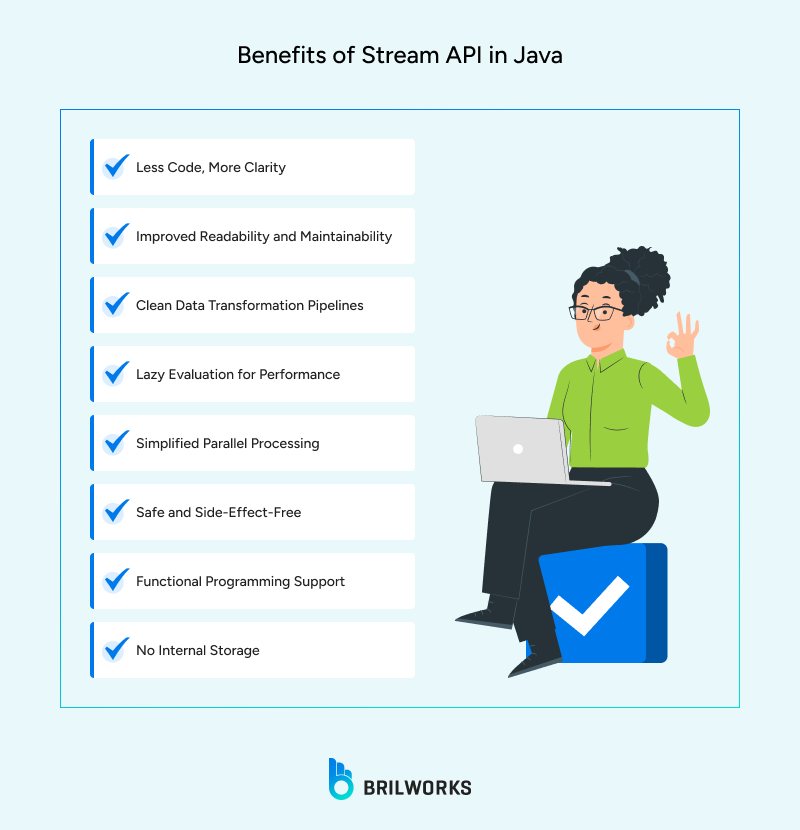
In simple terms, Streams provide a practical approach to clean development. Here are the benefits:
-
Less Code: Complex data ops like filtering, mapping, and collecting can be expressed in fewer lines of code with the Java Stream API.
-
Improved Readability: You focus on what should be done rather than getting into each step.
-
Clean Pipelines: Stream pipelines are modular. You can chain together operations to process data in a linear way.
-
Lazy Evaluation: One of the lesser-known strengths is their laziness. Intermediate operations like filter() or map() are only executed when a terminal operation (like collect()) is called. Means unnecessary work is skipped.
-
Simple Processing: Streams make multithreading remarkably easy. The API can divide data across multiple CPU cores and run operations concurrently.
-
No Side-Effect: Streams leave the original data untouched. Instead, they return transformed data as a result.
-
Functional Programming Support: Java's Stream API works naturally with functional interfaces.
-
No Internal Storage: It doesn’t hold data itself. Instead, it acts as a pipeline for data to flow through.
Java Stream Operations
Understanding the fundamentals of Java Streams is vital for developers before using them. Stream operations are categorized into two types
1.Intermediate Operations: These operations modify elements and produce a new one, allowing you to chain multiple methods together. Examples:
- filter(Predicate) – Filters elements based on a condition
- map(Function) – Transforms each element
- distinct() – Removes duplicates
- sorted() – Sorts the stream
- limit(n) – Limits the number of elements
- skip(n) – Skips the first n elements
- flatMap() – Flattens nested structures
- peek() – Allows inspection without altering the stream
2. Terminal Operations: These operations execute the stream pipeline and return a result or side effect. Examples:
- collect() – Aggregates elements into a collection or result
- forEach() – Applies an action to each element
- reduce() – Combines elements into a single result
- count() – Returns the number of elements
- anyMatch(), allMatch(), noneMatch() – Performs conditional checks
- findFirst(), findAny() – Retrieves elements optionally
How Java Stream API Works
As you know, Streams don’t modify the original data; therefore, immutable. Means, they don’t have any side effects. Under the hood, Lazy Evaluation optimise the process by executing intermediate operations only after terminal operations. If the terminal ops fail, then it runs the intermediate ops.
It remains lightweight, as we have already mentioned that it doesn’t store elements, only acting as a conduit through which data flows.
The Stream API exploits the Fork/Join framework to split data into chunks, process them in parallel, allowing developers to execute parallel processing. Plus, Streams are tightly coupled with Java’s functional interfaces, enabling developers to use lambda expressions.
How to Create Stream API
Creating a stream is as simple as calling the method. Here are the main ways to create Streams in Java.
-
From Collections
-
From Arrays
-
Using Stream.generate() and Stream.iterate()
-
From File or I/O Channels
1. From Collections
Most commonly, streams are created from Java collections (like List, Set, or Queue).
These classes come with a built-in .stream() method:
List<String> names = Arrays.asList("Alice", "Bob", "Charlie");

Stream<String> nameStream = names.stream();
To enable parallel processing, you can use .parallelStream() instead:
Stream<String> parallelStream = names.parallelStream();
2. From Arrays
You can also use Arrays.stream() or Stream.of() to turn arrays into streams:
int[] numbers = {1, 2, 3, 4, 5};

IntStream numberStream = Arrays.stream(numbers);

Stream<String> streamOf = Stream.of("Java", "Stream", "API");
3. Using Stream.generate() and Stream.iterate()
For infinite or dynamically generated streams, Java provides factory methods like:
Stream<Double> randomNumbers = Stream.generate(Math::random).limit(5);

Stream<Integer> countStream = Stream.iterate(0, n -> n + 1).limit(10);
4. From File or I/O Channels
Java NIO makes it possible to stream lines (useful for large files) directly from a file:
try (Stream<String> lines = Files.lines(Paths.get("data.txt"))) {

    lines.forEach(System.out::println);

}
When to Use Which?
-
Use .stream() for regular operations on lists or sets.
-
Use .parallelStream() when working with large datasets and your operations are independent (no shared mutable state).
-
Use Stream.generate() or Stream.iterate() for dynamically generated data or simulations.
-
Use Files.lines() for file-based pipelines in data processing or log analysis.
Stream-heavy services run on different framework runtimes — see Spring Boot vs Quarkus vs Micronaut for stream-heavy services for the runtime trade-offs (cold-start cost, native-image friendliness, reactive defaults).
Java Stream Examples
The following examples show how streams can streamline routine programming tasks.
Example 1: Filtering a List of Names
Let's say you want to filter names that start with the letter "A":
List<String> names = Arrays.asList("Alice", "Bob", "Ankit", "Brian");

List<String> filteredNames = names.stream()

    .filter(name -> name.startsWith("A"))

    .collect(Collectors.toList());

System.out.println(filteredNames); // Output: [Alice, Ankit]
Example 2: Transforming a List of Numbers
Want to square each number in a list?
List<Integer> numbers = Arrays.asList(1, 2, 3, 4);

List<Integer> squares = numbers.stream()

    .map(n -> n * n)

    .collect(Collectors.toList());

System.out.println(squares); // Output: [1, 4, 9, 16]
Example 3: Working with Complex Objects
Imagine you have a list of Employee objects and need to retrieve the names of employees earning more than 50,000:
List<Employee> employees = Arrays.asList(

    new Employee("John", 60000),

    new Employee("Jane", 45000),

    new Employee("Jack", 70000)

);

List<String> highEarners = employees.stream()

    .filter(e -> e.getSalary() > 50000)

    .map(Employee::getName)

    .collect(Collectors.toList());

System.out.println(highEarners); // Output: [John, Jack]
Example 4: Summing Values with reduce()
You can use reduce() to sum a list of integers:
List<Integer> numbers = Arrays.asList(10, 20, 30);

int sum = numbers.stream()

    .reduce(0, Integer::sum);

System.out.println(sum); // Output: 60
Example 5: Creating a Stream from File Data
Reading lines from a file using Files.lines():
try (Stream<String> lines = Files.lines(Paths.get("input.txt"))) {

    long count = lines

        .filter(line -> line.contains("error"))

        .count();

    System.out.println("Number of error lines: " + count);

} catch (IOException e) {

    e.printStackTrace();

}
Common Pitfalls to Avoid
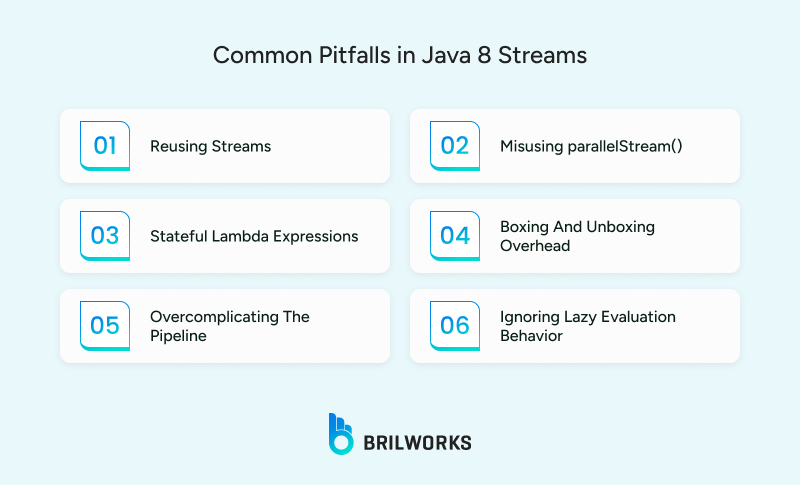
They are not infallible, and can be easily abused by developers unfamiliar with functional programming. The following are some of the most typical errors to be aware of:
1. Reusing Streams
A stream can be consumed only once. Once a terminal operation like forEach() or collect() is called, the stream is considered "used up." Attempting to reuse it will throw an IllegalStateException.
Stream<String> stream = Stream.of("A", "B", "C");

stream.forEach(System.out::println);

stream.count(); // Throws IllegalStateException
2. Misusing parallelStream()
It might seem like a quick win to add .parallelStream() for performance boosts, but it’s not always effective. For small operations, it can slow things down.
3. Stateful Lambda Expressions
Modifying external state in parallel streams can result in unpredictable results.
List<String> result = new ArrayList<>();

list.stream().forEach(result::add); // Not thread-safe
4. Boxing and Unboxing Overhead
Using boxed types (Integer, Double) instead of primitives (int, double) can have performance issues in large applications. Use primitive streams (IntStream, DoubleStream) when possible.
5. Overcomplicating the Pipeline
Overly long stream pipelines can make maintenance harder. If you find yourself chaining 8+ operations in one line, it might be time to refactor.
6. Ignoring Lazy Evaluation Behavior
Intermediate operations are lazy, they don’t execute until a terminal operation is called. Misunderstanding this can lead to confusion when debugging why nothing is happening.
Stream.of("x", "y", "z")

    .filter(s -> {

        System.out.println("Filtering " + s);

        return true;

    }); // Nothing prints because no terminal operation is present
Relying too heavily on complex stream pipelines without optimizing can create maintenance issues. It’s something that surfaces during Java app maintenance.
Best Practices for Using Stream API
To write clean, efficient, and bug-free stream-based code, developers should follow a few tried-and-true best practices.
- Streams are great when you're transforming data, not when you're implementing complex control structures. If your pipeline starts to look like a maze of nested conditions, reconsider whether a stream is the right tool.
- Favor concise, readable lambda expressions or method references where possible.
- Especially in parallelStream(), avoid modifying shared variables from inside stream operations. Stick to pure functions.
- For large collections of primitive data types, consider using specialized streams such as IntStream, LongStream, or DoubleStream.
- A good rule of thumb: if your stream chain starts looking like a wall of text, break it up. Assign intermediate results to well-named variables, or split logic into helper methods for readability
- Leverage operations like limit(), findFirst(), or anyMatch() to stop processing early.
- When converting results back into collections or summaries, use Collectors.toList(), toSet(), joining(), or groupingBy() appropriately. It keeps the final output clear and intentional.
- Don't assume parallelism will make things faster. Always measure performance before introducing parallel streams.