12 mins read
Summarize with AI:


Data
AI
The Stack Underneath
Somewhere around the second year of scale, the same thing happens. The dashboard finance relies on takes ninety seconds to open, then two minutes, then it times out during the monthly close. Someone suggests just adding a bigger server. That's usually the week a cloud data warehouse stops being a phrase in a strategy deck and turns into a line item someone has to own.
A cloud data warehouse is a managed analytics database that stores structured, query-ready data and runs fast queries against it at scale, run by a cloud provider instead of a server your team maintains. That's the promise. The reality depends on how it's built, because a warehouse bills you for bad decisions faster than any on-prem box ever could, and nobody notices the runaway query until the invoice lands. This guide walks through what a cloud data warehouse is, how data flows through one, what its architecture looks like layer by layer, how it compares to a traditional warehouse, the platforms worth knowing, what it really costs, and how to keep it secure, all sitting under our broader cloud data engineering guide.
A cloud data warehouse is a fully managed database built for analytics, one that stores large volumes of structured data and answers complex queries against it fast, running on infrastructure a cloud provider owns and operates for you. You load cleaned, organized data into it, and it returns answers to questions like "what was revenue by region last quarter" in seconds instead of minutes.
It helps to say what it is not. A cloud data warehouse is not a transactional database like the one running your app. Those are built to record single events fast, one order, one login, one payment, handling lots of small reads and writes. A warehouse is built for the opposite shape of work, scanning millions of rows to find a pattern. Point a heavy analytical query at your production database and you slow the app for the customers using it. That collision is the reason a warehouse exists as a separate system.
It's also not a data lake. A lake holds raw data of any format cheaply and leaves the structure for later. A warehouse wants structure upfront and pays you back in speed. Most teams run both and move data between them, which is the data lake versus data warehouse split that drives a lot of platform decisions.
What separates the cloud version from the on-prem warehouses that came before it comes down to three things:
Separated storage and compute: Your data sits in cheap object storage. Compute spins up only when a query runs, and you pay for it by the second. Store a lot, compute rarely, and the bill stays small.
Independent scaling: Two teams can query the same data on separate compute clusters without fighting for resources. The finance dashboard doesn't stall because data science kicked off a heavy job at the same time.
No hardware to buy: You provision a warehouse in minutes instead of filing a purchase order and waiting three weeks for a server. When the job's done, you shut it off.
That last shift sounds purely good, and mostly it is. But cheap, instant compute is also what lets a team paper over a badly built pipeline by throwing more resources at it, which works right until the monthly bill arrives. The warehouse rewards good design and punishes lazy design, and it does both faster than on-prem ever did. Worth remembering before the platform comparison starts to feel like the whole decision.
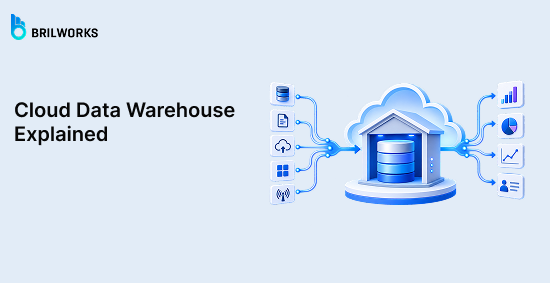
A cloud data warehouse works by moving data through four stages in order, from the systems that produce it to the dashboard that displays it. Data gets pulled in, lands in storage, gets reshaped into a query-ready form, then gets served to whoever asked. The tools change from one stack to the next. The sequence doesn't.
Knowing these four stages is what lets you find where a warehouse is actually slow or expensive. Most problems people pin on "Snowflake being slow" live in one of these stages, not the platform.
Data ingestion is the process of pulling data out of its source systems and into the warehouse. It runs in one of two modes. Batch ingestion collects data on a schedule, hourly or overnight, and suits reporting where a few hours of lag is fine. Streaming ingestion moves each event within seconds, which is what live dashboards and fraud detection need.
Most stacks run both. The choice isn't about which sounds modern, it's how fresh the use case actually needs the data, weighed against cost. Streaming everything is a common way to overpay for freshness nobody uses. Whether you transform before or after loading gets decided here too, which is the ETL versus ELT call.
Data storage is where ingested data lands and lives until a query needs it. In a modern warehouse it sits in cheap object storage like Amazon S3, kept separate from the compute that queries it, and held in columnar format. Columnar means organized by column instead of row, so a query for total revenue reads the revenue column alone and skips everything else. That single fact is behind most of the speed gap between a warehouse and an ordinary database.
Data processing and transformation turns raw loaded data into clean, query-ready tables. Deduplicating records, standardizing formats, joining sources, applying the business logic that decides what a metric means. Garbage in, garbage out is the whole story, since no dashboard survives dirty inputs. This is also where costs quietly run away, because a heavy job left running is a meter left running. A misconfigured transformation that ran all weekend is one of the most common surprises we find on cost audits.
Querying and analytics is the stage that answers the questions people actually ask, whether that's an analyst's SQL, a Power BI refresh, or a model pulling training data. The warehouse allocates compute, scans only the columns the query needs, and returns the result. It's the only stage the business sees, which means every earlier decision shows up here as either a fast, trusted answer or a slow, doubted one.
Cloud data warehouse architecture is built as a stack of separate layers, each handling one job. The layers matter because they scale and fail independently, so when a warehouse is slow or expensive, it's usually one layer at fault, and knowing which one is the difference between a fix and a guess.
Five layers do the work, sitting on top of one design choice that changes the economics of all of them.
The storage layer is where data physically lives, in low-cost object storage like S3, Google Cloud Storage, or Azure Blob. It holds compressed, columnar files and scales on its own, so you can keep petabytes of history and pay storage rates for the part you rarely touch.
The compute layer is the processing power that runs queries and transformations, provisioned as clusters that spin up on demand and shut down when idle. This is the expensive layer, the one you're metered on. Platforms name it differently, virtual warehouses in Snowflake, slots in BigQuery, but it's the same dial, and turning it higher buys speed at a bigger bill.
The data processing layer is where raw data gets cleaned, joined, and reshaped into query-ready tables. It runs the transformation logic and changes more often than any other layer, because business definitions never stop shifting. Pairing it with a data quality framework keeps that constant change from corrupting the numbers downstream.
The metadata and governance layer tracks what data exists, where it came from, who owns it, and who can see it. Skip it and the warehouse still runs on day one. Six months later nobody can say whether a number is trustworthy or who has access to sensitive data, which is how a good warehouse turns into a liability.
The BI and analytics layer is where data reaches people, through the dashboards and SQL tools that sit on top, like Tableau, Power BI, and Looker. It queries the layers beneath and presents the result. It's also where the business judges the whole stack, since a slow dashboard reads as a slow warehouse even when the bottleneck is three layers down.
Separation of storage and compute is the design choice underneath all five layers, and the one that makes cloud warehouses economically different from the on-prem generation. The old model bolted storage and compute together in a fixed cluster, so holding more data meant buying more machines that burned money whether or not a query ran. Cloud warehouses broke that link. Data lives in cheap storage, compute spins up against it only when work arrives, and the two scale separately.
Three things fall out of that:
Store cheaply, compute rarely. Years of history at storage rates, compute billed only in the seconds a query runs.
Workloads stop colliding. Separate clusters read the same data at once, so finance and data science never fight for one machine.
Failure gets cheap. A compute node dies and is replaced in seconds, because the data was never on it.
The catch runs through this whole guide. When compute is a dial you can turn up instantly, turning it up is easier than fixing the query wasting it.
The features below are the capabilities that separate a cloud data warehouse from a database you could have run yourself a decade ago. Not the marketing checklist, the handful that actually change how the system behaves day to day.
Columnar storage keeps data organized by column instead of by row, which is what makes analytical queries fast. Ask for average order value across ten million orders and the warehouse reads one column and ignores the rest, instead of walking every full record. It's also why compression is so aggressive, since a single column holds one data type that packs down tightly. This one design decision is behind most of the speed gap between a warehouse and an ordinary database.
Massively parallel processing, or MPP, splits a single query across many machines that each work on a slice of the data at the same time. A query scanning a billion rows gets divided into chunks, run in parallel, and reassembled, so the answer comes back in seconds rather than after one machine grinds through the whole thing. The more the workload grows, the more this matters, because it's what lets a warehouse stay fast as data scales instead of slowing in a straight line.
Elastic scaling lets compute grow and shrink automatically with the workload, without anyone provisioning a server. A traffic spike or a heavy end-of-quarter job pulls in more compute for the duration and releases it after. You get the capacity of a large machine only in the minutes you need it, which is the entire economic argument for the cloud version. The flip side is that automatic scaling scales your bill just as automatically, so it needs a ceiling set on it.
Support for semi-structured data means the warehouse can query formats like JSON, Avro, and Parquet directly, without forcing every field into rigid columns first. Data arriving from APIs and event streams rarely comes in clean tabular shape, and modern warehouses let you load it as-is and query nested fields with SQL. It saves a whole transformation step for data that was never going to fit a fixed schema cleanly.
Concurrency handling lets many users and jobs query the warehouse at once without slowing each other down. Because separate compute clusters can read the same stored data in parallel, a hundred analysts hitting a dashboard at nine on a Monday don't queue behind each other. This is the feature that quietly decides whether a warehouse survives real company-wide use, and it's the one people only notice when it's missing.
‘Built-in security and access control means encryption, role-based permissions, and audit logging come with the platform rather than being bolted on. Data is encrypted at rest and in transit by default, and you grant access by role instead of per person. It's the foundation the later governance work builds on, and we'll get into how to actually configure it further down.
The features are what a cloud data warehouse does. The benefits are what your team gets from them, and where each one has a limit worth knowing.
You size storage and compute separately, so growing your data does not mean paying for processing you will not use. You store history at low cost and increase compute only for the workloads that require it. The limit is that compute is easy to leave provisioned higher than needed.
The provider manages the hardware, patching, and backups, which removes the operational overhead of running your own servers. Your team spends its time on data modeling and analytics instead of maintenance. In exchange you give up low-level infrastructure control, which is a constraint only for specialized workloads.
Columnar storage and parallel processing reduce queries that once ran overnight to seconds, which lets analysts work through more questions in less time. The speed depends on the data being modeled correctly before it is loaded.
A cloud data warehouse absorbs data growth without a migration or hardware refresh, scaling from gigabytes to petabytes on the same platform. Cost scales with volume, so data growth without cost monitoring leads to overspending.
A single governed warehouse gives finance, product, and data science the same figures from one source, which removes the reconciliation work of separate team spreadsheets. This holds only when access and metric definitions are actively governed.
Consumption pricing charges for the compute and storage you use rather than a fixed license sized for peak load, and idle compute costs little when it auto-suspends. The same model means an inefficient query translates directly into cost.
A traditional data warehouse runs on hardware you own and maintain, while a cloud data warehouse runs on infrastructure a provider operates and bills by usage. Both store structured data for analytics. What differs is the economics, the scaling model, and what happens when your needs change.
|
Traditional data warehouse |
Cloud data warehouse | |
|
Infrastructure |
Hardware you buy and maintain |
Managed by the provider |
|
Scaling |
Buy and install more servers |
Adjust compute on demand |
|
Cost model |
Large upfront capital expense |
Pay for usage |
|
Storage and compute |
Coupled in fixed servers |
Scaled independently |
|
Time to provision |
Weeks, tied to procurement |
Minutes |
|
Maintenance |
Your team's responsibility |
Handled by the provider |
The upfront cost is the clearest divide. A traditional warehouse must be sized and paid for before the first query runs, built for a peak that may occur twice a year, and that hardware depreciates whether used or not. A cloud warehouse moves that to usage-based operating expense, which is why most new analytics builds now start in the cloud.
For teams already on an on-premises warehouse, moving over is a cloud data migration project, not a switch you flip. The common mistake is lifting the existing system across unchanged, carrying old inefficiencies onto a platform that now bills for them directly. A traditional warehouse that works, is paid for, and is not constraining the business is not automatically worth migrating.
Most cloud data warehouse decisions come down to a few major platforms, each strongest in a different setup. The summaries below cover what each is built for, not a full evaluation, since the right pick depends on your existing cloud, workload, and budget. For a direct feature and pricing breakdown, our cloud data platform comparison runs the head-to-head.
Snowflake is a cloud-agnostic warehouse that runs on AWS, Azure, and Google Cloud with the same behavior across all three. Its strengths are ease of use for SQL teams, strong data sharing, and independent scaling of separate compute clusters against shared data. It is a common choice for multi-cloud organizations and teams that want minimal tuning. Cost is the frequent complaint, since its per-second compute billing adds up quickly without governance.
Google BigQuery is a fully serverless warehouse, meaning there are no clusters to size or manage. You submit SQL and Google allocates the compute. That makes it well suited to unpredictable, ad-hoc analytics and teams already on Google Cloud, and its built-in machine learning lets you train models in SQL without moving data. The trade-off is cost predictability, since its default per-query pricing can spike on large scans.
Azure Synapse Analytics is Microsoft's analytics platform, strongest for organizations already invested in Azure and Power BI. It combines a SQL data warehouse with big-data and pipeline tooling in one environment, with native Power BI integration and Microsoft governance through Purview. It fits Microsoft-centric enterprises best, and carries more configuration overhead than a fully serverless option.
A cloud data warehouse has no fixed price. You pay across separate meters for what you use, which is why two teams running the same data can get very different bills. To put real numbers on it, here are the on-demand list rates for the three platforms above, as of mid-2026.
|
Platform |
Compute |
Storage |
Notes |
|
Snowflake |
~$2 to $6 per credit, billed per second (60-second minimum) |
~$23/TB per month (AWS US East) |
Credit rate varies by edition and region; non-US adds 30 to 60% |
|
Google BigQuery |
$6.25 per TiB scanned (first 1 TiB/month free) |
$20/TB active, $10/TB long-term |
Or 100 slots at ~$2,000/month for predictable cost |
|
Amazon Redshift |
A single ra3.xlplus node ~$1.086/hr; Serverless from $1.50/hr |
~$24.58/TB per month managed storage |
Provisioned runs 24/7 unless stopped |
Those rates are the sticker price. The real bill is set by usage, and compute is where it is won or lost. Snowflake charges per second a warehouse runs, BigQuery charges per terabyte a query scans, and Redshift provisioned charges for the cluster around the clock unless you pause it. For the same workload, the gap between these models can exceed 8x.
The trap is the inefficient query. On BigQuery, an unoptimized query that triggers a full table scan instead of hitting a partition can cost 10 to 100 times more than it should. A dashboard set to auto-refresh every thirty seconds runs that query all day. This is the gap between the pricing page and the invoice, and it is a design problem, not a rate problem.
Two smaller meters catch teams out. Storage is cheap and rarely the surprise. Data transfer is the one people forget, since cross-cloud egress runs $90 to $155/TB and stays invisible until a multi-region setup makes it add up.
Cloud data warehouse security is a shared responsibility. The provider secures the infrastructure and the platform itself, and you configure who can reach the data and what they can do with it. The platforms ship with strong controls. Whether they are set up correctly is on your team, and in practice misconfiguration, not a platform weakness, is where most real exposure comes from.
Identity and access management controls who can authenticate and connect to the warehouse. Most teams tie this to their existing identity provider through single sign-on, so revoking someone's company account revokes their data access with it. Managing warehouse logins separately is how ex-employees keep access nobody remembered to cut.
Encryption protects data at rest in storage and in transit to the tools querying it, and on the major platforms it is on by default. The decision you own is key management, whether the provider holds the encryption keys or you bring your own. Customer-managed keys add operational overhead and are usually only worth it when a compliance requirement demands that level of control.
Role-based access control grants permissions to roles rather than individuals, then assigns people to those roles. An analyst role reads the reporting tables, an engineer role writes to them, a finance role sees only its own schema. When someone joins or changes teams you move them between roles instead of rebuilding their access. Broad, over-permissioned roles are the most common governance weakness we see, because granting wide access is easier than scoping it correctly.
Data masking hides sensitive values from users who need the table but not the raw data inside it. A support analyst can query a customer table while seeing only the last four digits of a card number, with the real values masked based on their role. This is what lets you give a team access to data containing PII without exposing the PII itself.
Audit logging records who ran which query, against what data, and when. As a security signal it surfaces unusual access, like a user pulling sensitive tables at an odd hour. As a compliance record it is the evidence an auditor asks for to prove who touched regulated data.
Compliance and governance cover the frameworks the warehouse has to satisfy, such as GDPR, HIPAA, SOC 2, or PCI DSS, along with the data lineage and ownership that show where a number came from and who owns it. The major platforms hold the certifications, but a certified platform does not make you compliant on its own. That depends on how you configure access, encryption, retention, and residency on top of it, which is why a data governance framework matters more than the platform's certificate list.
You need a cloud data warehouse when analytical queries start straining the system you run them on now, or when multiple teams need fast access to the same large, structured dataset. The decision comes down to whether analytics is actually constrained today.
Use one when:
Analytical queries are competing with your application for the same database and slowing it down.
Data volume has grown past what a transactional database can query quickly.
Several teams need concurrent access to consistent, governed data instead of separate exports.
You want to scale analytics without buying and maintaining hardware.
Avoid one when:
Your data fits comfortably in a regular database and queries already return fast.
Your data is mostly raw or unstructured, where a data lake fits better than a warehouse expecting clean, modeled data.
You are storing data now only to explore later, with no fixed questions to answer yet.
The analytics load is light enough that a warehouse adds cost without solving a problem you can feel.
Many teams end up running both, a lake for raw storage and exploration and a warehouse for fast, structured analytics. The split is decided by the workload, not by which one is newer.
A cloud data warehouse is not a decision about which platform is best. It is a decision about design. The same warehouse can be fast and cheap or slow and expensive, and which one you get depends far more on how the data is modeled, how queries are written, and how compute is governed than on whether the logo says Snowflake, BigQuery, or Redshift.
So before you pick a platform, get honest about two things. Is analytics actually constrained today, or are you adopting a warehouse because it feels like the next step? And if it is constrained, do you have the design discipline to keep the bill tied to value instead of watching it climb with every unoptimized query? The teams that answer those first build warehouses that scale. The teams that skip them rebuild the same problems at cloud rates.
That design work, choosing the right architecture, modeling the data, and keeping cost under control, is the actual job. If you would rather not navigate it alone, it is the kind of thing our cloud data engineering services team handles regularly.
A database is built for transactions, recording individual events like an order or a login with fast, small reads and writes. A cloud data warehouse is built for analytics, scanning millions of rows to answer questions like quarterly revenue by region. Databases store data by row, warehouses store it by column so analytical queries run fast. Most companies run both, a database for the application and a warehouse for reporting on top of it.
No. A data lake stores raw, unstructured data of any format cheaply and applies structure only when you query it. A cloud data warehouse stores cleaned, structured data and rewards that structure with fast queries. A lake suits exploration, machine learning, and archiving, while a warehouse suits reporting and known business questions. Many teams use both together, and increasingly a lakehouse that combines the two.
There is no fixed price, since you pay separately for compute, storage, and data transfer based on usage. As of 2026, Snowflake runs roughly $2 to $6 per credit, BigQuery charges $6.25 per TiB scanned on-demand, and a Redshift ra3.xlplus node runs about $1.086 per hour. Compute is the largest and most variable cost, and an inefficient query can multiply the bill several times over, so the real cost depends far more on how the warehouse is built and queried than on the platform's list rate.
There is no single best platform, since the right choice depends on your existing cloud, workload, and team. Snowflake suits multi-cloud teams that want minimal tuning, BigQuery fits serverless and ad-hoc analytics on Google Cloud, and Azure Synapse fits Microsoft-centric organizations already using Power BI. The decision usually comes down to which cloud you already run and how predictable your workload is, more than raw feature comparison.
Yes, when configured correctly. The major platforms encrypt data at rest and in transit by default, support role-based access and data masking, and hold certifications like SOC 2, HIPAA, and GDPR. Security is a shared responsibility, though, so the platform secures the infrastructure while your team controls access, keys, and retention. Most real exposure comes from misconfiguration, such as an over-permissioned role, rather than a weakness in the platform itself.
You might also like

Hello, we are BRILLIAN’S. Trying to make an effort to put the right people for you to get the best results. Just insight !